Template details
Striped
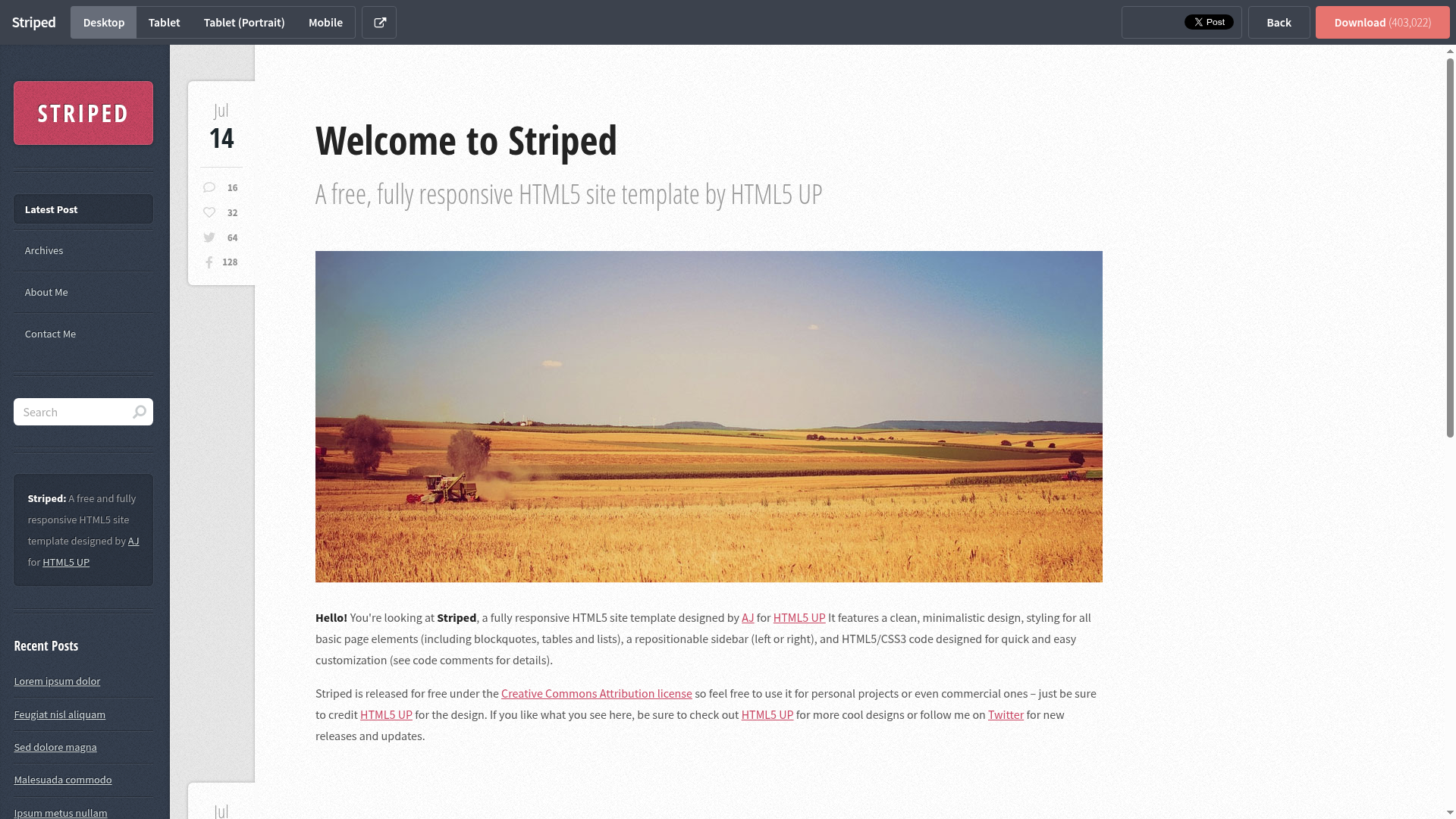
A port of the HTML5 UP Striped theme for Hexo, with sidebar widgets and configurable social features.
About this template
Striped is a port of the classic HTML5 UP "Striped" theme to the Hexo static site generator, delivering a two-column blog layout with a configurable sidebar for personal and development blogs.
What is Striped?
Striped is a Hexo theme that recreates the "Striped" design originally created by HTML5 UP, ported by battlemidget. It is installed into a Hexo site by cloning the repository into the themes/striped directory and setting theme: striped in the site's _config.yml. The theme accepts Hexo's markdown content and generates a static HTML blog with a sidebar containing search, category, tag, and Twitter widgets.
Key Features
- Sidebar widgets — The sidebar can display search, category, tag, and Twitter widgets, all enabled or disabled through the theme's YAML config.
- Configurable navigation menu — The
menukey in_config.ymldefines the main navigation, with default entries for Home and Archives. - Read More excerpt links — Article excerpts display a "Read More" link, with the text customizable via the
excerpt_linkoption. - Twitter feed widget — Show recent tweets by setting the
username, togglingshow_replies, and choosingtweet_count(default is 5 tweets). - AddThis social sharing — Add Facebook, Twitter, Google+, and Pinterest share buttons to the bottom of articles by enabling AddThis and entering a
pubid. - Fancybox lightbox — Enable Fancybox for image lightbox viewing when browsing photo posts.
- Google Analytics integration — Insert your Analytics tracking ID in the
google_analyticsconfig key. - RSS subscription link — Configure the RSS feed URL, with an option to point to Feedburner instead.
Who is it for?
- Hexo bloggers — People already using Hexo who want a clean, classic-blog layout with sidebar widgets without building a theme from scratch.
- Former HTML5 UP users — Designers or developers who used the original Striped HTML template and want the same look on a static site generator.
- Developers seeking a simple theme — Users who appreciate that all settings are in one YAML file and the theme can be updated with
git pullinside the theme directory.
What can you do with it?
- Personal bloggers: Publish posts with category and tag widgets so readers can browse topics, and enable the search widget to find content quickly.
- Twitter-savvy writers: Display a sidebar feed of your recent tweets by configuring the Twitter widget with your username and desired tweet count.
- Content distributors: Turn on AddThis share buttons so readers can share posts to Facebook, Twitter, Google+, and Pinterest with a single click.
How does it work?
Installation follows the standard Hexo theme workflow: clone the theme repository into themes/striped, then change the theme option in the site's _config.yml to striped. Updates are handled by navigating into themes/striped and running git pull. All behavior — menu items, widgets, share buttons, analytics — is controlled through the theme's own _config.yml file.
FAQ
How do I install Striped?
Run git clone git://github.com/battlemidget/hexo-theme-striped.git themes/striped from your Hexo site root, then edit the site _config.yml and set theme: striped. No other build steps are required.
How do I update the theme?
Change into the theme directory with cd themes/striped and run git pull. This will fetch the latest commit from the repository, keeping your theme current.
What sidebar widgets does Striped support?
The theme's widgets list can include search, category, tag, and twitter. Each widget displays in the sidebar, and you can reorder or remove them by editing the YAML list.
How do I enable social share buttons?
Set addthis.enable: true in the theme config, fill in your AddThis pubid, and choose which buttons to show: Facebook, Twitter, Google+, or Pinterest. The buttons appear at the bottom of articles.
Does Striped work with Google Analytics?
Yes. Put your Google Analytics tracking ID in the google_analytics key of the theme config. The theme will then include the analytics script on every page.