Template details
Tailwind CSS Landing Page
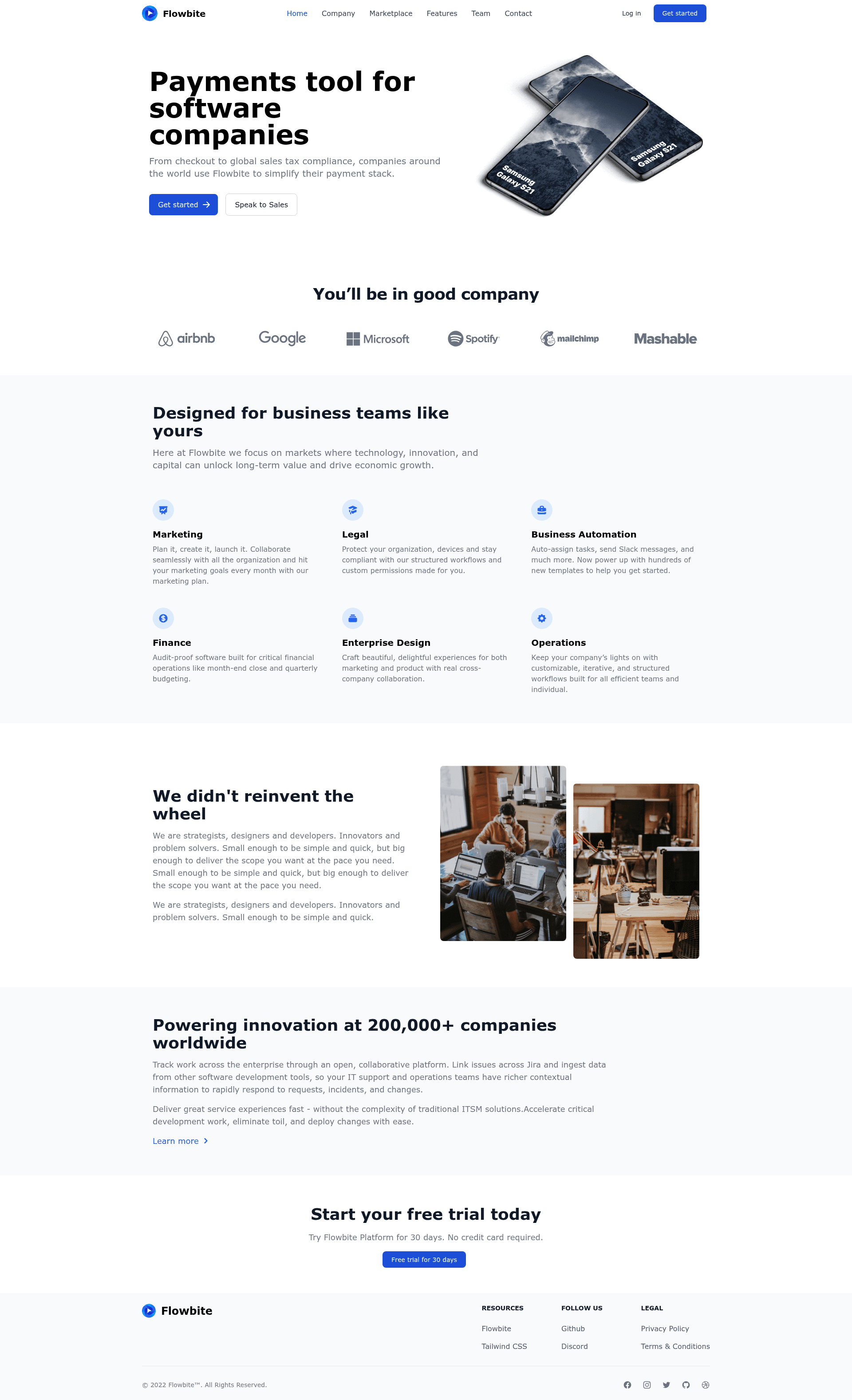
A responsive landing page built with Tailwind CSS and Flowbite Blocks, with a live demo and quick setup.
About this template
Tailwind CSS Landing Page is a public GitHub repository that serves as a responsive landing page template built with Flowbite Blocks, the Tailwind CSS framework, and the Flowbite component library.
What is Tailwind CSS Landing Page?
Tailwind CSS Landing Page is a ready-to-run example that combines a set of website sections from Flowbite Blocks and interactive components from the Flowbite Library, all styled with Tailwind CSS utility classes. The repository contains the source HTML and an input CSS file; when you run the Tailwind CLI watch command, it compiles the styles into an output CSS file that the page uses. A live demo of the finished page is hosted at https://themesberg.github.io/tailwind-landing-page/.
What makes it stand out?
- Flowbite Blocks sections — The template uses a selection from Flowbite Blocks, a collection of over 120 website sections crafted for Tailwind CSS.
- Tailwind CSS compilation — The setup uses the official Tailwind CLI:
npx tailwindcss -i ./input.css -o ./output.css --watchcompiles CSS and rebuilds on file changes. - Flowbite Library integration — Interactive components from the Flowbite Library are included alongside Tailwind, giving you behavior-ready UI pieces.
- Responsive layout — The page is explicitly built to be responsive, so it adapts to mobile, tablet, and desktop screens.
- Simple two-step setup — With Node.js, Tailwind CSS, and Flowbite installed, you run
npm installand then the Tailwind watch command to start editing. - Live preview — The demo is published on GitHub Pages, so you can see the full page in action before cloning anything.
- Public GitHub repository — The code is open on GitHub with 138 stars, making it easy to fork, study, and modify.
Who is it for?
- Web developers who want a pre-built responsive landing page to customize for their own projects.
- Designers who want to see how Flowbite Blocks components look assembled in a real page.
- Tailwind CSS learners who need a concrete example of compiling Tailwind with the CLI and using Flowbite together.
- Product teams who need landing page quickly without designing from scratch.
What can you do with it?
- Launch a marketing page: Fork the repository, replace the sample headings and buttons with your product details, and deploy the static files.
- Learn the Tailwind + Flowbite toolchain: Inspect how
input.css, the HTML structure, and the build command produce the final styled page. - Create a client-worthy design: Use the template as a base and add more sections from Flowbite Blocks to match the project scope.
How does it work?
After cloning the repo, ensure Node.js, Tailwind CSS, and Flowbite are installed. Run npm install, then run npx tailwindcss -i ./input.css -o ./output.css --watch to watch and compile CSS. Open the HTML file in a browser and edit the content.
FAQ
Is the Tailwind CSS Landing Page free to use?
The repository is publicly available on GitHub, so you can freely view, fork, and use the code. The page does not mention any payment or license restrictions.
What do I need to run it?
You need Node.js, Tailwind CSS, and Flowbite installed. Then run npm install followed by the Tailwind watch command to compile the styles.
Where can I see a live version?
A live demo is hosted at https://themesberg.github.io/tailwind-landing-page/, so you can preview the responsive landing page without running the code yourself.
How many sections does Flowbite Blocks include?
Flowbite Blocks offers more than 120 website sections designed for Tailwind CSS and the Flowbite Library, and this template uses a subset of them.