Template details
TiDB Cloud Starter
A bookstore demo built on TiDB Cloud and Next.js, deployable to Vercel or AWS.
About this template
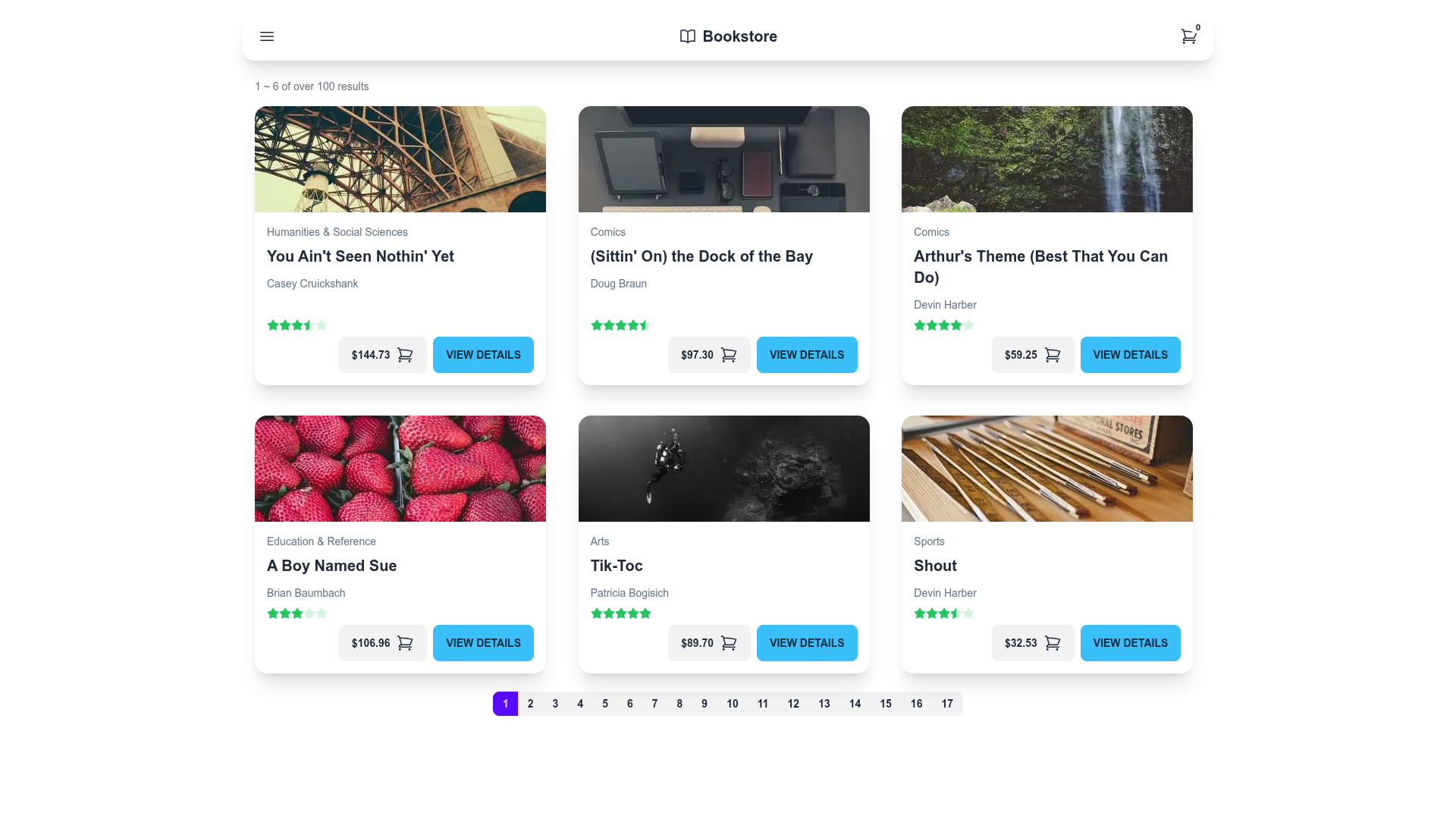
TiDB Cloud Starter is a bookstore demo application built on Next.js, Prisma, and TiDB Cloud that demonstrates a full-stack, serverless database-backed web app.
What is TiDB Cloud Starter?
TiDB Cloud Starter is a virtual online bookstore created by PingCAP, the company behind TiDB, to show how a Next.js frontend, Prisma ORM, and TiDB Cloud database work together in a real application. It takes a TiDB Cloud connection string as its main configuration input and produces a working web app where users can browse books by category, view book details, add and delete ratings, and edit inventory. The project is distributed as a public GitHub repository in the pingcap organization and is also offered as a one-click Vercel template for quick deployment.
The app supports full CRUD operations: viewing book details, adding and deleting ratings, and editing book inventory. It is powered by TiDB Cloud, Prisma, and Vercel, and is designed as a reference implementation for developers building serverless database applications.
Key Features
- Full CRUD bookstore functionality — browse books by category, view book details, add/delete ratings, and edit inventory records through the web UI.
- TiDB Cloud integration — connects to a TiDB Cloud cluster via a
DATABASE_URLin the formmysql://<User>:<Password>@<Host>:4000/bookshop, using TiDB Cloud's MySQL compatibility on port 4000. - Prisma ORM — uses Prisma for schema management, with migrations run via
yarn run prisma:deployand initial data seeded viayarn run setup. - One-click Vercel deployment — the repository includes a Deploy with Vercel button that clones the project and guides you through connecting your TiDB Cloud cluster using Vercel's integration.
- AWS Linux deployment path — the README documents a full manual deployment to AWS EC2 using nvm, yarn, and environment variables, then starts the production server on port 3000.
- Next.js frontend — the app is built with Next.js (listed in the repository topics), providing page routing and API routes for the bookstore features.
- Live demo — a hosted version is available at https://tidb-prisma-vercel-demo.vercel.app/ so you can try the bookstore without deploying.
- Bookshop schema reference — links to PingCAP's Bookshop Schema Design documentation, which explains the database model for books, users, and ratings.
Who is it for?
- Developers learning serverless databases — use TiDB Cloud Starter to see how a Next.js app connects to TiDB Cloud through Prisma and performs CRUD operations without managing a traditional database server.
- Full-stack engineers evaluating TiDB Cloud — deploy the demo to Vercel or AWS to test TiDB Cloud's free trial cluster, connection string format, and MySQL compatibility before building their own project.
- Prisma users — use the repository as a working example of Prisma migrations (
prisma:deploy), schema setup, and seeding (setup) in a real application. - Educators and self-learners — follow the deployment instructions to set up a complete sample bookstore application for teaching web development or database concepts.
Use cases
- Building a reference bookstore app: clone the repository and use the CRUD operations and schema design as a starting point for a production bookstore or catalog application.
- Testing TiDB Cloud with serverless deployment: deploy to Vercel via the one-click button and connect a TiDB Cloud cluster to verify that the two services work together.
- Learning Prisma migrations in a Next.js project: run
yarn run prisma:deployandyarn run setupto see how Prisma applies schema changes and seeds initial data. - Running a demo on AWS: follow the AWS Linux commands to install Node.js, set the
DATABASE_URL, and launch the app on an EC2 instance for evaluation.
How does it work?
The template requires a TiDB Cloud cluster; you create one and copy its connection details (the User and Host fields) into a DATABASE_URL environment variable. On Vercel, the Deploy button automates this by guiding you through the TiDB Cloud integration. Once deployed, the app uses Prisma to manage a bookshop database and exposes pages for viewing books, adding ratings, and editing inventory. For manual deployment, the README provides shell commands to install dependencies, create the database with mysql, build with Prisma, and start the server on port 3000.