Template details
Techipedia
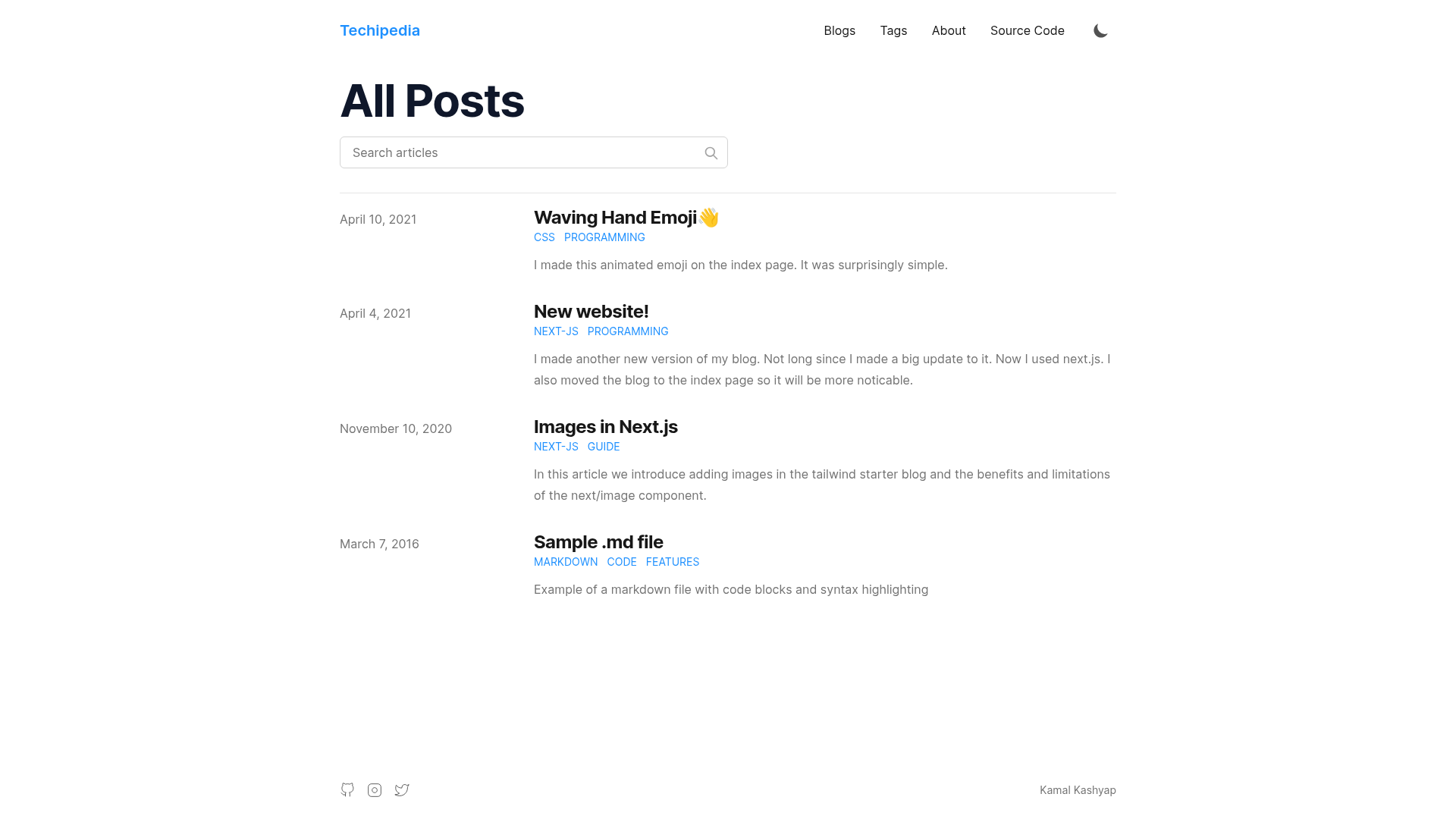
A Next.js and Tailwind CSS progressive web app blogging template with offline support, installable as an app, and MDX-authored posts.
About this template
Techipedia is a Next.js-powered progressive web app blogging template that combines Tailwind CSS styling, MDX content authoring, and installable offline support in one deployable starter.
What is Techipedia?
Techipedia is a blogging site template built on Next.js and bootstrapped from Timlrx's tailwind-nextjs-starter-blog. It converts Markdown and MDX files in a content directory into a styled, SEO-friendly blog with PWA capabilities. The template runs on the Next.js framework, uses Tailwind 3.0 for styling, and is designed for deployment on Vercel.
Key Features
- PWA support — Works offline and can be installed as a native app; includes a custom install button.
- Tailwind 3.0 styling — Easy styling customization via Tailwind and a primary color attribute.
- MDX authoring — Write JSX inside Markdown documents with full MDX support.
- Syntax highlighting — Server-side syntax highlighting with line numbers and line highlighting via rehype-prism-plus.
- Tags and authors — Each unique tag gets its own page; supports multiple authors with metadata in authors/default.md.
- SEO and performance — SEO friendly with RSS feed and sitemaps; near-perfect Lighthouse score.
- Theme and UX — Light and dark themes, top progress bar, and mobile-friendly responsive layout.
Who is it for?
- Developers who want a fast, customizable blog starter with minimal setup and a modern PWA experience.
- Technical bloggers who want to write in Markdown/MDX and publish with code syntax highlighting and tag organization.
- Indie writers who want an installable, offline-capable personal blog they can deploy free on Vercel.
What can you do with Techipedia?
- Personal bloggers: publish long-form articles with tags, multiple authors, and RSS feeds.
- Documentation writers: use MDX to embed interactive components in posts.
- PWA enthusiasts: install the blog as an app and browse offline.
How does Techipedia work?
The quick start flow is: clone the repository, personalize siteMetadata.js with site info, edit authors/default.md for the main author, modify headerNavLinks.js for navigation, add blog posts as Markdown or MDX files, and deploy to Vercel. A compose script (node ./scripts/compose.js) interactively generates a new post with prefilled front matter. Run npm run dev to start the development server at localhost:3000.
FAQ
Does Techipedia work offline?
Yes. The site is a progressive web app that caches content, so it works offline and can be installed as a native app on supported devices.
How do I install it as an app?
A custom install button is included in the template, which triggers the browser's PWA installation flow. Users can also use the browser's "Add to Home Screen" option.
How do I customize the site?
Edit siteMetadata.js for site-wide information, authors/default.md for author details, and headerNavLinks.js for navigation links. Tailwind 3.0 allows color and styling changes via the primary color attribute.
How do I add a new blog post?
Run node ./scripts/compose.js to generate a new post with front matter through an interactive prompt, or create a Markdown/MDX file manually and add it to the posts directory.
Can I deploy it on Vercel?
Yes. The repository includes a Deploy with Vercel button, and the Vercel platform is the recommended deployment method for Next.js projects.