Template details
The Curriculum Vitae Template
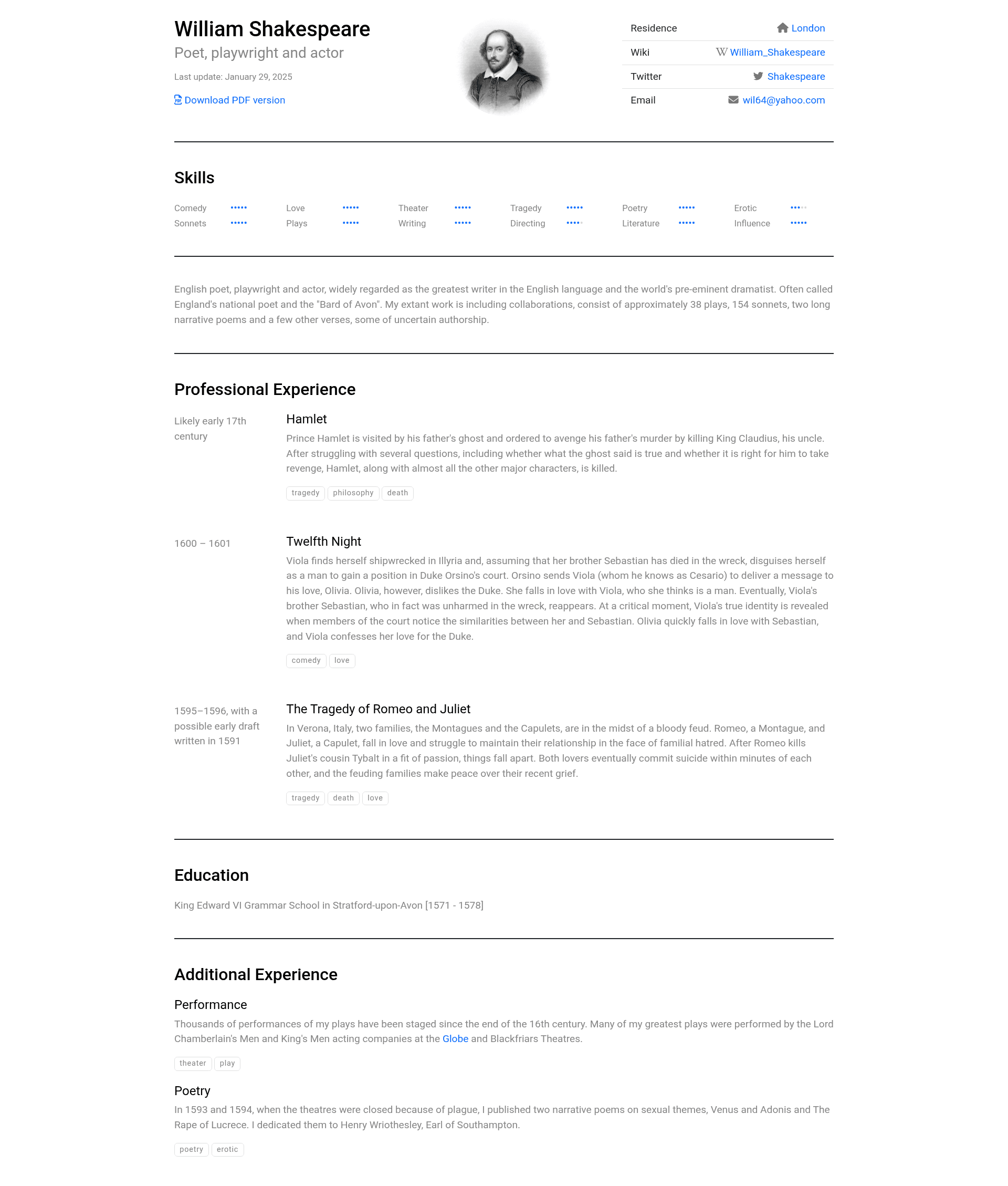
Manage your CV as a web app (HTML, JS, CSS). Automatically generate HTML and PDF versions and deploy them on GitHub Pages on every push.
About this template
The Curriculum Vitae Template is a GitHub template that converts your CV into a version-controlled web app, automatically generating matching HTML and PDF versions and deploying them to GitHub Pages on every push to the main branch.
What is The Curriculum Vitae Template?
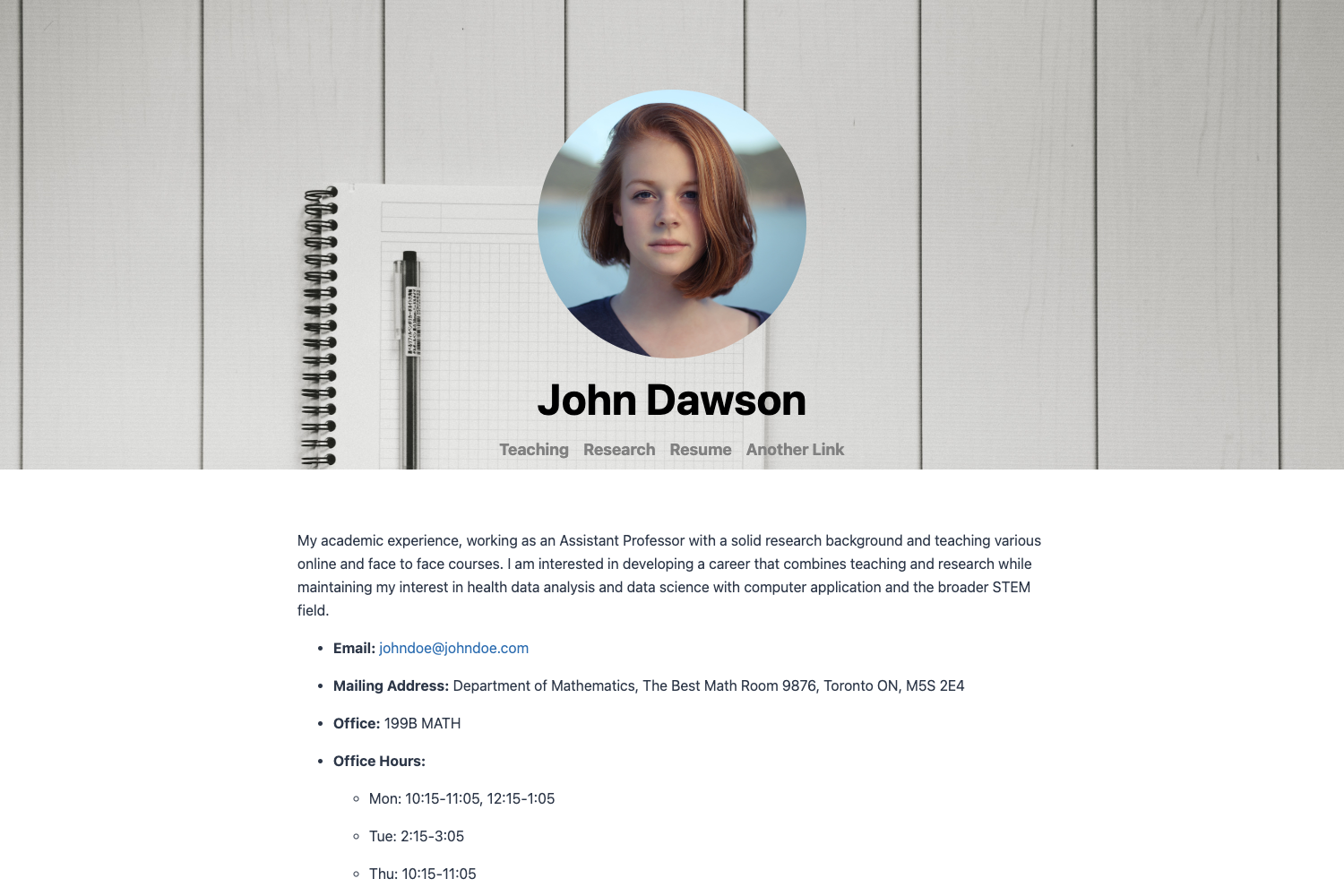
The Curriculum Vitae Template turns your résumé into a static web application built with HTML, CSS, and JavaScript. You provide your CV content through a JavaScript metadata file and an HTML template, and the project outputs both a hosted HTML page and a PDF version, then deploys both to GitHub Pages automatically via GitHub Actions. The template is maintained on GitHub by the user sneas, with a live demo accessible at sneas.github.io/cv-template and a real-world example at sneas.github.io/cv.
Key Features
- Automatic HTML and PDF generation — GitHub Actions builds both formats on every push to the main branch, so the two versions never fall out of sync. You never manually generate or upload the PDF.
- GitHub Pages hosting — The built CV is deployed to
http://your-username.github.io/your-cv-repowith no extra hosting cost or server configuration needed. - HandlebarsJS templating — CV data lives in
src/metadata/metadata.jsand the layout is defined insrc/templates/index.html, keeping content separate from presentation. - Local development server — Run
npm startto preview changes on your machine before committing, which speeds up iteration on your CV design. - One-time deploy setup —
npm run deployinitializes the gh-pages branch once; after that, every push tomaintriggers an automatic build and deployment. - Custom favicon support — You can replace
src/assets/favicon.icowith your own icon, and the setup instructions even suggest a free online tool to generate one from a photo. - Simple, dependency-light stack — Uses only Node.js and npm for tooling, with no backend or database, making the template easy to audit and extend.
Who is it for?
The Curriculum Vitae Template is aimed at developers and technical professionals who want their CV to reflect their automation and version-control skills. Software engineers can store their career history as code on GitHub, making it easy to track edits and roll back changes. Job seekers who value a polished, self-hosted resume without recurring hosting fees benefit from the automatic deployment to GitHub Pages. Anyone comfortable with basic git and npm commands can use the template to maintain a professional CV site with an auto-generated PDF attachment for applications.
What can you do with it?
- Share a tech-forward resume link: Host your CV at a free GitHub Pages URL and include it in job applications, portfolios, and LinkedIn profiles to demonstrate that you work like a developer.
- Generate a matching PDF automatically: The GitHub Action creates an up-to-date PDF on every push, so you always have a current PDF ready for application portals that require file uploads.
- Customize the layout and data separately: Edit the Handlebars template to change the visual design and update
src/metadata/metadata.jsto change your personal details, experience, and skills without touching the build workflow.
How does it work?
The setup involves four steps: create a new repository from this template using the GitHub generate link, clone the repository, install dependencies with npm install, and run npm run deploy once to initialize the gh-pages branch. After that, you edit the CV content in the src folder and commit your changes. GitHub Actions then builds the latest HTML and PDF versions and deploys them to your GitHub Pages site. For local previews, npm start runs a development server.
FAQ
Is this CV template free to use?
Yes, it is a public GitHub template, so you can create your own repository from it without paying anything. GitHub Pages hosting is free for public repositories, and the project uses free GitHub Actions minutes for the automatic builds.
Do I need to build the PDF manually?
No. The project includes a GitHub Action that builds both HTML and PDF versions on every push to the main branch. The PDF is generated automatically and deployed to your site, so you can always download a current copy without manual steps.
What files do I need to edit to update my CV?
Update your personal and professional details in src/metadata/metadata.js and change the layout or styling in src/templates/index.html. You can also replace the favicon at src/assets/favicon.ico with your own image.
Can I see a live demo of this template?
Yes, a live demo is available at sneas.github.io/cv-template. A real-world CV using the template, from the same author, is hosted at sneas.github.io/cv, so you can see the output in actual use.
What technology does this template depend on?
The template is built with standard HTML, CSS, and JavaScript. It uses HandlebarsJS as the templating engine, Node.js and npm for local tooling, and GitHub Actions for automated builds and deployments. There is no backend or database involved.