Template details
Tokyo
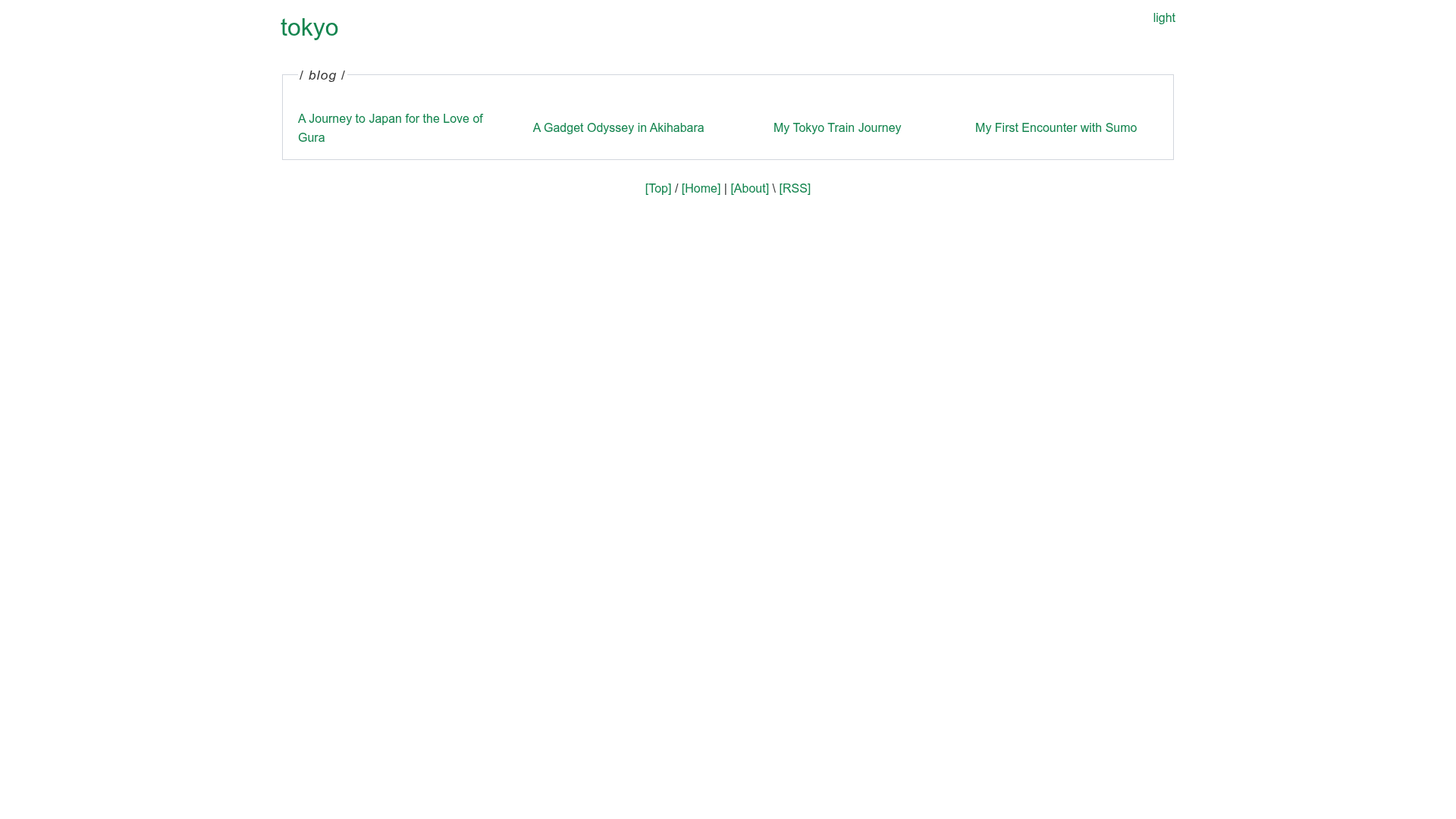
A simple, clean HTML template for the Gozer static site generator with dark mode support.
About this template
Tokyo is a minimal HTML template for the Gozer static site generator, built to turn Markdown files into a clean, no-frills website. It includes dark mode support and uses the Chota v0.9.2 CSS framework for styling, so you get a pre-structured look without writing custom CSS. The template deliberately omits pagination and tags, keeping the template and its output as simple as possible.
What is the Tokyo template for Gozer?
Tokyo is a single-purpose theme made for Gozer, a static site generator written in Go. It takes Markdown content stored in the content/ directory and outputs a static website into the public/ directory when you run gozer build. The template was created by htejera and is listed alongside other Gozer themes on Jamstackthemes; a live preview is available at tokyo-gozer.surge.sh.
Key Features
Tokyo's defining characteristic is simplicity — it provides just the essentials for a content site. The page lists these concrete features:
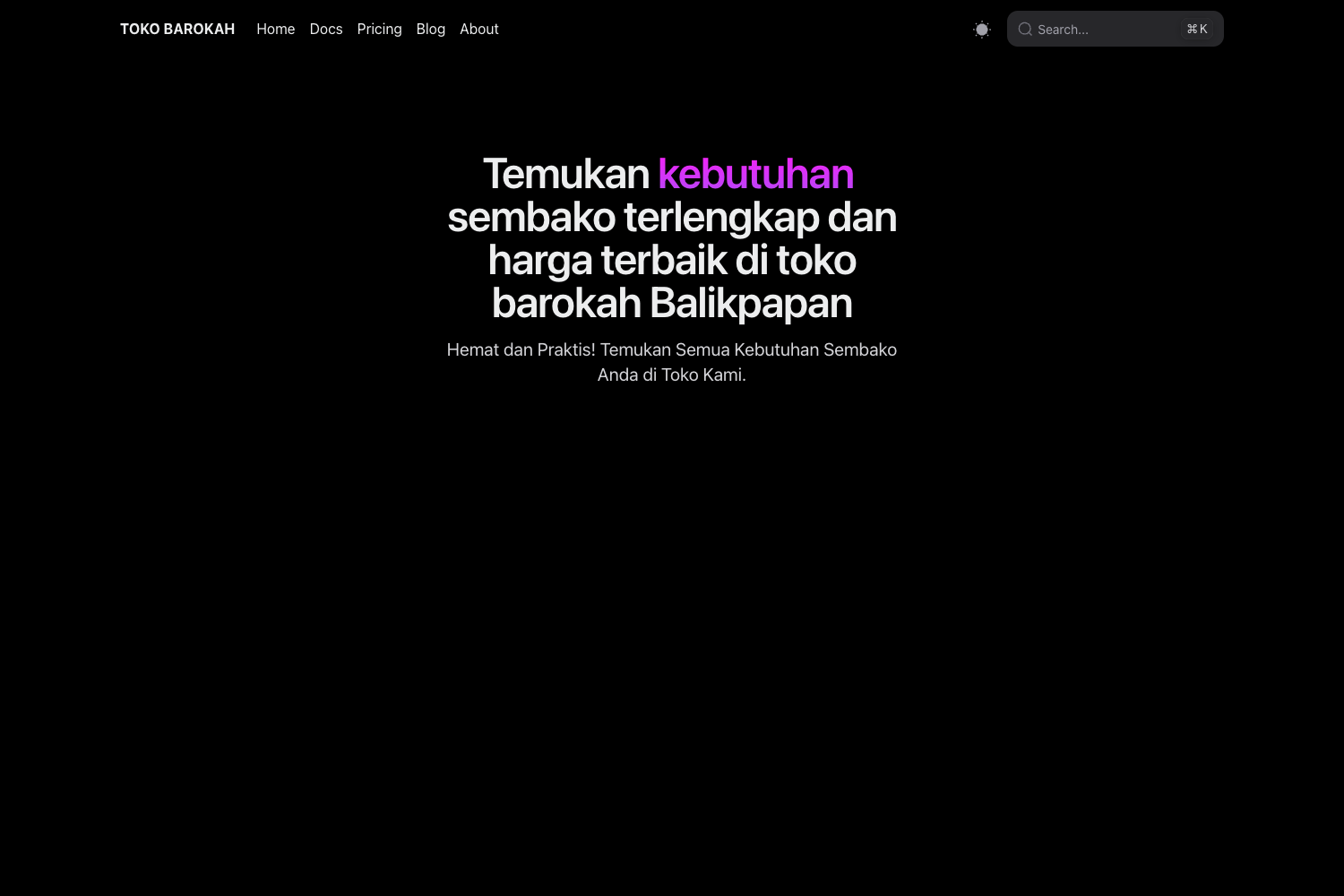
- Dark mode support — The template includes a dark theme in addition to the default light appearance, as shown in the project screenshots.
- Chota v0.9.2 styling — Styling relies on the Chota micro-CSS framework, a lightweight class-based CSS library.
- No pagination or tags — The template explicitly has no support for pagination or tags, so content is not split across pages and no tag pages are generated.
- Gozer-native workflow — Content is Markdown in the content/ directory, and the static output is built to public/ using the gozer build command.
- Simple local preview — Running gozer serve starts a local server at http://localhost:8080.
- Live demo available — A working preview is hosted at tokyo-gozer.surge.sh.
Who is it for?
Tokyo suits developers and writers who want a no-frills site without learning a full-featured framework. It works well for:
- Gozer users — Anyone already using or evaluating the Gozer static site generator can drop Tokyo in as a starting theme and keep their Markdown workflow.
- Personal bloggers — Writers who publish plain Markdown posts and want a clean, readable layout with minimal styling.
- Developers who need a simple docs or notes site — Teams that want a lightweight static site with dark mode and no tag or pagination overhead.
- Minimalists — Users who explicitly want to avoid the complexity of tag management and multi-page pagination.
What can you do with the Tokyo template?
Because Tokyo is a Gozer theme, the main workflow is straightforward:
- Publish a blog — Write Markdown posts in content/, run gozer build, and deploy the generated public/ folder to any static host.
- Create a personal homepage — Use the clean layout to present a single page of content or a short list of links.
- Build a simple documentation site — Organize Markdown files into pages that render through Gozer's content ordering, with dark mode for comfortable reading.
How does the Tokyo template work?
Tokyo follows the standard Gozer workflow. First install Gozer with go install git.sr.ht/~dvko/gozer@latest, then place your Markdown files in the content/ directory. Run gozer build to generate the static site in public/, or gozer serve to preview it at http://localhost:8080.
Pros and cons
- Pros: Minimal, clean design with no extra styling decisions; dark mode included; built specifically for Gozer so setup matches the generator's standard commands; uses lightweight Chota v0.9.2.
- Cons: No pagination, so long-running blogs will show all content on one page; no tag support, so there is no tag index or filtering.
FAQ
Does Tokyo support pagination or tags?
No. The template explicitly does not include pagination or tag support, so all content is rendered on a single page and no tag archive pages are generated. If you need pagination or tags, you would need to extend the template or choose a different Gozer theme.
What is Chota and why is it used?
Chota is a lightweight, class-based CSS micro-framework, and Tokyo uses version 0.9.2. It provides basic responsive styling and utility classes so the template can stay minimal without custom CSS.
How do I build and serve a site with Tokyo?
Install Gozer using go install git.sr.ht/~dvko/gozer@latest, then create Markdown files in the content/ directory. Run gozer build to generate the site into public/, or gozer serve to preview it at http://localhost:8080.
What Go version does Gozer require?
The installation instructions state that Gozer needs Go version 1.11 or later. Once Go is installed, you can install Gozer with the go install command shown above.