Template details
Nuxt Editor Template
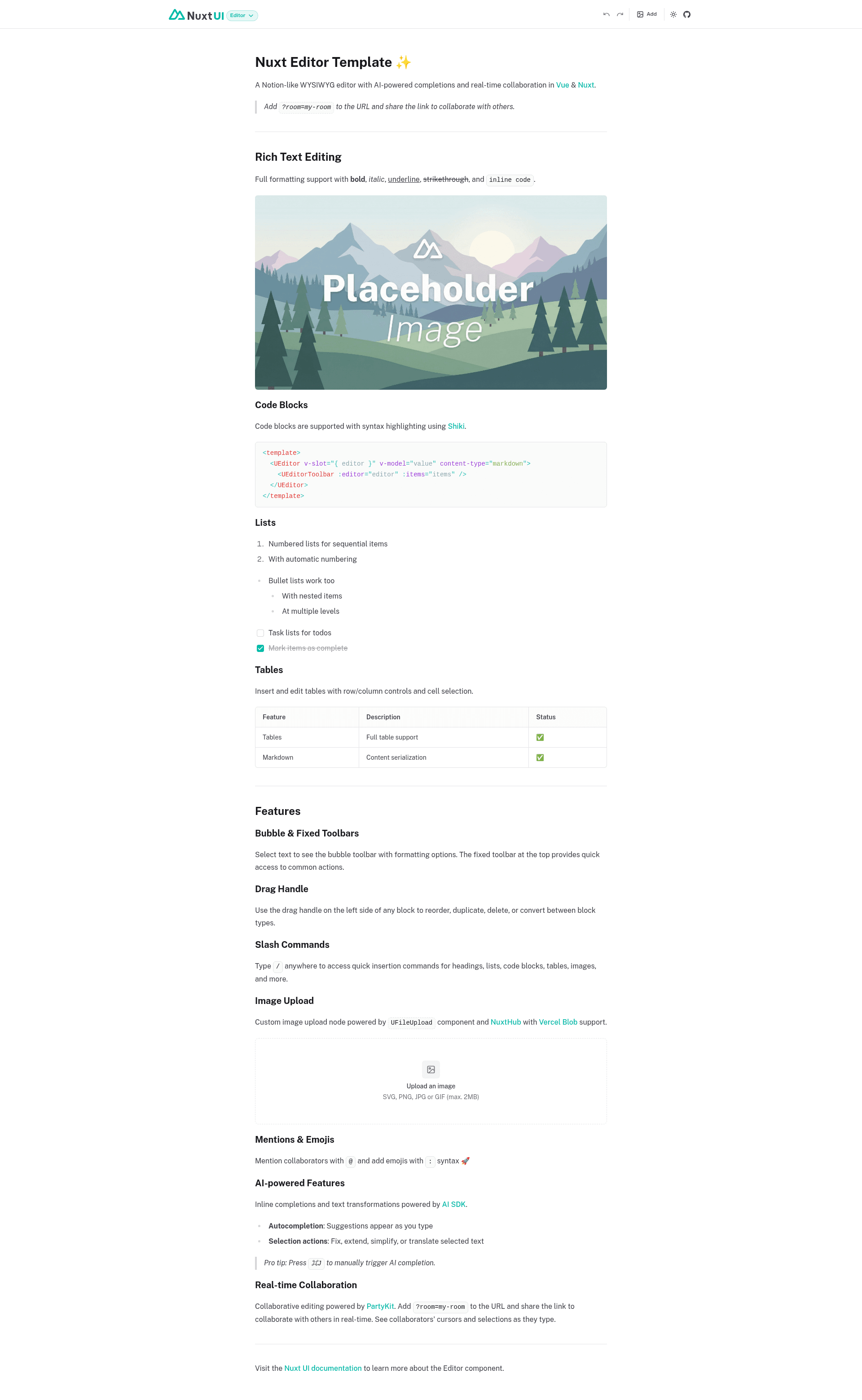
Notion-like WYSIWYG editor template for Vue & Nuxt with AI completions, markdown support, and optional real-time collaboration.
About this template
Nuxt Editor Template is a starter template for a Notion-like WYSIWYG editor built with Vue 3, Nuxt, Nuxt UI, and TipTap, offering AI-powered writing assistance and optional real-time collaboration via PartyKit.
What is the Nuxt Editor Template?
This is a starter template that scaffolds a full-featured document editor into a Nuxt application. It uses the Nuxt UI Editor component, which wraps the TipTap editor, and sets the content type to markdown for easy serialization to and from the editor. The template is created by the Nuxt UI team and is available on GitHub under the nuxt-ui-templates organization.
Key Features
- Rich text editing — supports headings, bulleted and numbered lists, blockquotes, and code blocks with a familiar Notion-like surface.
- Tables — insert and edit tables with column/row controls and cell selection.
- Contextual toolbars — a bubble toolbar appears on text selection, and a fixed toolbar stays accessible at the top of the editor.
- Drag handle — drag to reorder, duplicate, or delete content blocks.
- Slash commands — type "/" to see insertion options for images, tables, and other blocks.
- Image upload — custom image upload node powered by NuxtHub Blob, which can be configured with Vercel Blob, Cloudflare R2, or Amazon S3.
- AI-powered assistance — inline completions triggered with ⌘J, plus actions to continue writing, fix grammar, extend/reduce selection, simplify, summarize, and translate selected text into English, French, Spanish, or German, backed by the Vercel AI SDK.
- Real-time collaboration — optional collaborative editing using Y.js and PartyKit, activated by adding a room name to the URL.
Who is it for?
- Nuxt developers who need to embed a full-featured editor into a SaaS app or admin panel without building the editing layer from scratch.
- Indie builders who want to ship a note-taking or document app quickly, with markdown storage and optional AI writing help.
- Teams that need multi-user editing in real time can enable the PartyKit integration and share a room link with collaborators.
What can you do with the Nuxt Editor Template?
- Build a blog content editor: create blog posts as rich text and serialize them to markdown for use in a headless CMS.
- Add AI writing assistance to an app: let users invoke AI inline completions, summarize paragraphs, or translate text with a few keystrokes, using the Vercel AI Gateway for model access.
- Ship a collaborative docs product: deploy a PartyKit server, set the environment variable, and any user who adds
?room=to the URL edits the document together with others in real time.
How does the Nuxt Editor Template work?
The template wires the TipTap editor through Nuxt UI's Editor component, storing content as markdown. AI features rely on the Vercel AI SDK's useCompletion composable to stream text from the AI Gateway. Collaboration uses Y.js as the CRDT layer and PartyKit as the sync provider, activated only when the NUXT_PUBLIC_PARTYKIT_HOST environment variable is present and a ?room= parameter is supplied.
FAQ
How do I start a project with this template?
Run npm create nuxt@latest -- -t ui/editor to scaffold a new Nuxt application pre-configured with the editor template. Then install dependencies with pnpm install and start the dev server with pnpm dev.
Is real-time collaboration included?
Yes, collaboration is an optional integration. You need to create and deploy a PartyKit server, set the NUXT_PUBLIC_PARTYKIT_HOST environment variable, and append ?room=your-room-name to the URL. Without these, the editor runs standalone.
What do I need for AI features?
Set AI_GATEWAY_API_KEY in your .env file. The template uses Vercel AI Gateway, so you don't need individual API keys for different providers. When deployed to Vercel, the gateway is configured automatically.
How does image upload work?
Image upload uses NuxtHub Blob, which defaults to local filesystem storage in development (in the .data/blob folder). For production, you can connect Vercel Blob, Cloudflare R2, or Amazon S3 by following the NuxtHub Blob documentation.
Can I use the editor without AI or collaboration?
Yes, both features are optional. The editor works out of the box with just the core rich-text functions. You only need to add environment variables or dependencies if you want the AI and collaboration extras.