Template details
Twilight
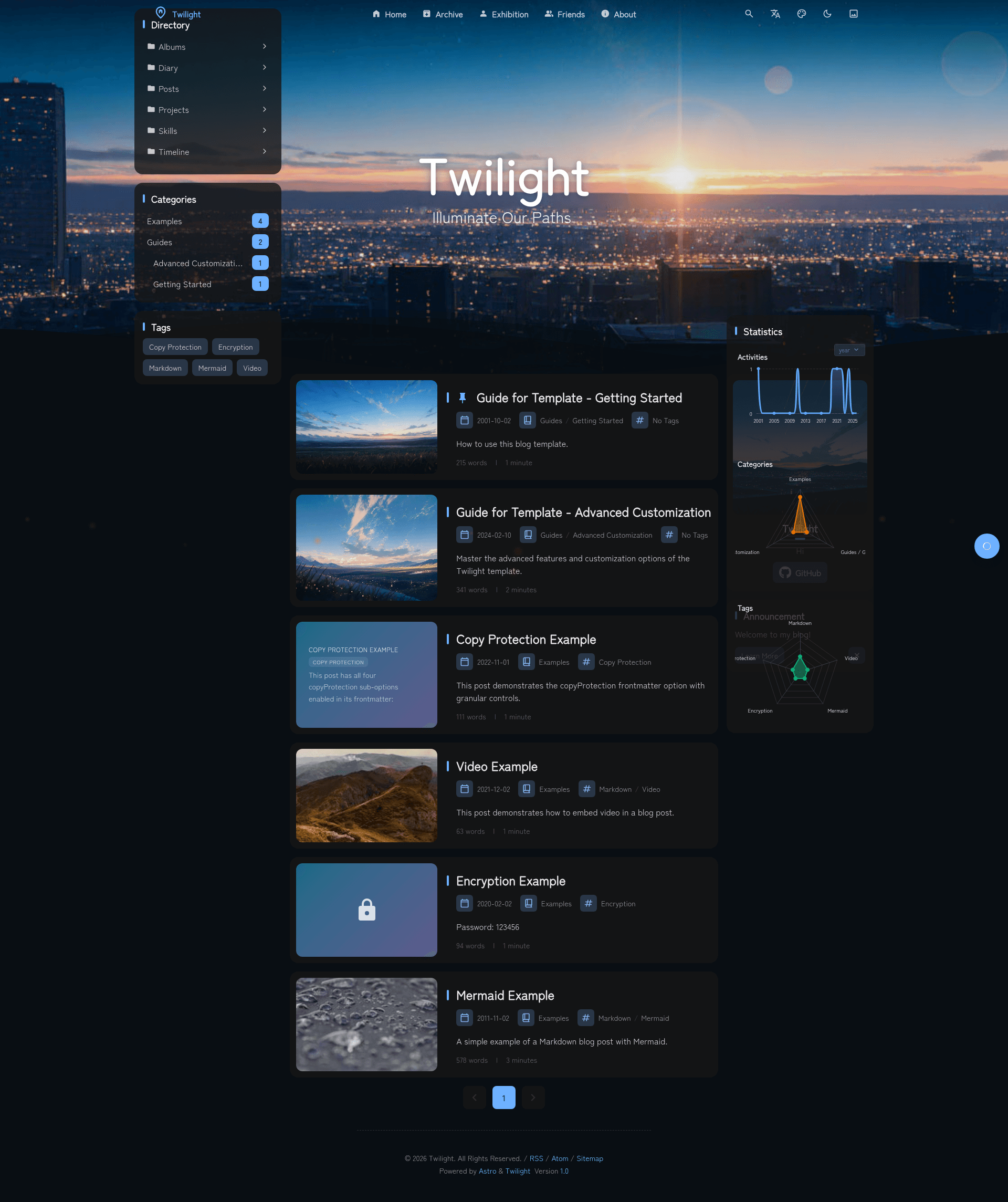
A CMS integrated static blog template built with Astro, featuring OAuth content management, blog, projects, timeline, diary, and albums.
About this template
Twilight is an open-source, CMS-integrated static blog template built on the Astro framework that produces a fast static site while letting you manage content through a headless CMS with OAuth login.
What is Twilight?
Twilight is a static blog template for Astro that combines a headless CMS with OAuth authentication for content management. It takes configuration from twilight.config.yaml and content from src/content, then builds a fully static site into ./dist/ using pnpm build. The template is created by Spr-Aachen and is based on the Fuwari prototype, with design inspiration from Yukina and Mizuki. It is available on GitHub and has earned 312 stars.
What makes Twilight stand out?
- Headless CMS integration — Manage posts, projects, and pages through an OAuth-authenticated CMS without touching code.
- Password-protected posts — AES-encrypted article content that requires a password to view, useful for private or paid content.
- Multilingual support — Built-in UI translations for English, Chinese, and Japanese, plus site translation for over 12 languages.
- Rich markdown extensions — GitHub repo cards, music cards with inline audio, admonition callouts, code block enhancements (copy, collapse, line numbers), Mermaid diagrams, and KaTeX math rendering.
- Multiple content types — Blog, projects & skills showcase, timeline biography, short-form diary, and photo albums with Fancybox lightbox.
- Built-in integrations — Umami analytics, Waline and Twikoo comment systems, a background music player using meting API or local playlists, and an interactive Live2D widget.
- Deployment flexibility — Works with Cloudflare, Netlify, Vercel, EdgeOne, and any static hosting platform; also includes Docker and docker-compose setup.
- Visual customization — Customizable theme colors, dynamic wallpaper carousel, animated particle effects, custom fonts, and smooth page transitions.
Who is Twilight for?
- Bloggers who want a CMS-driven writing workflow with features like pinned posts, drafts, and password protection.
- Developers who prefer Astro and want a fully featured blog template with a documented configuration structure.
- Portfolio owners who need to showcase projects, skills, and professional timelines through visual data pages.
- Polyglot creators who need a multi-language site with three UI languages and translation support for 12+ languages.
What can you do with Twilight?
- Publish a personal blog — Write in Markdown, tag posts, categorize them, and let the template auto-generate navigation, archives, and a table of contents.
- Showcase your projects and skills — Use the dedicated pages and data visualization widgets to present your portfolio with galleries.
- Build a professional timeline — Document your education, work history, achievements, and skills on the biography timeline page.
- Share short diary entries and photo albums — Use the microblog-style diary for quick updates and the album gallery with Fancybox lightbox for images.
How does Twilight work?
After cloning the repository, install dependencies with pnpm install, then customize twilight.config.yaml and add content under src/content. Start development with pnpm dev, create new posts with pnpm new-post filename, and build the static site with pnpm build. Deployment targets any static host, with dedicated adapters for Cloudflare, Netlify, Vercel, and EdgeOne.
FAQ
Does Twilight support a CMS?
Yes. Twilight integrates a headless CMS with OAuth authentication, so you can manage posts and other content without directly editing files—though the template also supports editing content in src/content directly.
Can I deploy Twilight to Vercel?
Yes. The template supports multiple deployment adapters including Cloudflare, Netlify, Vercel, and EdgeOne, and can be deployed to any static hosting platform.
Does Twilight have a comment system?
Twilight integrates both Waline and Twikoo comment systems, so you can choose one and enable comments on your posts.
How do I create a new blog post?
Use the command pnpm new-post filename from the project root to scaffold a new post, then edit the generated Markdown file under src/content.