Template details
unifreak's Blog
A personal Jekyll blog on GitHub Pages for tech notes, book reviews, and brain dumps.
About this template
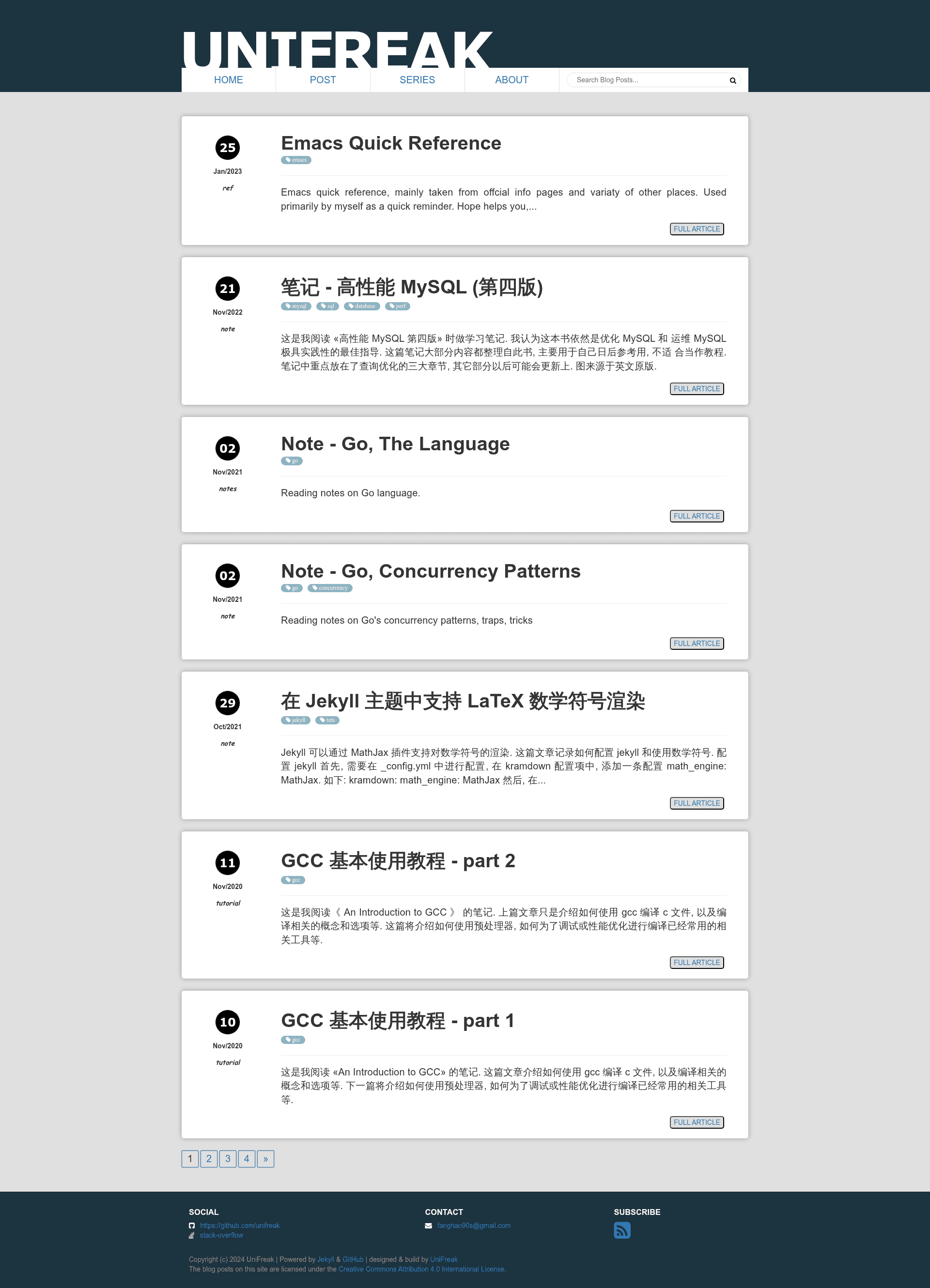
unifreak's Blog is a personal blog template built on GitHub Pages and powered by Jekyll, designed for publishing tech learning notes, book reviews, and assorted brain dumps.
What is unifreak's Blog?
unifreak's Blog is the personal blog repository of the developer unifreak, hosted on GitHub Pages and generated with the static site generator Jekyll. The blog takes Markdown posts as input and outputs a static HTML website. The page describes its content as personal notes made when learning new tech, thoughts on tech, reviews of books, and brain dumps. The repository also links to its custom Jekyll theme, jekyll-theme-textalic, which is maintained as a separate project and can be reused.
Key Features
- GitHub Pages hosting — the blog is built and deployed on GitHub Pages, so no separate web server is required; pushing content to the repository triggers a rebuild.
- Jekyll static generation — uses Jekyll's standard Markdown-to-HTML pipeline, with posts written in Markdown and converted into a static site.
- Custom theme linkage — the blog references jekyll-theme-textalic, an open-source Jekyll theme that users can find in a separate GitHub repository.
- Content variety — the blog is organized around tech learning notes, tech opinions, book reviews, and brain-dump style posts, demonstrating a minimal personal blog structure.
- Repository metadata — the GitHub repository description is "unifreak's blog" and the topics are blog, jekyll, and jekyll-theme; it has 24 stars at the time of analysis.
Who is it for?
- Developers learning Jekyll — can examine this repository's layout to understand how a Jekyll blog is configured and deployed on GitHub Pages.
- Writers seeking free hosting — can use GitHub Pages and Jekyll to host a personal blog without paying for servers or a CMS.
- Jekyll theme users — can follow the link to jekyll-theme-textalic to reuse the same theme in their own Jekyll-powered sites.
What can you do with unifreak's Blog?
- Publish tech notes: write Markdown posts about technologies you are learning and commit them to get them published as static web pages.
- Share book reviews: add posts in the book-review style visible on the blog to record reading notes.
- Customize the theme: edit the jekyll-theme-textalic theme (or replace it) to give the blog a different look while keeping the same Jekyll workflow.