Template details
User-Agent Based Rendering
Learn how to render a different page based on the User-Agent header.
About this template
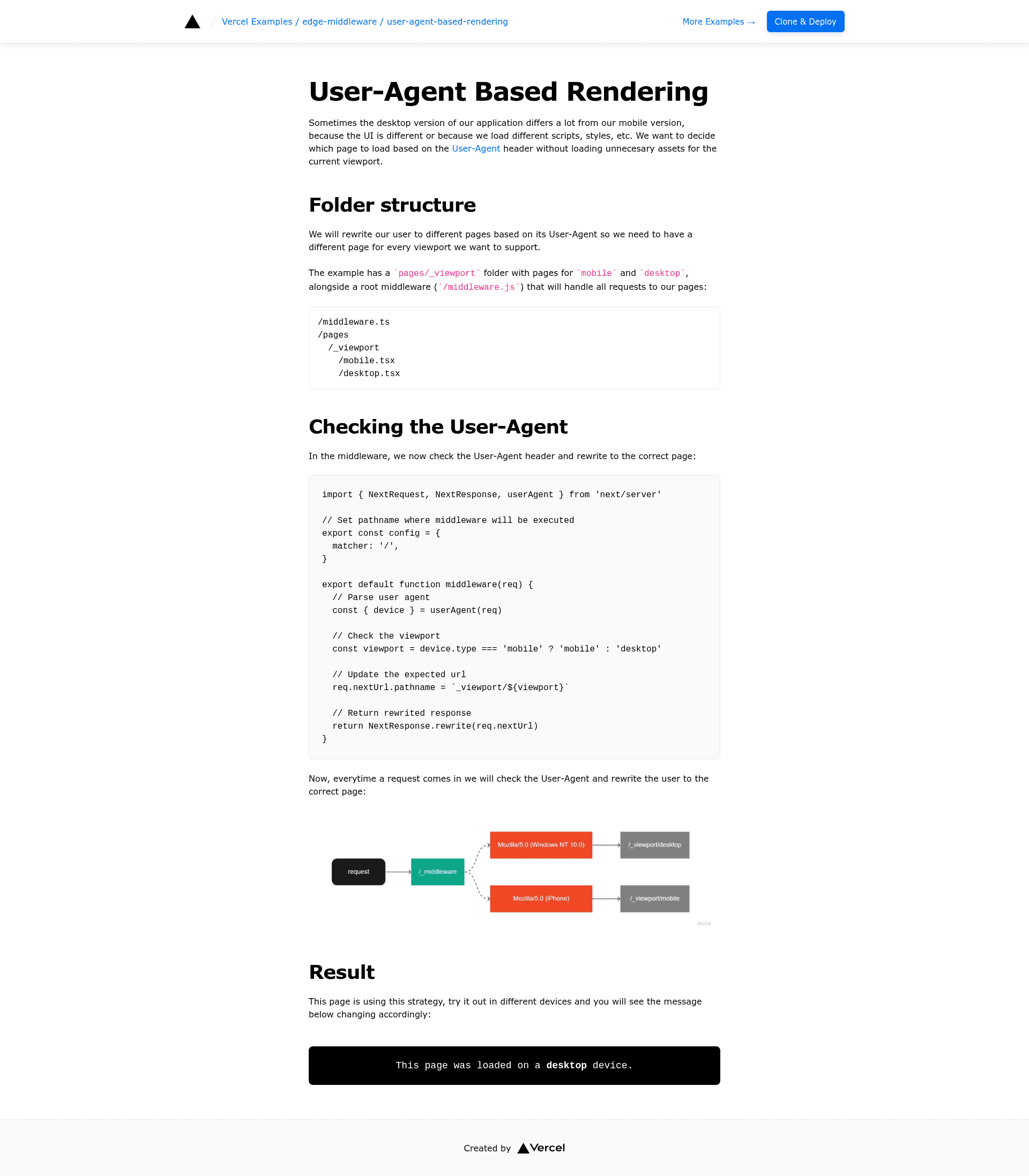
User-Agent Based Rendering is a Next.js edge middleware template from the Vercel examples collection that demonstrates how to serve a different page to users based on the User-Agent request header.
What is User-Agent Based Rendering?
This template is a minimal example that reads the User-Agent header from an incoming request and conditionally renders an alternative page depending on the detected client. It runs as Vercel Edge Middleware, meaning the decision is made at the network edge before the request reaches the server. The project is part of the official vercel/examples repository and uses Next.js as its framework. It is styled with Tailwind CSS, and it provides both a live demo and a one-click deployment option.
Key Features
- Edge Middleware execution — All logic runs in a middleware function at the edge, so no server-side code is required for the conditional rendering.
- Next.js framework — Built on Next.js, using
create-next-appfor scaffolding and the React ecosystem. - Tailwind CSS — The user interface is styled with Tailwind CSS for utility-first styling.
- One-click deployment — A Vercel Deploy button lets you clone the repository and deploy it to Vercel without leaving the browser.
- Live demo — A hosted demo is available at https://edge-user-agent-based-rendering.vercel.app so you can see the behavior before deploying.
- Local development — You can bootstrap the example with
pnpm create next-app --exampleand run it withpnpm dev. - Related examples — The template is listed alongside ab-testing-simple in the edge-middleware section, making it easy to explore complementary patterns.
Who should use User-Agent Based Rendering?
- Next.js developers who need a reference implementation for inspecting request headers at the edge.
- Teams deploying to Vercel that want to customize user-facing pages based on the client's User-Agent without changing backend logic.
- Developers new to edge middleware who want a small, readable example that shows how to return conditional responses from a middleware function.
What can you do with this template?
- Serve device-specific pages — Adapt the middleware condition to send a mobile-optimized layout or a desktop layout based on the User-Agent string.
- Customize responses for crawlers — Use the same pattern to return a different page to search engine bots or other known User-Agents.
- Build edge-based routing logic — Modify the template to rewrite or redirect requests based on any header, learning a reusable pattern for edge middleware.
How does this template work?
The example's middleware reads the User-Agent header, compares it against a predetermined rule, and returns a response that renders one page or another. Because it runs on Vercel Edge Middleware, the check happens close to the user when deployed on Vercel. Locally, pnpm dev runs the same Next.js middleware in development mode.
FAQ
Is this template free?
Yes, the template is part of the public vercel/examples repository and its code is freely accessible for anyone to use and modify.
What does the User-Agent header do?
The User-Agent header is sent by every HTTP client and identifies the browser, operating system, or bot. This template uses that string to decide which page to render.
Does this template work without Vercel?
The middleware code is Next.js middleware, so it can run in any Next.js environment that supports middleware, though the example is optimized for deployment on Vercel's edge network.
How do I run it locally?
Use pnpm create next-app --example pointing to the repository URL, then run pnpm dev to start the development server.