Template details
Glide Publishing Platform - Next.js Starter
A ready-to-deploy Next.js bootstrap app for building responsive, CMS-connected publishing sites with dynamic routing and API tools.
About this template
Glide Publishing Platform's Next.js Starter is a pre-configured Bootstrap application that launches a CMS-connected, dynamically routed publishing site on Vercel in minutes.
What is the Glide Publishing Platform Next.js Starter?
This starter application, built by the Glide Publishing Platform (GPP) team, provides a Next.js-based front-end that connects to the GPP Connect API. It takes three mandatory environment variables—CONNECT_API_URL, CONNECT_API_KEY, and MEDIA_BASE_PATH—as configuration input and outputs a deployable website with complete dynamic routing, API toolkit, and client-side rendering. The application is designed to run on Vercel and is open source; its GitHub repository currently has 2 stars. It comes with a set of generic components that you can use directly in your CMS configuration or extend for custom functionality.
Key Features
- Complete dynamic routing — the starter automatically generates routes for content pages, so each article or page in your CMS gets a URL without manual route definitions.
- Built-in API toolkit — helpers are included to talk to the GPP Connect API, configured via the
CONNECT_API_URLandCONNECT_API_KEYvariables. - Client-side rendering — pages are rendered on the client for a responsive, single-page-app feel while remaining a standard Next.js build.
- Easy customization — the generic components shipped with the app can be extended or replaced; the architecture is intended to simplify changes.
- Optional pre-generation — set the
PREGENERATE_PATHSenvironment variable with an array of slugs (e.g.["", "sport", "news"]) to pre-generate those routes at build time. - Mobile-friendly output — the app creates responsive, mobile-friendly websites and applications out of the box.
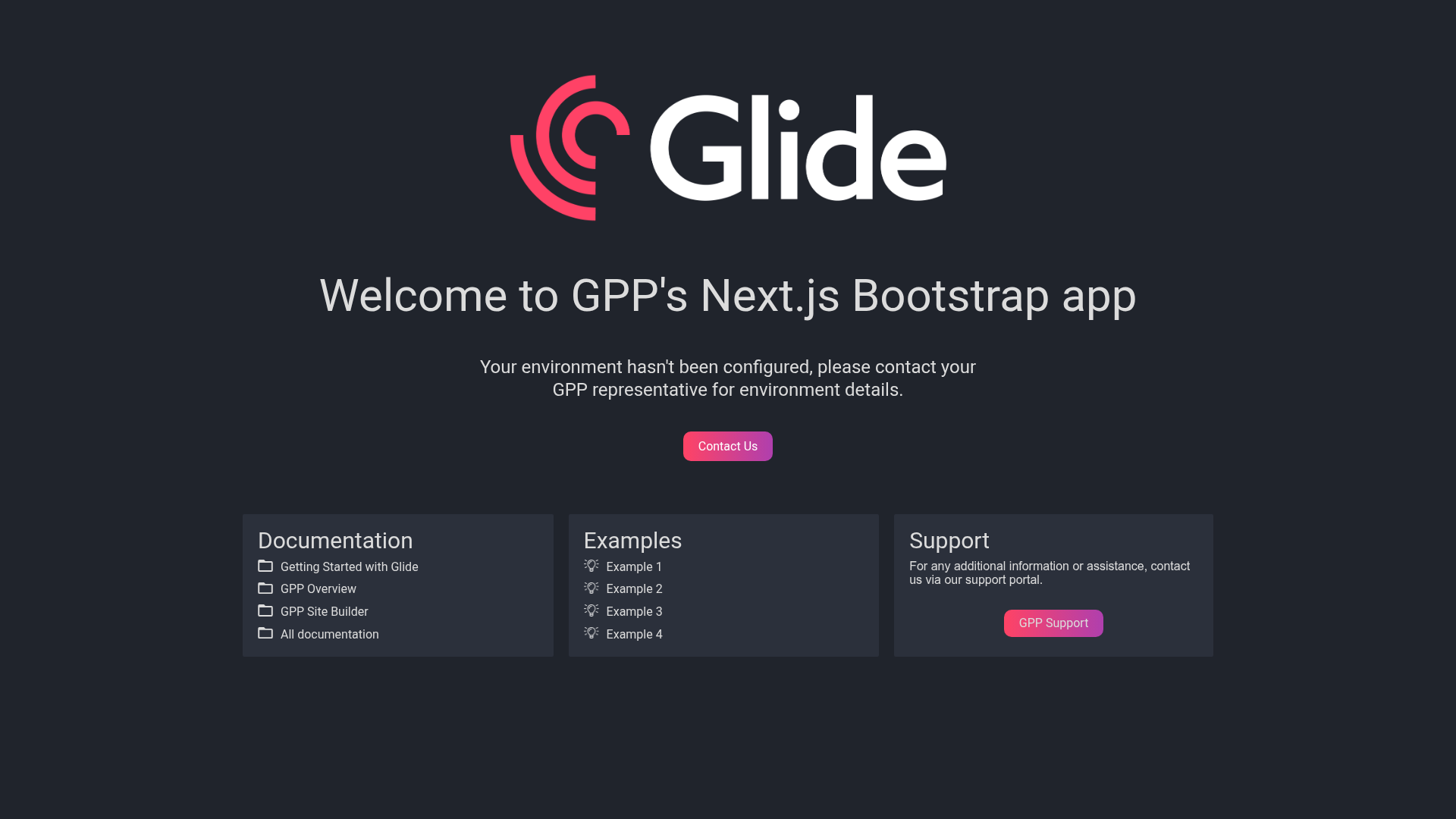
- Vercel deployment workflow — after deploying to Vercel, a welcome message confirms the correct configuration and stays visible until you publish your first Glide page.
Who should use this starter?
- Publishers and content teams who want a fast, CMS-driven front-end that improves engagement, revenues, and content output without building the technical layer from scratch.
- Next.js developers who need a pre-built starting point with API integration, dynamic routing, and client-side rendering, and who value the ability to extend existing generic components.
- Glide CMS customers who want to move beyond the default platform experience by deploying their own application on Vercel and connecting it directly to the GPP Connect API.
What can you build with it?
- Media and news websites: launch a responsive publishing portal that renders content from GPP's API, with automatic route generation for every story or section.
- Content applications: create custom apps that pull from your Glide CMS and use the API toolkit to read data, then extend the provided components to match your brand.
- Vercel deployments: use the app as a turnkey way to get a CMS-connected site live, with the optional
PREGENERATE_PATHSarray controlling which routes are pre-built.
How does deployment work?
Start by obtaining your environment API details from a GPP representative. Next, deploy the application via Vercel and add the mandatory environment variables (CONNECT_API_URL, CONNECT_API_KEY, MEDIA_BASE_PATH) in Vercel's settings; you can also add optional PREGENERATE_PATHS with an array of slugs. Once deployed, the app shows a confirmation message that your configuration is correct, and that message remains until you create and publish your first page in Glide.
FAQ
Do I need a GPP representative to use this starter?
Yes — you must get your environment API details, specifically the values for CONNECT_API_URL, CONNECT_API_KEY, and MEDIA_BASE_PATH, from a Glide Publishing Platform representative before the app can connect to the CMS.
What are the mandatory environment variables?
The three mandatory variables are CONNECT_API_URL (the Connect API endpoint), CONNECT_API_KEY (your API key), and MEDIA_BASE_PATH (the GPP media base path). They must be present in Vercel's environment settings for the app to work.
What does PREGENERATE_PATHS do?
PREGENERATE_PATHS is optional. It takes an array of slugs, like ["", "sport", "news"], and pre-generates those routes during the build. This is useful if you want specific pages to be ready before users visit.
Can I customize the components that come with the app?
Yes. The deployment includes generic components that you can use directly in your Glide configuration or extend for custom functionality. The app is designed to make customisation and extending existing features easier.
When does the welcome message disappear?
The welcome message appears after successful deployment and stays until you create and publish your first page in Glide. It confirms that your application is configured correctly.