Vercel AI Gateway Demo is a minimal Next.js chatbot application from Vercel Labs that demonstrates how to route chat completions through the Vercel AI Gateway using the AI SDK as the model interface.
What is the Vercel AI Gateway Demo?
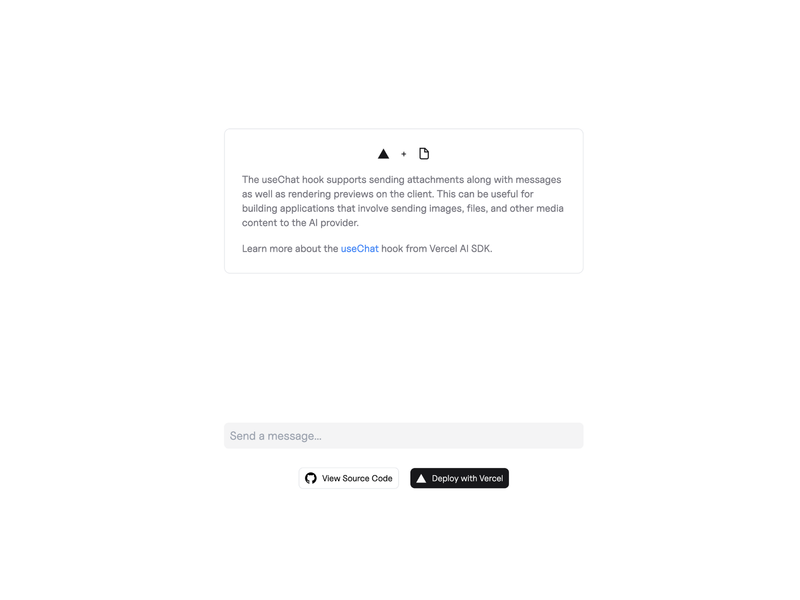
Vercel AI Gateway Demo is a small Next.js chatbot whose only user-facing surface is a chat interface running on http://localhost:3000. A visitor types a message, and the app returns the model's reply, with the Vercel AI Gateway acting as the routing layer between the app and the model and the AI SDK (sdk.vercel.ai) providing the client-side integration. The repository lives at github.com/vercel-labs/ai-sdk-gateway-demo and is maintained by the Vercel team together with community contributors, who accept issues and pull requests for new functionality and bug fixes.
What makes the Vercel AI Gateway Demo stand out?
- Next.js chat app — a single-purpose chatbot page served on port 3000, with no landing, pricing, blog, or dashboard routes to strip out first.
- AI SDK integration — the chat flow is wired with the AI SDK rather than a hand-rolled HTTP client, so model calls follow the SDK's conventions.
- Vercel AI Gateway routing — requests pass through the Vercel AI Gateway, which is the specific integration the demo exists to show.
- One-click deployment — the "Deploy with Vercel" button points at the clone URL for vercel-labs/ai-sdk-gateway-demo and creates a new repository and Vercel project in one step.
- Vercel CLI workflow — setup uses
vc link,vc deploy, andvc devinstead of the plain Next.js dev command. - OIDC-based local auth —
vc env pullfetches the linked project's OIDC authentication token for local runs, and that token expires every 12 hours. - Package manager flexibility — dependencies install with
pnpm i,npm i, oryarn i.
Who should use the Vercel AI Gateway Demo?
- Next.js developers who want a runnable reference for connecting a chat UI to a model through the Vercel AI Gateway instead of reading documentation.
- Teams evaluating the AI SDK who need a smallest-working-example of streaming chat before committing to it in a larger app.
- Developers already on Vercel who want a starting point they can extend into a production chatbot while keeping project-level OIDC authentication.
- Open-source contributors looking for a small Vercel Labs repository to submit fixes or extra chat features to.
Use cases
- Prototyping a chat product: clone the repo, run
vc dev, and start iterating on prompts and UI without building model plumbing first. - Evaluating Vercel AI Gateway: deploy the demo to a Vercel project to confirm gateway routing and OIDC-authenticated model access work in your account.
- Teaching or demoing the AI SDK: use the repository as a short, self-contained example in a workshop or internal walkthrough.
- Bootstrapping an internal tool: fork the chat page as the base for a support or docs assistant, then swap in your own data sources.
How does the Vercel AI Gateway Demo work?
The demo is cloned, linked, and served through the Vercel CLI. The documented flow is: click Deploy with Vercel to create a repository and project, install the Vercel CLI, clone your new repository, link it with vc link (or deploy directly with vc deploy), install packages with pnpm i, then run vc dev and open http://localhost:3000 to talk to the chatbot.
FAQ
Is the Vercel AI Gateway Demo free?
The demo code itself is an open-source Vercel Labs repository, so cloning and forking cost nothing. Running it does require a Vercel account and a linked Vercel project, because the app authenticates model requests through the project's OIDC token rather than a manually pasted API key.
Do I need the Vercel CLI to run the Vercel AI Gateway Demo?
Yes, the documented workflow uses the Vercel CLI for vc link, vc deploy, and vc dev. If you prefer running the local development server directly, you must run vc env pull first to fetch the project's OIDC authentication token locally.
Why does my local OIDC token keep expiring?
The token pulled by vc env pull expires every 12 hours, so a directly-run local server needs that command repeated periodically. Running the app through vc dev avoids the problem because the CLI refreshes the token automatically.
What if I link the demo to an older existing Vercel project?
You may need to enable OIDC manually. Open the project settings page, search for "OIDC", toggle "Secure Backend Access with OIDC Federation" to Enabled, and save the change before local authentication will work.
Can I use npm or yarn instead of pnpm?
Yes. The usage instructions list pnpm i as the default but explicitly allow npm i or yarn i as alternatives for installing the project's dependencies.