Template details
Vercel AI SDK useChat Attachments Example
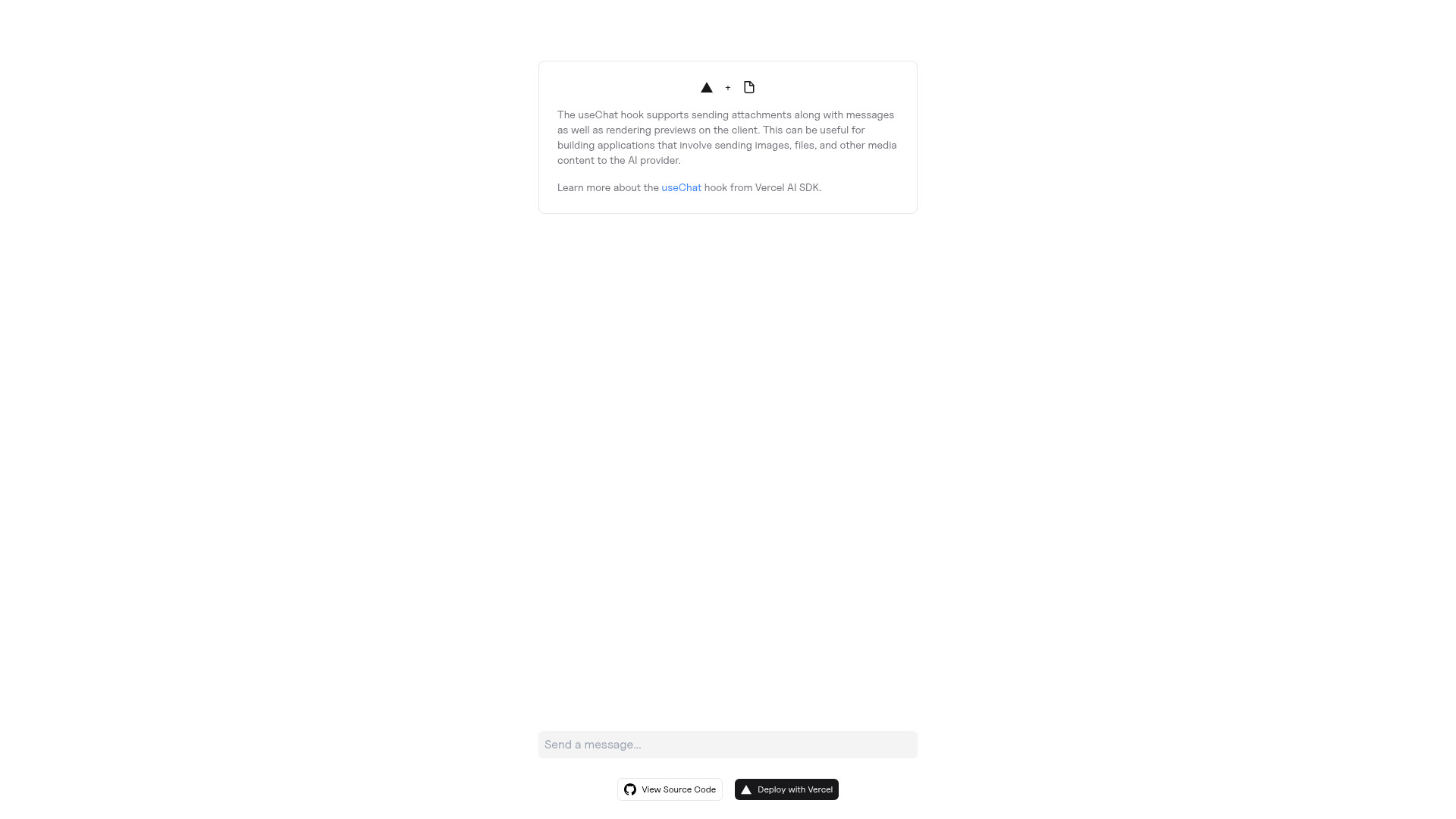
A Next.js starter from Vercel Labs that uses the Vercel AI SDK useChat hook to send and receive multi-modal chat messages with file attachments.
About this template
The Vercel AI SDK useChat Attachments example is a Next.js starter that wires the Vercel AI SDK's useChat hook into a streaming chat interface able to send and receive multi-modal messages — text plus file attachments — from the AI provider of your choice.
What is the Vercel AI SDK useChat Attachments example?
It is a runnable Next.js application published by Vercel Labs under the repository vercel-labs/ai-sdk-preview-attachments that demonstrates attaching files to chat messages through the AI SDK useChat hook. The input is user text plus uploaded attachments; the output is a streamed multi-modal response from whichever model provider you configure — OpenAI is the provider wired into the one-click deploy flow, and Anthropic is named as another option you can sign up for. It ships as a create-next-app example rather than a hosted product, so you bootstrap it into a local project, add an API key to a .env file, and run the development server yourself or deploy it to Vercel.
What makes this example stand out?
- Next.js bootstrap via create-next-app — installs with
npx,yarn create next-app, orpnpm create next-apppointed at the example repository URL. - Vercel AI SDK
useChathook — the chat message state, streaming, and send/receive loop are handled by the AI SDK hook rather than hand-rolled fetch logic. - Multi-modal messages — the chat interface accepts and returns messages that carry attachments alongside text, not text alone.
- Provider-agnostic setup — the page describes using the AI provider of your choice, with OpenAI (
OPENAI_API_KEY) baked into the deploy link and Anthropic listed as a second example provider. - One-click Vercel deploy — the deploy URL pre-fills the required
OPENAI_API_KEYenvironment variable and links toplatform.openai.comfor creating the key. .env.exampleconfiguration — required environment variables are documented in the example file and copied into a new.envfile for local runs.- Standard Next.js dev workflow —
npm installfollowed bynpm run devstarts the local development server. - Reference documentation links — the example points to the Vercel AI SDK docs, the Vercel AI Playground, and the Next.js documentation for follow-up reading.
Who should use this example?
- Next.js developers exploring AI chat UIs: clone the example to see how the AI SDK
useChathook is wired into a page and how streaming responses are rendered. - Developers building multi-modal interfaces: use it as the starting point when a chat product needs file attachments sent together with prompt text.
- Teams comparing model providers: swap in OpenAI, Anthropic, or another supported provider key to test how the same
useChatinterface behaves across backends. - Prototypers who want a deployed demo fast: use the Vercel deploy link to stand the app up with only an API key as setup.
How do you run it?
- Sign up with the AI providers you intend to use, such as OpenAI or Anthropic.
- Obtain API keys for each provider.
- Copy
.env.exampleto a new.envfile and set the required environment variables. - Run
npm installto install the dependencies. - Run
npm run devto launch the development server.
FAQ
Is this example free to use?
Yes. It is an open-source example repository from Vercel Labs with 141 GitHub stars, so you can clone and modify it freely. The only cost is whatever your chosen model provider charges for the API calls the chat makes.
Which AI providers does it support?
The example is written around the AI SDK so you can use the AI provider of your choice. The one-click Vercel deploy flow specifically requires an OPENAI_API_KEY, and the setup instructions name OpenAI and Anthropic as example providers to sign up with.
What does the useChat hook do here?
useChat is the Vercel AI SDK hook that manages the chat interface — message state, sending prompts, and receiving streamed responses. In this example it is extended to multi-modal use so attachments travel with the messages.
Do I need an API key to run it?
Yes. Before running the app you must create an account with at least one AI provider, obtain an API key, and place it in a .env file based on the shipped .env.example. The local npm run dev server will not reach a model without it.