Template details
Vex
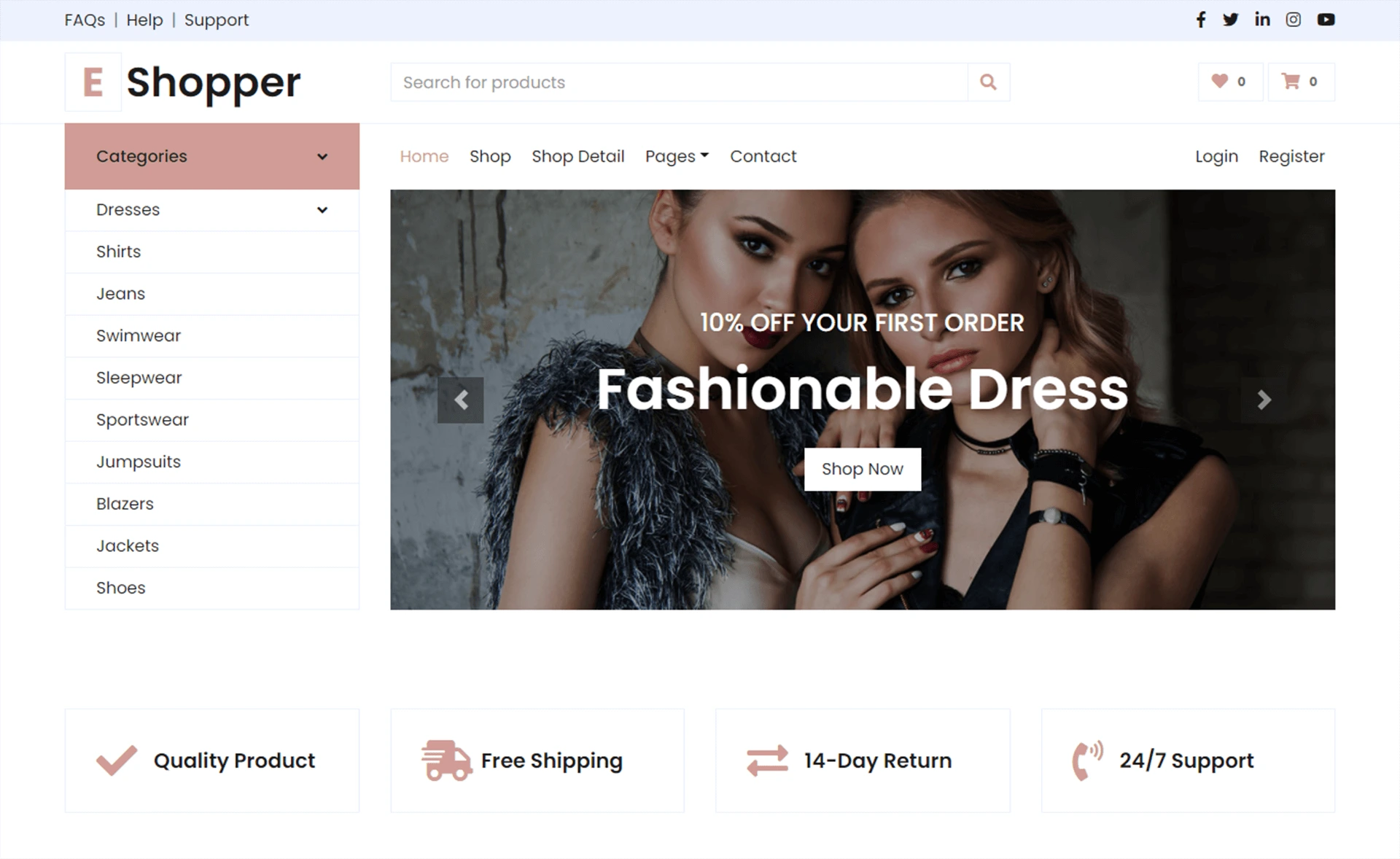
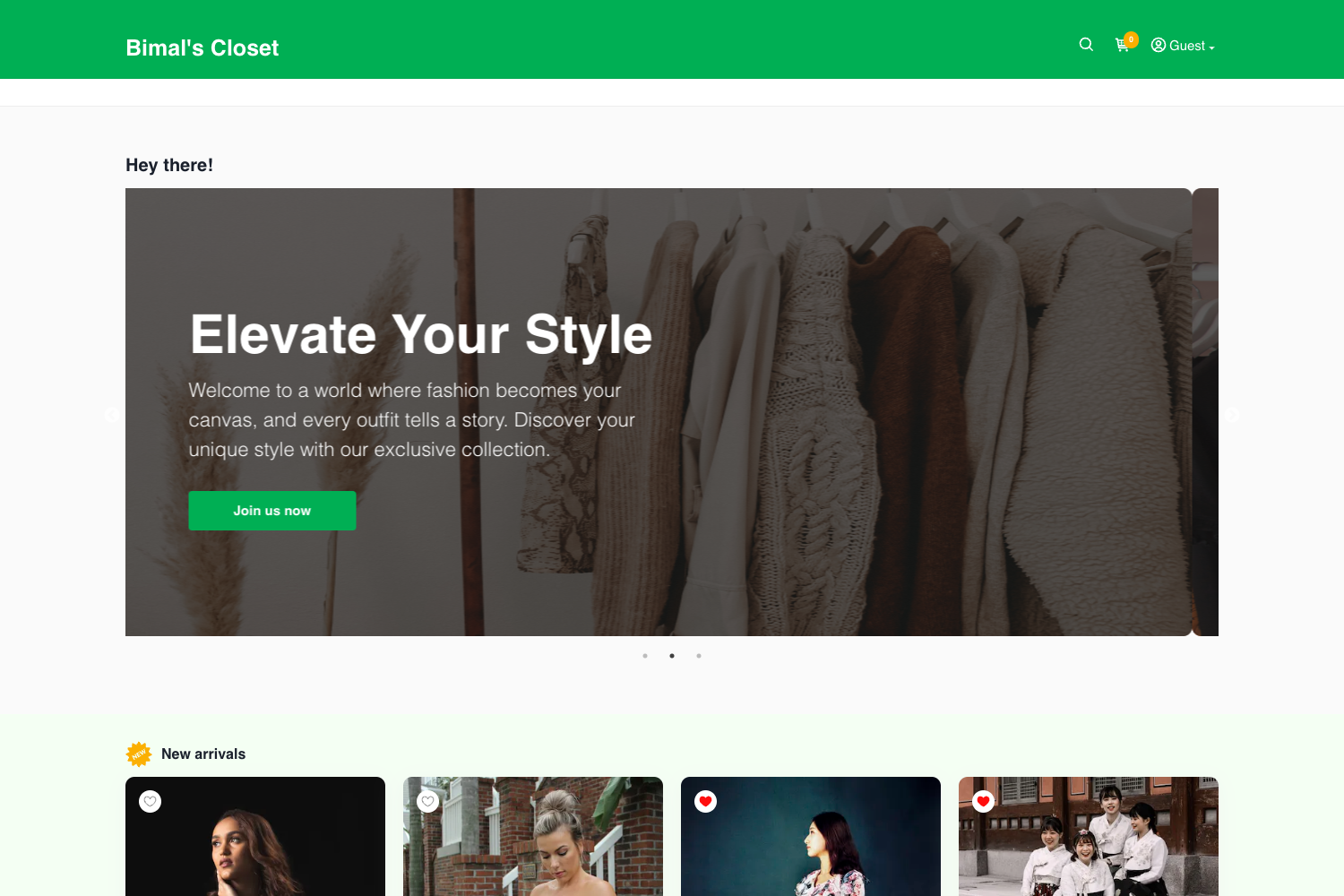
Vex is a clean multipurpose HTML e-commerce template built with Bootstrap 4.5 for modern online stores.
About this template
Vex is a free, open-source multipurpose e-commerce HTML template from Themefisher, built on Bootstrap 4.5, jQuery, and Slick, that delivers an 8-page online storefront you can run by opening index.html or compile with Gulp for production.
What is Vex?
Vex is a clean multipurpose e-commerce theme designed to help webmasters build a modern online shop with a product-focused layout. It takes static HTML and CSS files as input and produces a complete storefront with pages for home, products, product details, blog, blog details, privacy policy, terms conditions, and contact. The template is developed by Themefisher, a theme developer that has released it under the MIT license on GitHub.
Key Features
- Bootstrap 4.5 foundation — The layout is built on Bootstrap v4.5, giving you a responsive grid and ready-made components without any framework build step.
- jQuery and Slick integration — Includes jQuery and the Slick carousel plugin for product sliders and scripted UI behavior.
- 8 ready-to-use pages — Home, Products, Product Details, Blog, Blog Details, Privacy Policy, Terms Conditions, and Contact pages are included as static HTML files.
- Two usage modes — Basic usage lets you edit the HTML and CSS in the theme folder directly; advanced usage provides a Gulp workflow with
npm run devfor live reload andnpm run buildfor production output. - Google Fonts support — Typography loads from Google Fonts, making font customization a matter of swapping link references.
- MIT code license — The code is free to use commercially and personally; only the demo images carry their own licenses and aren't permitted for redistribution.
- GitHub-based distribution — The template is distributed via GitHub with a public issue tracker for bug reports and a paid support contact for integration help.
Who is it for?
Vex is aimed at webmasters and developers who need a fast, no-framework starting point for an online storefront. Freelancers can use it to spin up a product landing page for a client by editing only the HTML and CSS. Small store owners who want a static, template-based shop can replace the placeholder content in the product and product-detail pages and host the theme folder anywhere. Developers who prefer an automated workflow can use the Gulp setup to customize the source and build a minified theme folder for deployment.
What can you do with Vex?
- Launch a product showroom quickly — Replace the placeholder product cards and details with your own catalog and go live with a static site that requires no server-side rendering.
- Create a marketing blog alongside the store — Use the Blog and Blog Details pages to publish product updates or company news in HTML, keeping all content on the same Bootstrap-based design.
- Build a compliance-ready storefront — The included Privacy Policy and Terms Conditions pages give you starting copy to adapt for your store's legal pages.
- Prototype a landing page for a new product — The Home page's hero and product sections are structured for a single product focus, so you can quickly mock up a launch page before committing to a full store.
How does Vex work?
After downloading the template from GitHub, you have two paths. Basic usage: extract the archive, edit the HTML and CSS files inside the theme folder, and open index.html in a browser to preview. Advanced usage: install Node.js and Gulp CLI globally, run npm install in the theme directory, then use npm run dev to open a local preview with live reload on changes. When customization is finished, npm run build compiles everything into a production-ready theme folder.
Pricing
Vex is free to use. The code is released under the MIT license, which permits commercial and personal use without license fees. Technical support beyond the GitHub issue tracker is available as a paid service by contacting Themefisher directly.
FAQ
Is Vex free?
Yes, Vex is free and open-source under the MIT license. You can download it from GitHub, use it in personal and commercial projects, and modify the code freely. The demo images included in the preview are not covered by that license.
Do I need a framework to use Vex?
No. Vex is a static HTML template built with Bootstrap 4.5. For basic use you only need a web browser to preview and a text editor to change content. A Node.js and Gulp setup is optional and only needed if you want the automated dev server and production build commands.
What pages does Vex include?
Vex includes eight HTML pages: Home, Products, Product Details, Blog, Blog Details, Privacy Policy, Terms Conditions, and Contact. These cover a typical storefront's browsing, content, and legal sections.
How do I get support for Vex?
You can report bugs by searching and opening issues on the GitHub issues page. For paid technical support or questions about integrating the product, Themefisher provides a contact email. The issue tracker is the official bug reporting channel.