Template details
Vivid Landing Template
A ready-to-use landing page template made with TypeScript, React, Next.js, and TailwindCSS.
About this template
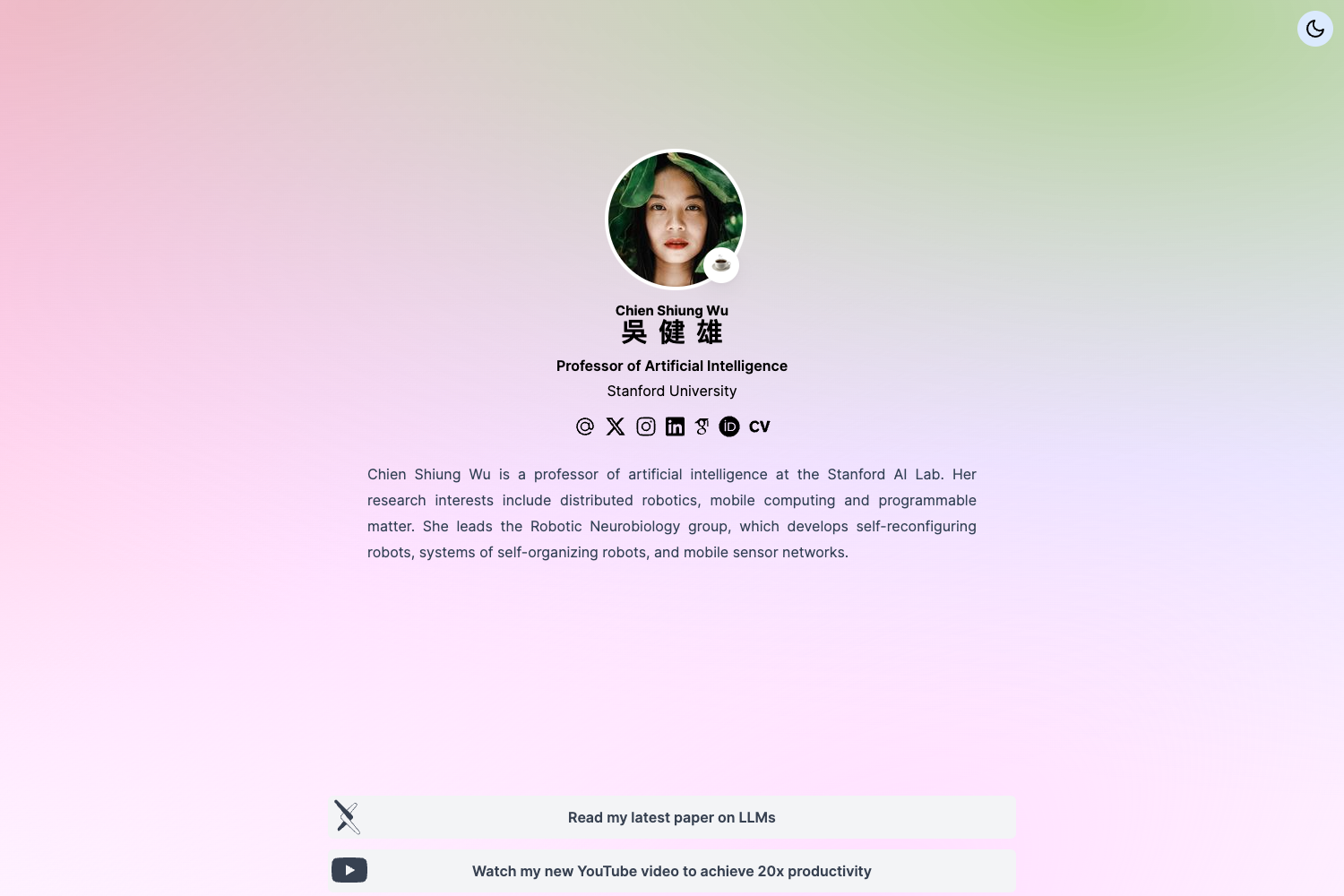
Vivid Landing Template is a ready-to-use, TypeScript-based landing page starter for React and Next.js projects, built on Tailwind CSS and modeled after the Vivid landing page at vivid.lol.
What is Vivid Landing Template?
Vivid Landing Template is a ready-to-use landing page boilerplate available on GitHub. It uses TypeScript, React, Next.js, and Tailwind CSS to produce a polished, accessible landing page with light and dark mode toggles. The template is modeled after the Vivid landing page (vivid.lol) and is designed to be customized either by editing code or by using the Vivid visual styling tool. The project is maintained by the team behind Vivid, an in-browser styling editor.
Key Features
Key features include a modular component structure that is easy to extend, perfect Lighthouse scores for performance and SEO, and built-in accessibility support for screen readers and other browsing aids. The template also ships with light and dark modes, and it is configurable through Tailwind, global style presets, and component props.
- Fully modular structure — Page sections live in src/components, so you can add, remove, or extend sections without touching unrelated code.
- Perfect Lighthouse scores — The template is optimized for SEO and performance audits out of the box.
- Accessible by default — It passes screen-reader and browsing-aid checks, meeting common accessibility standards.
- Light and dark modes — Built-in theme switching is controlled via Tailwind configuration and global CSS presets.
- Easy customization with Vivid — Command-click any part of the rendered page to open its code in the Vivid in-browser editor; see the Vivid docs at docs.vivid.lol.
- Tailwind-based theming — Edit foreground and background colors and fonts in styles/globals.css or tailwind.config.js.
Who is it for?
Vivid Landing Template is aimed at developers and teams who want a high-quality landing page without starting from scratch. It's a natural fit for anyone already using React, Next.js, or Tailwind CSS, and for designers who prefer to tweak styles visually with Vivid.
- React/Next.js developers — Quickly scaffold a landing page and extend it with custom sections using familiar component patterns.
- Startup founders and product teams — Set up a marketing site for a SaaS product or side project in minutes, then iterate on copy and styling.
- Designers working with Vivid — Use the in-browser command-click editor to restyle the template without touching code, then hand off the changes.
What can you do with Vivid Landing Template?
Once installed, the template gives you a running landing page that you can tailor to your product or service. Here are the main ways to use it:
- Launch a product landing page — Clone the repo, run yarn install and yarn dev, and you have a working page with sections ready for your content.
- Customize the visual design — Change colors and fonts in styles/globals.css or tailwind.config.js, or use Vivid's visual editor to adjust styles directly on the page.
- Extend with new sections — Add components to src/components to introduce pricing, testimonials, or other blocks; the modular structure keeps each section isolated.
How does Vivid Landing Template work?
To get started, install dependencies with yarn install (or the equivalent for your package manager) and run the test app with yarn dev. The template includes a dev server that serves the landing page locally; from there you can edit global styles, Tailwind config, or individual components. If you use Vivid, command-click any element on the page to open and edit its code in the browser.
FAQ
How do I install Vivid Landing Template?
Clone the repository, install dependencies with yarn install (or your package manager's equivalent), then run yarn dev to start the test app. The running page is served locally so you can preview and customize it.
How do I change the colors and fonts?
You can edit styles/globals.css or tailwind.config.js to update theme colors and typography. The template is built on Tailwind CSS, so standard Tailwind configuration applies.
What is Vivid and how does it help with this template?
Vivid is an in-browser styling tool that lets you command-click any part of the rendered page to immediately open and edit its code. You can use the Vivid docs at docs.vivid.lol to learn how to style the template without leaving the browser.