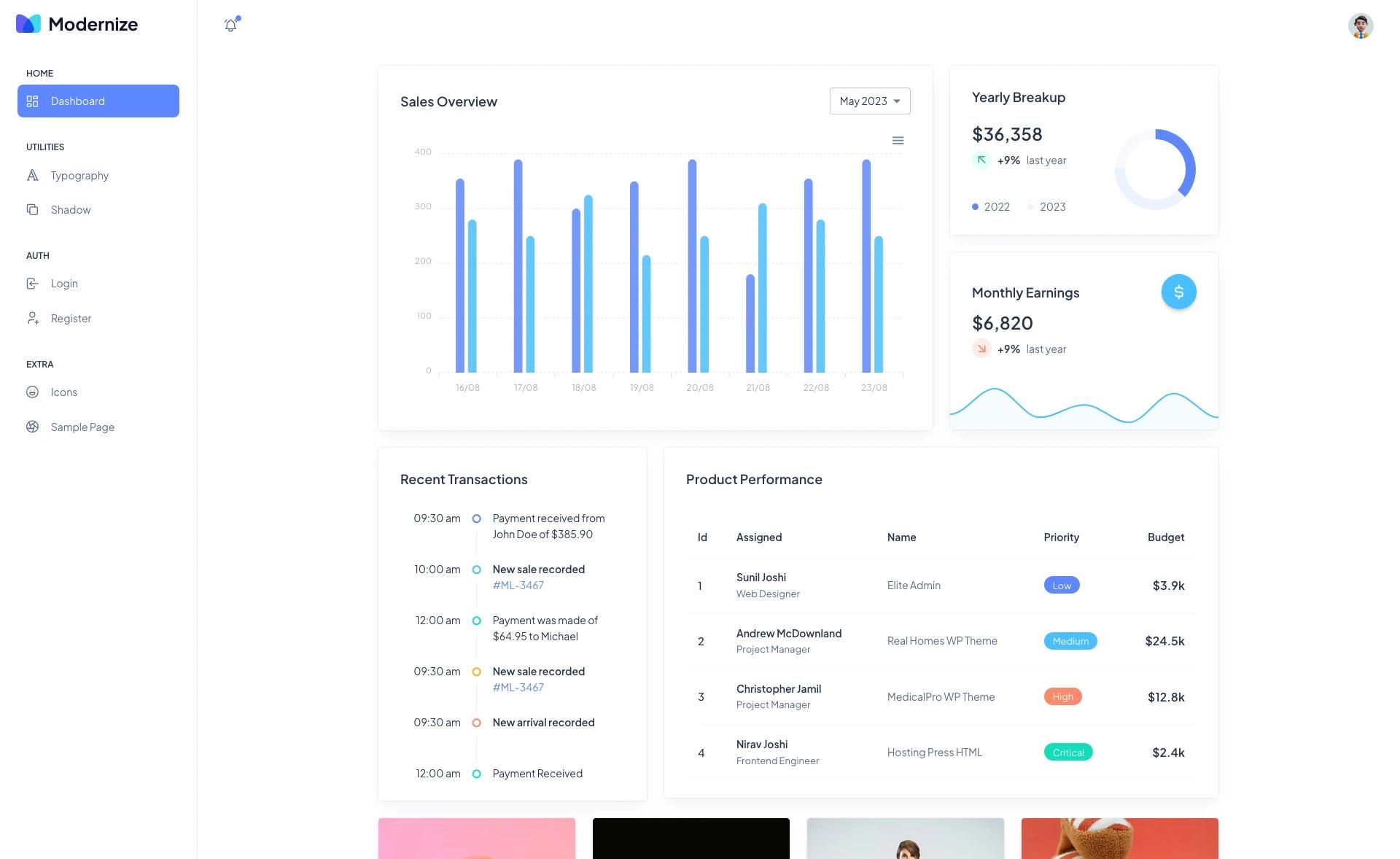
Template details
Vue Material Dashboard 2
Free Vue 3 & Bootstrap 5 admin dashboard with Material Design, 70+ components, and example pages.
About this template
Vue Material Dashboard 2 is a free, open-source admin dashboard template by Creative Tim, built on Vue 3 and Bootstrap 5 and styled after Google's Material Design. It ships with 70+ individual UI elements, prebuilt example pages, and a structured source layout for building admin panels and web apps.
What is Vue Material Dashboard 2?
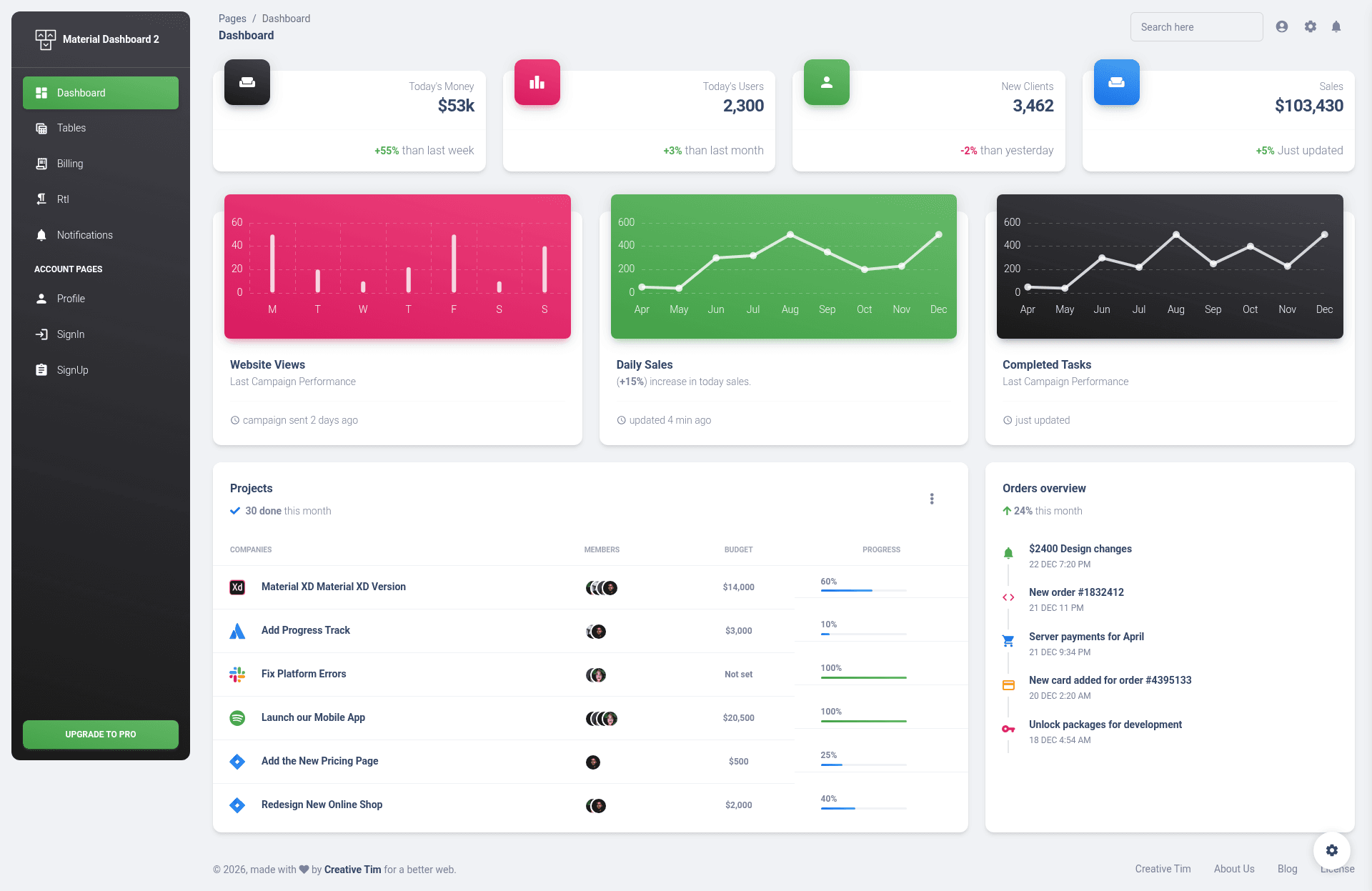
Vue Material Dashboard 2 is a free admin dashboard template that runs on Vue 3 and Bootstrap 5, produced by Creative Tim. It takes standard admin UI needs — buttons, inputs, navbars, cards, alerts, charts — and packages them into reusable Vue single-file components, generating a complete dashboard interface with example pages such as Dashboard, Profile, Billing, Sales, Tables, Sign In, and Sign Up. The template is distributed through GitHub and Creative Tim, with version 3.1.0 referenced in the README.
Key Features
- 70+ frontend elements — Buttons, inputs, navbars, nav tabs, cards, alerts, and more, all implemented as Vue components under the
src/componentsfolder, with colors customizable via Sass files. - Vue 3 and Bootstrap 5 stack — Uses Vue 3 with Vue Router for navigation and a Vuex store (the
routerandstoredirectories are present), plus Bootstrap 5 for layout and styling. - Material Design styling — Visual design follows Google's Material Design, with named components like MaterialAlert, MaterialButton, MaterialInput, MaterialSwitch, and MaterialAvatar.
- Example pages included — Prebuilt views cover Profile, Sign In, Sign Up, Billing, Notification, RTL layout, Sales, Tables, and a Dashboard home page.
- Chart.js integration — Charts are included via Chart.js, which is named as a dependency in the project's acknowledgments section, for data visualization in dashboard views.
- Nepcha Analytics integration — Nepcha is already integrated into the template as an analytics tool for traffic insights.
- One-click deploy to Genezio — The README links a deploy button that pushes the repository to Genezio's platform directly from GitHub.
- Browser support — Officially supports the last two versions of Chrome, Firefox, Edge, Safari, and Opera.
Who is it for?
- Frontend developers — Quickly scaffold an admin panel with Vue 3 components and Sass customization instead of building UI from scratch.
- Startups and product teams — Use the prebuilt Dashboard, Billing, Sales, and Tables pages to prototype a SaaS admin area before connecting a backend.
- Freelancers — Deliver client projects faster by adapting the template's Material Design components and example pages to custom branding.
What can you do with Vue Material Dashboard 2?
- Launch an admin dashboard — Set up the Dashboard view with charts and cards to display key metrics, using Chart.js for graphing.
- Build authentication screens — Use the included Sign In and Sign Up pages as the entry points for user login flows.
- Create profile and account pages — Customize the Profile view to show user information, with MaterialInput and MaterialButton components for forms.
- Add an RTL layout — Use the Rtl view to serve Arabic or Hebrew interfaces without writing layout code from scratch.
How does the template work?
Download the project from GitHub or Creative Tim, then run yarn install or npm install in the root directory to install local dependencies. The source structure separates reusable components (in src/components), example page layouts (in src/examples), and views (in src/views), so you can edit individual Vue files. Deployment is available with a one-click Genezio button that pulls the GitHub repository directly.
Pricing
The Vue Material Dashboard 2 is free to download and open source, with its source code published on GitHub under a Creative Tim license. Creative Tim also sells a Pro version of the same dashboard family, though pricing details are not stated in this README.
FAQ
Is Vue Material Dashboard 2 free?
Yes, the template is free to download and its source code is publicly available on GitHub. Creative Tim also offers a Pro version of the dashboard, but the free version includes the full component set and example pages described in the README.
What tech stack does it use?
Vue Material Dashboard 2 is built with Vue 3 and Bootstrap 5. It uses Vue Router for navigation, Vuex for state management, and Chart.js for chart components.
How do I install it?
After downloading the project, navigate to the root directory and run yarn install or npm install to install local dependencies. Then use the scripts defined in package.json to run a development server.
What pages are included?
The template includes Dashboard, Profile, Sign In, Sign Up, Billing, Notification, RTL, Sales, Tables, and Home views, along with a components gallery page.
What browsers are supported?
The README states that the last two versions of Chrome, Firefox, Edge, Safari, and Opera are officially supported.