Template details
Vuetify Soft UI Dashboard PRO
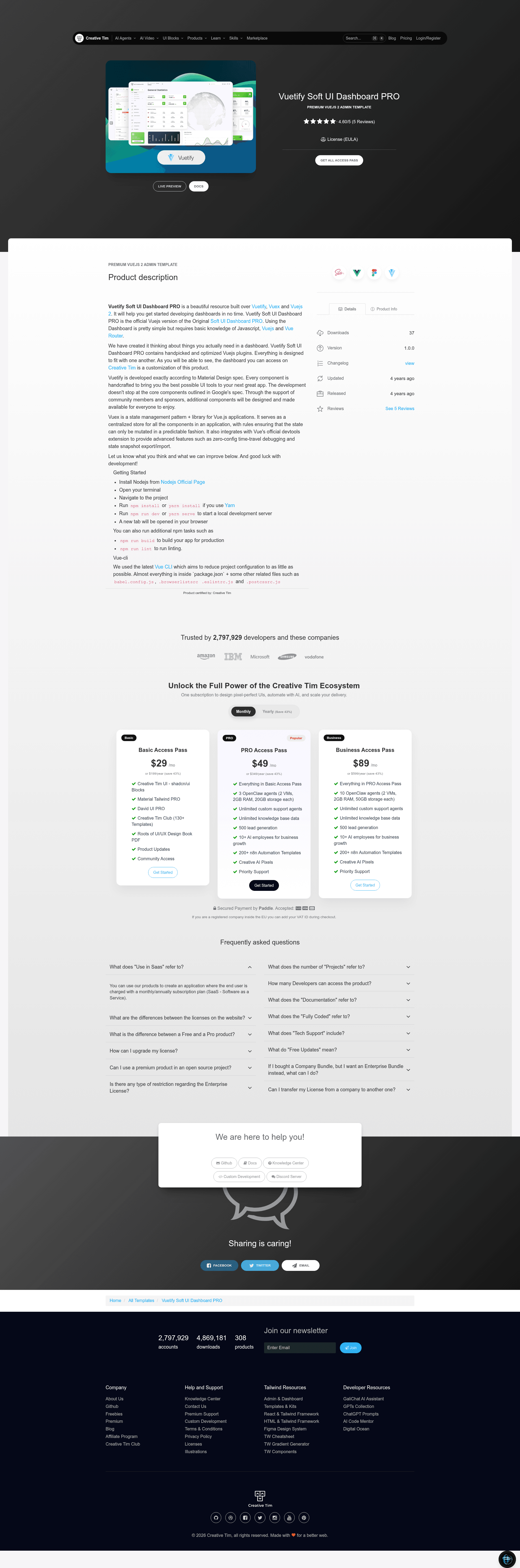
Premium Vue.js 2 admin dashboard template by Creative Tim built with Vuetify and Vuex, with multiple dashboards, pages, and plugins.
About this template
Vuetify Soft UI Dashboard PRO is a commercial Vue.js 2 admin dashboard template by Creative Tim, built on Vuetify, Vuex, and Vue Router, that ships with multiple dashboard layouts, dozens of pages, and a curated set of third-party Vue plugins.
What is Vuetify Soft UI Dashboard PRO?
Vuetify Soft UI Dashboard PRO is the official Vue.js version of Creative Tim's Soft UI Dashboard PRO, redesigned with the Vuetify Material Design component library. It takes a standard Vue CLI 3 project structure and layers in Vuetify components, Vuex state management, Vue Router navigation, and a SCSS-based soft UI theme. The template outputs a ready-to-run admin application covering dashboards, ecommerce, applications, profile pages, authentication screens, tables, and settings.
Key Features
- Multiple dashboard variants — Choose from Default, Automotive, CRM, Ecommerce, Smart Home, VR Default, and VR Info dashboards, each with its own layout and widget set.
- Curated Vue plugins — Includes noUISlider, Popper.js, Flatpickr, Choices JS, CountUp JS, Chart.js, FullCalendar, Dropzone, Simple-DataTables, PhotoSwipe, Quill, SweetAlert2, and three.js, integrated for use inside dashboard pages.
- Pre-built pages — Covers authentication (Sign Up Basic, Cover, Illustration), profile overview and teams, ecommerce products and order management, kanban board, calendar, wizard, and notifications.
- Vuetify component library — Every UI element follows Google Material Design spec, handcrafted by the Vuetify team, so buttons, cards, forms, and navigation behave consistently.
- Vuex state management — A centralized store with strict mutation rules, plus zero-config time-travel debugging through the Vue devtools extension.
- RTL support — An RTL layout is included, useful for Arabic and Hebrew locales.
- SCSS customization — The
src/scss/soft-ui-dashboardfolder holds variables and styles so you can adjust the look without touching component code. - Browser support — Officially supports the last two versions of Chrome, Firefox, Edge, Safari, and Opera.
Who is it for?
- Vue.js developers — Get a production-ready project structure with routing, state management, and build configuration already in place, so they can focus on custom features.
- Agencies and freelancers — Deliver complete admin panels quickly by reusing the included dashboards, ecommerce pages, and authentication flows.
- Product teams — Use the CRM, automotive, and smart home dashboards as a starting point for vertical-specific internal tools.
- Startups — Replace weeks of frontend setup with a prebuilt interface that includes charts, calendars, editors, and file uploads.
What can you do with it?
- Admin panel developers: Launch an internal tool with tables, pagination, sorting, and a kanban board without writing components from scratch.
- Ecommerce managers: Set up product creation, editing, order lists, and order details pages as the backbone of a storefront backend.
- UI designers: Explore the soft UI design language (frosted glass, soft shadows, rounded cards) and restyle the SCSS variables to match a brand.
- Full-stack teams: Connect the Vuex store and components to a backend API using the existing authentication and user management pages as a scaffold.
How does it work?
- Install Node.js from the official site.
- Open a terminal and navigate to the project folder.
- Run
npm installoryarn installto install dependencies. - Run
npm run devoryarn serveto start a development server that opens in your browser. - Use
npm run buildfor a production build andnpm run lintfor linting.
FAQ
What is Vuetify Soft UI Dashboard PRO?
It is a premium Vue.js 2 admin dashboard template created by Creative Tim. It combines Vuetify components, Vuex state management, and a soft UI design system to provide a complete set of dashboard pages, authentication screens, and ecommerce interfaces.
What plugins are included?
The template integrates noUISlider, Popper.js, Flatpickr, Choices JS, CountUp JS, Chart.js, FullCalendar, Dropzone, Simple-DataTables, PhotoSwipe, Quill, SweetAlert2, and three.js. These plugins are used in the included widgets and pages such as charts, calendars, and image galleries.
Does it require Vue 2 or Vue 3?
The README and dependencies reference Vue.js 2 (specifically Vuejs 2 in the repository description). Vuetify is the version designed for Vue 2, and Vue Router is used in its v2/v3 form. You should verify the package.json for exact versions after download.
How do I add custom routes?
Routes are managed in src/router/index.js. The file already defines the dashboard, ecommerce, page, and table routes; you can copy an existing route object and point it to a new view component.
Is RTL included?
Yes, there is an RTL page under the Pages section, and the project structure includes an Rtl.vue view. This makes it possible to build interfaces for right-to-left languages without a full redesign.