Template details
CoreUI Free Angular Admin Template
Free Angular 22 admin dashboard template built on Bootstrap 5 with layout API, SCSS theming, and Angular CLI tooling.
About this template
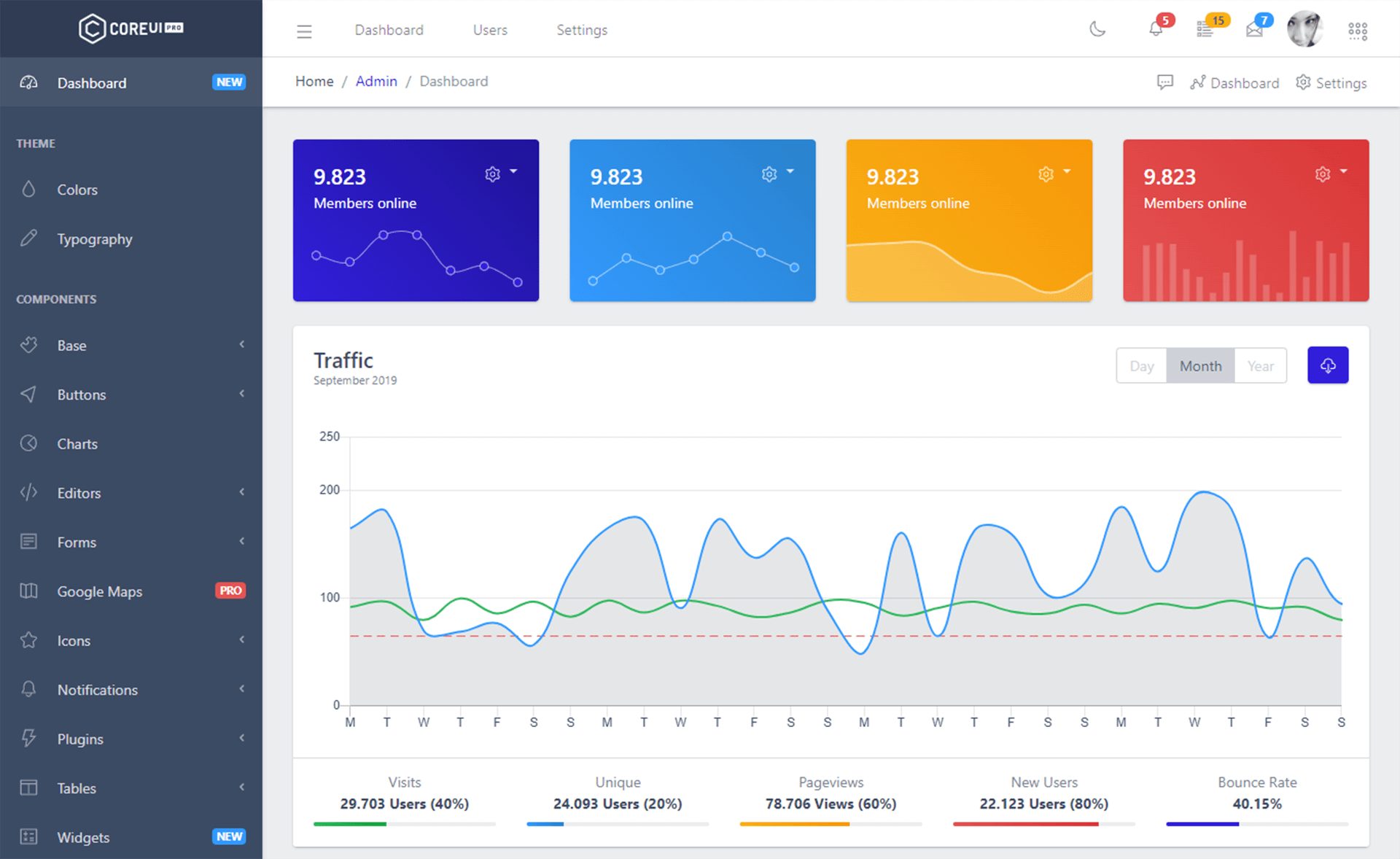
CoreUI Free Angular Admin Template is a free, MIT-licensed admin dashboard template for Angular 22 that gives developers a complete Bootstrap 5-based layout with sidebar navigation, SCSS theming, and Angular CLI tooling out of the box.
What is CoreUI Free Angular Admin Template?
CoreUI Free Angular Admin Template is a free and open-source Angular 22 admin dashboard starter built on Bootstrap 5, created by the CoreUI team led by Łukasz Holeczek. It takes a fresh Angular CLI project and produces a runnable dashboard that includes layout components, a sidebar navigation config, and demo views under src/app/views. The template is distributed via npm as @coreui/angular alongside the @coreui/coreui CSS framework package, and it requires Node.js LTS version v22.22.3 or v24.15.0.
Key Features
- Bootstrap 5 styling — Built on Bootstrap 5 with SCSS source files in
src/scss, giving you variables and mixins for custom themes. - Layout API — The CoreUI Layout API lets you customize the dashboard navigation and layout for desktop, mobile, and web app viewports.
- Angular CLI 22 project structure — Generated with Angular CLI 22.0.0, with the standard
src/app,src/assets,angular.json, andpackage.jsonfiles. - Preconfigured sidebar navigation — The file
src/app/layout/default-layout/_nav.jsholds the sidebar menu items and is the single place to edit navigation. - Development server with hot reload — Running
npm startserves the app at http://localhost:4200 and reloads whenever source files change. - Production build script —
npm run buildcompiles and minifies the project into adist/directory for deployment. - Testing support — Includes
ng testfor Vitest-based unit tests andng e2efor end-to-end tests, with the e2e runner left for you to choose. - Free and PRO tiers — The free template is MIT-licensed, while CoreUI PRO offers additional themes such as Default, Light, Modern, and Bright alongside extra components.
Who is it for?
- Angular developers who need a ready-made admin shell with navigation and layout so they can start building features instead of boilerplate.
- Startups and indie hackers who want a free admin dashboard for internal tools, customer portals, or analytics without paying for a template license.
- UI designers who need a Bootstrap 5 reference implementation of a responsive sidebar layout and component patterns.
- Students and learners who want to study a real Angular 22 codebase with Angular CLI commands, SCSS organization, and folder conventions.
Use cases
- SaaS product teams: Set up an admin dashboard for managing users, plans, and settings by replacing the demo views under
src/app/viewswith their own components. - Agencies building client portals: Use the layout and sidebar config in
_nav.jsto create per-client navigation menus, then style with SCSS variables. - Full-stack developers: Connect the Angular frontend to any REST API and use the included Bootstrap 5 grid and form classes to display and submit data.
How does the template work?
The template follows the standard Angular CLI workflow. After cloning the repository and running npm install, you start the dev server with npm start (or ng serve), then edit source files and the app reloads at http://localhost:4200. For deployment, ng build compiles the app into a minified dist/ directory, and unit tests run with ng test using Vitest.
Pricing
CoreUI Free Angular Admin Template is free and released under the MIT license. A paid CoreUI PRO tier is sold at coreui.io and adds extra themes and components for Angular, Bootstrap, React, Next.js, and Vue.
Alternatives
- ngx-admin — an open-source Angular admin template built with Nebular UI components, offering a different look and component set.
FAQ
Is CoreUI Free Angular Admin Template free to use?
Yes, the code is released under the MIT license. The only limitation stated in the README is that you cannot re-distribute CoreUI as stock, meaning you cannot resell the template unchanged.
What Angular version does this template require?
The template targets Angular 22 and requires Node.js LTS version v22.22.3 or v24.15.0. It was generated with Angular CLI version 22.0.0, and the package uses @coreui/angular plus @coreui/coreui.
How do I customize the sidebar navigation?
Edit the array in src/app/layout/default-layout/_nav.js, which contains the navigation item definitions. Add, remove, or reorder entries there to change the menu that appears in the default layout.
What is the project folder structure?
The main app lives in src/app, with subfolders for icons, layout, and views. Styles are in src/scss, demo-only components are in src/components, and static assets are in src/assets. The Angular CLI config is in angular.json.