Template details
Webstudio Responsive Template
Free webstudio responsive website template built with Pug, Stylus, and Gulp
About this template
Webstudio Responsive Template is a free, MIT-licensed website template for web design studios, built with Pug, Stylus, and Gulp to produce a static responsive site. The source is organized into a dev folder for development and a build folder for optimized output, making it suitable for developers who want a modern, component-based workflow.
What is Webstudio Responsive Template?
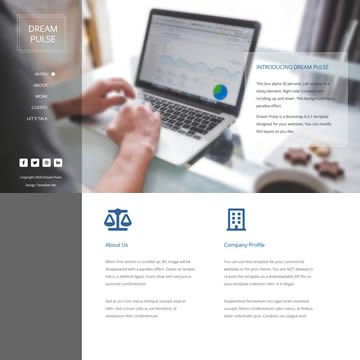
Webstudio Responsive Template is a responsive one-page website template created by Maxim Orlov, hosted under the website-templates GitHub organization. It takes Pug templates and Stylus stylesheets as input, then uses Gulp tasks to compile, minify, and synchronize assets into static HTML, CSS, images, and fonts. The template is archived, meaning it is no longer actively developed, but it remains available under the MIT license. It includes a demo site at http://website-templates.github.io/webstudio_responsive-template/ and repository metadata describing it as a free webstudio responsive website template.
Key Features
- Pug templating — Write pages in Pug, with support for blocks, helper mixins, vendor code, layouts, and page templates in the dev/pug directory.
- Stylus styling — Compose styles with Stylus, including blocks, helpers, variables, and vendor code, plus separate screen and noscript stylesheets.
- Gulp automation — Predefined tasks for cleanup, dev, build, rebuild, server, and sprite generation simplify the development workflow.
- Responsive design — The template is responsive and includes screenshot captures for testing at various screen sizes.
- Live reload — BrowserSync static server with live reload is integrated into the dev and server tasks.
- Image and HTML minification — The build task minifies images, stylesheets, and HTML for production.
- External site configuration — Global settings live in dev/data/config.json and are exposed to templates via a config variable.
- MIT license — The code is free to use, modify, and redistribute.
Who is it for?
- Web design agencies — They can use this template to present their services, portfolio, and contact information with a clean, responsive layout.
- Front-end developers — Developers who prefer Pug, Stylus, and Gulp can use it as a boilerplate for building static websites or to learn how these tools interact.
- Freelance designers — It provides a simple one-page structure that can be customized to showcase personal work and attract clients.
What can you do with it?
- Agency or studio website — Set up a professional one-page site with sections for services, portfolio, and contact details.
- Personal portfolio — Use the config.json to change text, colors, and images without touching templates directly.
- Template experimentation — Fork the repository and modify the Pug or Stylus files to create a unique design, then build it with Gulp.
How does the template work?
Install dependencies with npm install, then edit dev/data/config.json to set site-wide values. Run gulp dev to start a BrowserSync server with live reload and compile changes as you edit Pug or Stylus files. When ready, run gulp build to minify assets and output a production-ready site in the build directory. Additional tasks like gulp rebuild and gulp server give granular control.
FAQ
Is the Webstudio Responsive Template free?
Yes, it is released under the MIT license, so you can use it for personal or commercial projects, modify it, and redistribute it. It is also archived, so no further official updates are planned.
What technologies does it use?
The template uses Pug for HTML templating, Stylus for CSS pre-processing, and Gulp as the build system. It also supports BrowserSync for live reload and external configuration via a JSON file.
How do I start developing with this template?
After cloning the repository, run npm install to install dependencies, then gulp dev to launch a development server. You can then edit files under the dev folder; changes are compiled and reloaded in the browser automatically.
Does it include a content management system?
No, it is a static site generator setup. Content lives in Pug templates and a JSON config file, and the build process outputs plain HTML, CSS, and JavaScript.