Template details
AI-Powered Portfolio
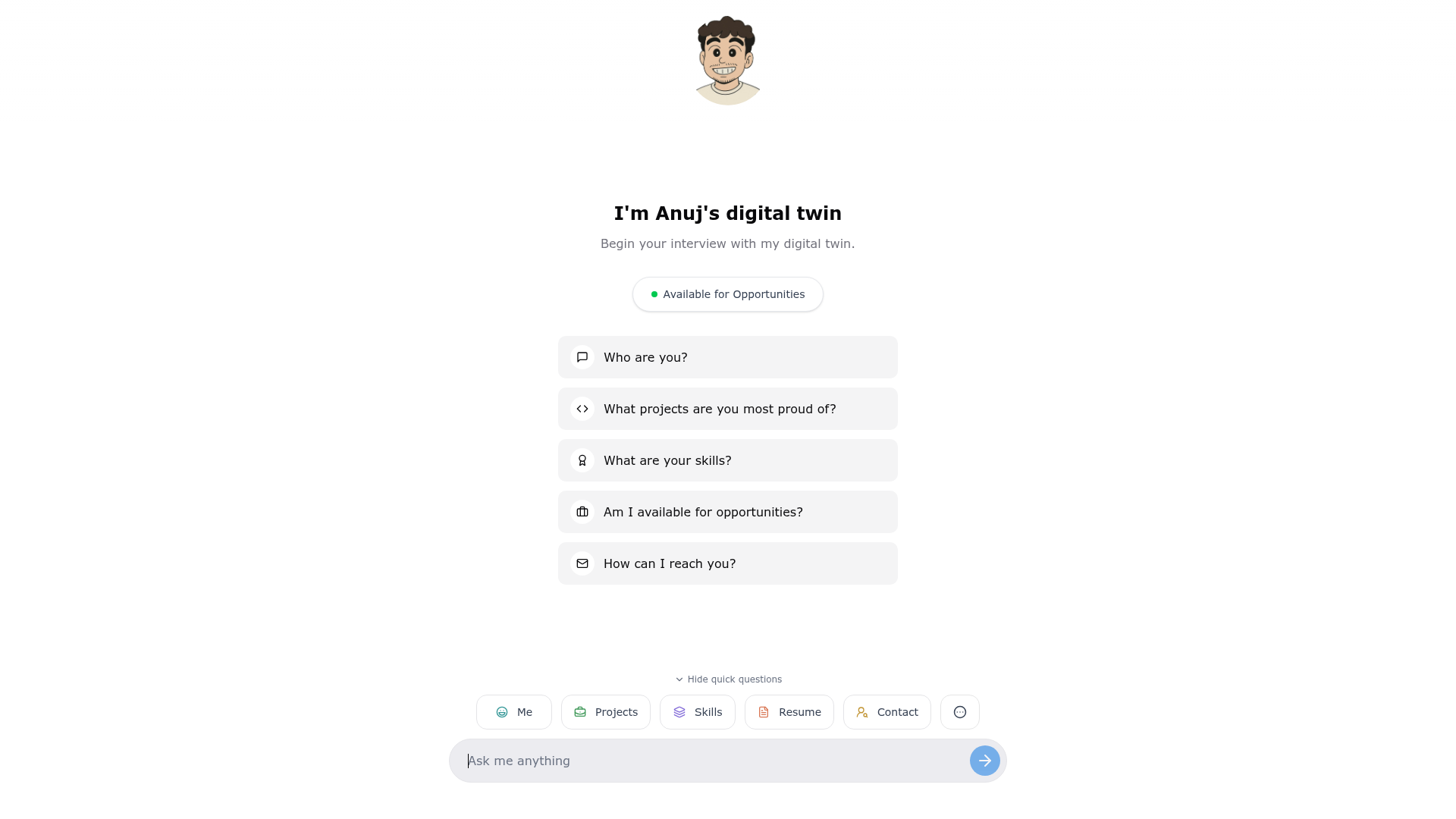
Open-source Next.js portfolio builder — edit one JSON file to get a complete interactive site with a Gemini-powered AI chatbot.
About this template
AI-Powered Portfolio is an open-source Next.js and TypeScript developer portfolio template that turns a single JSON configuration file into a complete interactive website with a Google Gemini AI chatbot.
What is AI-Powered Portfolio?
AI-Powered Portfolio is a developer portfolio template built on Next.js (App Router) and TypeScript, styled with Tailwind CSS. It takes a single portfolio-config.json file as input and produces a full portfolio site with sections for experience, skills, projects, and an AI chat widget. The template is maintained by Anuj Jain (anujjainbatu) on GitHub, has 26 stars, and is released under the MIT License.
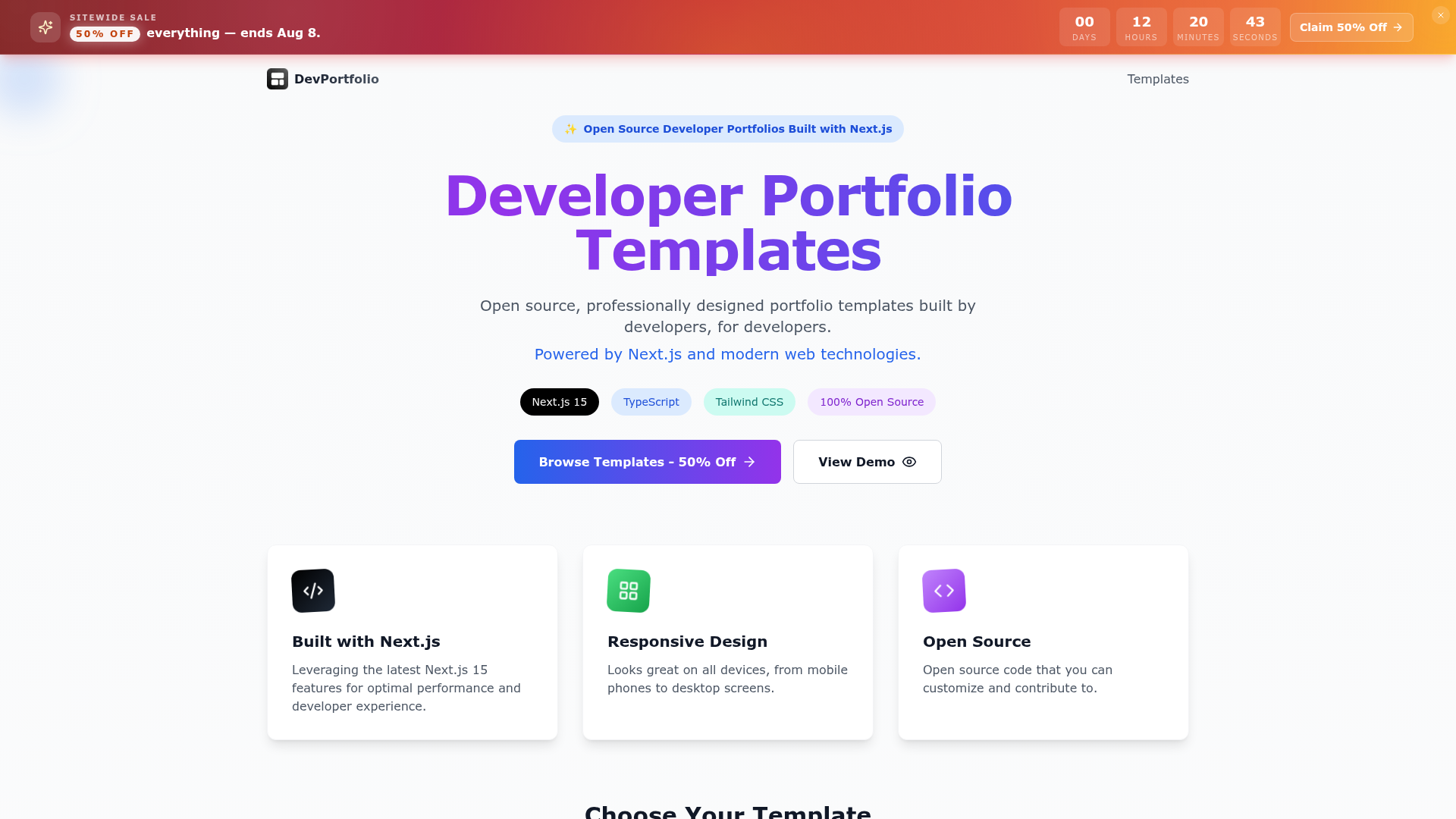
The core idea is zero-code customization: you edit one JSON file instead of touching React components. A live demo is available at portfolio.anujjainbatu.tech, and the project includes a separate marketing landing page repository for showcasing the builder.
Key Features
- Single-file configuration — All site content (experience, skills, projects, chatbot settings) lives in portfolio-config.json; edit it and the site updates without touching code.
- AI chatbot with Google Gemini — A fully customizable chat widget driven by JSON; supports preset questions and dynamic AI replies via the GOOGLE_GENERATIVE_AI_API_KEY, with quota management and graceful fallback.
- AI-assisted setup — Upload your resume (PDF or DOC) along with the sample config to ChatGPT or Claude and ask them to generate your portfolio-config.json automatically.
- Next.js App Router + TypeScript — The project structure uses src/app, components, lib, types, and hooks directories; includes npm run type-check and build commands for validation.
- Easy deployment — One-click deploy to Vercel (button provided) or manual deployment to Netlify/Railway; environment variables are GOOGLE_GENERATIVE_AI_API_KEY and optional NEXT_PUBLIC_SITE_URL.
- Responsive modern design — Tailwind-based layout with a comparison table claiming a more modern look than traditional portfolios; customization via tailwind.config.ts.
- Image asset guidelines — Expected files include public/profile.jpeg (400x400px+), project screenshots at 1200x800px, and favicon.ico; external image URLs are supported.
Who is it for?
- Software developers and engineers — Launch a professional portfolio in about five minutes by forking the repo, adding a Gemini API key, and filling in the JSON config.
- Job seekers in tech — Showcase work history, skills, and projects with an interactive chatbot that answers visitors' questions about your background.
- Non-coders who want a personal site — Because all content is JSON-driven and AI can generate the config from a resume, no HTML/CSS/React knowledge is required.
What can you do with it?
- Developers: configure the chatbot's name, personality, and tone (e.g., "Professional yet friendly") through the JSON to match your personal brand.
- Freelancers: list services and project showcases with external image URLs, then deploy the site to Vercel or Netlify for clients to view.
- Open-source contributors: extend the template by adding new sections — the README describes updating JSON, components, tools, and types as needed, and contributions are welcome via GitHub issues and discussions.
How does it work?
The quick start describes an eight-step workflow: clone the repository, install dependencies with npm/pnpm/yarn, get an API key from Google AI Studio, copy .env.example to .env.local with your key, fill in portfolio-config.json, replace images in /public, run npm run dev to preview locally, then build and deploy to Vercel, Netlify, or another platform.
FAQ
Is AI-Powered Portfolio free?
Yes, the source code is open source under the MIT License and free to use. Running the AI chatbot requires your own Google Gemini API key from Google AI Studio; the README does not specify a quota or pricing tier for the key.
Do I need to know how to code?
No. All site content is controlled by the portfolio-config.json file and the AI chatbot is configured through the same JSON. The README explicitly states "No coding knowledge required" and suggests using ChatGPT or Claude to generate the config from your resume.
How do I get the AI chatbot working?
After cloning, install dependencies, then set the GOOGLE_GENERATIVE_AI_API_KEY environment variable in a .env.local file. The chatbot uses Google's Gemini API for dynamic replies and includes preset questions and a graceful fallback if the API quota is exhausted.
Where can I deploy this portfolio?
The README recommends Vercel and provides a one-click "Deploy with Vercel" button. Manual deployment is also possible by pushing to GitHub and importing the repository into Vercel, Netlify, or Railway, then setting the environment variables.