Template details
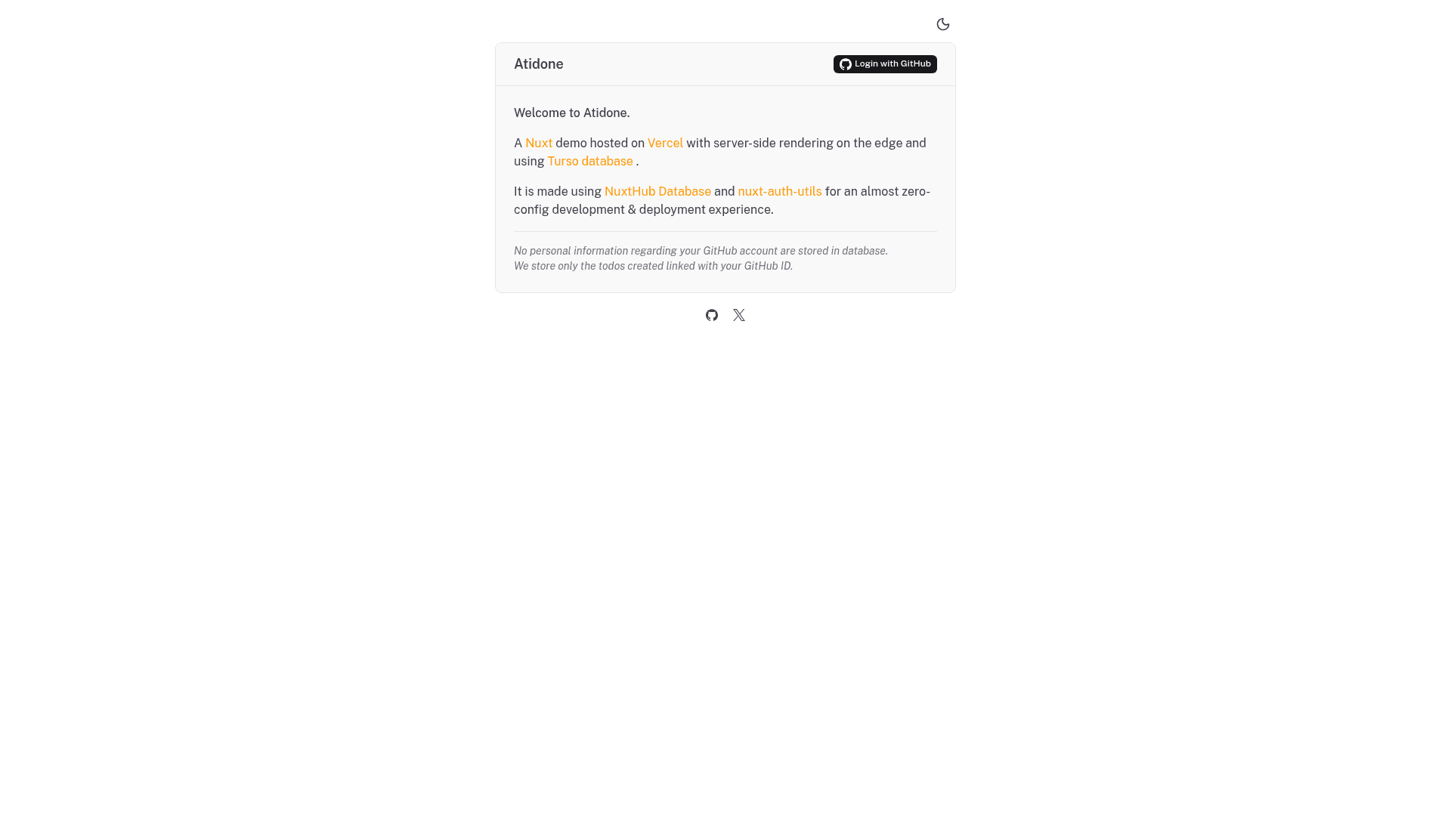
Atidone
Full-stack todo app template built with Nuxt, featuring GitHub OAuth, Turso database with Drizzle ORM, and NuxtHub deployment.
About this template
Atidone is an open-source full-stack todo application template built with Nuxt that demonstrates server-side rendering, GitHub OAuth authentication, and SQL database querying with Turso and Drizzle ORM.
What is Atidone?
Atidone is a demonstration app by atinux that combines Nuxt's server-side rendering with GitHub OAuth login and a SQL database. As input it takes a GitHub OAuth application configuration and a Turso database connection; as output it produces a working multi-user todo manager with signed-in sessions. The project is MIT-licensed and can be deployed to Vercel or Cloudflare.
Key Features
- Built-in authentication — Uses nuxt-auth-utils to handle GitHub OAuth login and sealed session cookies, configured via three environment variables: the GitHub client ID, client secret, and a session password of at least 32 characters.
- Turso database with Drizzle ORM — Stores todos in Turso's SQLite-compatible database, accessed through NuxtHub DB and modeled with Drizzle ORM schemas.
- Automatic database migrations — Migrations run automatically in development and during deployment, applying schema changes without manual intervention.
- Nuxt UI interface — The user interface is built with Nuxt UI, providing accessible Vue components for the todo list, buttons, and forms.
- Drizzle Studio in Nuxt DevTools — Tables are inspectable and editable directly inside the Nuxt DevTools via the Hub Database tab.
- Optimistic UI with Pinia Colada — Todo mutations update the interface optimistically and invalidate cached queries for a responsive feel.
- One-click deployment — Deploy to Vercel through the provided button with preconfigured environment variables, or to Cloudflare with zero configuration using
npx nuxthub deploy.
Who is it for?
- Nuxt developers learning how to combine server-side rendering, third-party OAuth, and a SQL database in one application can study and extend Atidone as a practical reference.
- Full-stack JavaScript developers who want a minimal GitHub-authenticated todo app to use as a foundation for custom features can clone the repository and add their own pages, API routes, and styling.
- NuxtHub evaluators exploring the database, migrations, remote storage, and deployment features can use Atidone to observe these capabilities working end to end.
What can you do with Atidone?
- Set up GitHub OAuth quickly: Create a GitHub OAuth application with the callback URL http://localhost:3000/api/auth/github, add the client ID and secret to a .env file, and get sealed session authentication working locally.
- Deploy a full-stack app to Cloudflare: Run
npx nuxthub deployto push the project to your Cloudflare account for free, then connect to the remote database locally withpnpm dev --remote. - Inspect your schema in DevTools: Run the development server at http://localhost:3000 and open Nuxt DevTools to see tables and data through the integrated Hub Database tab.
How does Atidone work?
A developer installs dependencies with pnpm i, creates a GitHub OAuth application, and sets the three required environment variables. Running npm run dev starts the server on http://localhost:3000, where users sign in with GitHub and manage todos stored in Turso. Deployment is handled by Vercel's one-click flow or by npx nuxthub deploy to Cloudflare.
FAQ
Does Atidone support authentication methods other than GitHub?
The main template ships GitHub OAuth only via nuxt-auth-utils. The author maintains a separate example called todo-passkeys that demonstrates Passkeys (WebAuthn) authentication if you need a passwordless alternative.
What database does Atidone use?
Atidone uses Turso, a SQLite-compatible distributed database, accessed through NuxtHub DB and modeled with Drizzle ORM. In development it runs as a local SQLite file, and you can connect to the remote Cloudflare-backed database with pnpm dev --remote.
Is Atidone free?
The repository is released under the MIT License, so you can use and modify it freely. Deployment via NuxtHub to Cloudflare is described as free with zero configuration in the README.
How do I generate the session password?
The README suggests generating a random string of at least 32 characters with the command openssl rand -hex 32 and storing it as the NUXT_SESSION_PASSWORD environment variable.
Where is the live demo?
A live demo of Atidone is hosted at https://todos.nuxt.dev, and the repository links a social preview image at https://todos.nuxt.dev/social-image.png.