Template details
Amplify
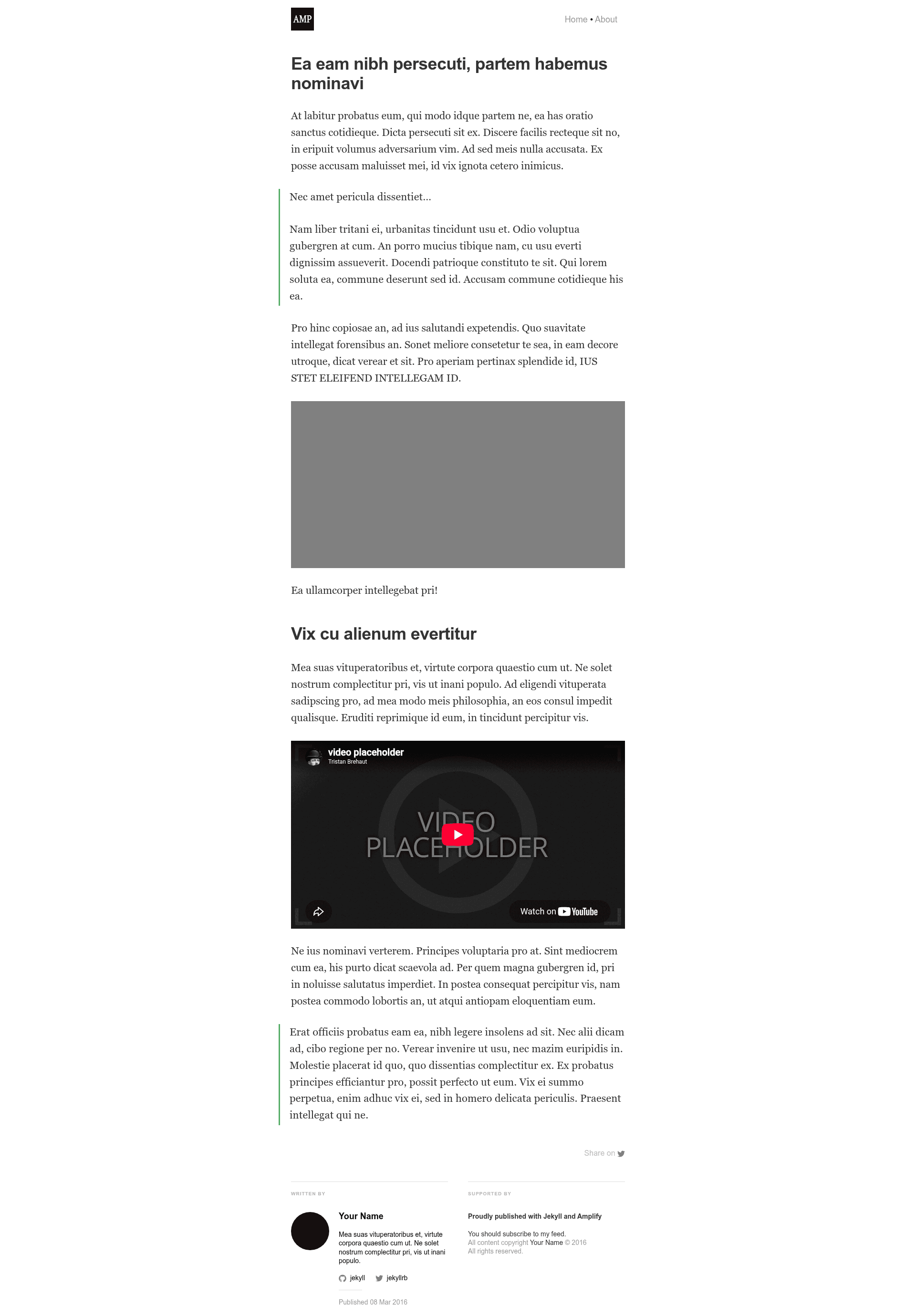
A Jekyll HTML theme in the style of Medium.com built using Google AMP
About this template
Amplify is a Jekyll HTML theme that builds static blogs using Google's Accelerated Mobile Pages (AMP) framework, so every page renders its main content almost instantly even on slow mobile networks. Originally published by Adam Geitgey on GitHub, it takes a standard Jekyll site — Markdown posts, a _config.yml, and the theme's SCSS — and outputs validator-clean AMP HTML pages that Google can feature in its mobile search results and serve from its own CDN.
What is Amplify for Jekyll?
Amplify is a Jekyll theme that generates blog pages compliant with the open-source Google AMP specification. It runs on the regular Jekyll static-site pipeline: you install Jekyll, clone the theme from git@github.com:ageitgey/amplify.git, run bundle install, edit the Site settings in _config.yml, and build with bundle exec jekyll serve. The output is static HTML with no external stylesheets and no custom JavaScript, because AMP forbids anything that blocks rendering after the initial HTML load. The theme is inspired by the Mediator theme by Dirk Fabisch and is licensed under MIT.
Key Features
- AMP-validated pages — The theme is built around the AMP technical rules, and its README includes the validation workflow: append
#development=1to any URL and check the browser console for either "AMP validation successful" or a list of attribute errors. - Inline CSS architecture — The main stylesheet lives in
_includes/styles.scssand is inlined into every page header through thescssifyfilter in_includes/head.html, satisfying AMP's rule that all CSS must be inline. - AMP-only media tags — Posts must use
<amp-img>and<amp-youtube>instead of normal Markdown/HTML tags, and every embedded resource must declare a staticwidthandheightpluslayout="responsive"to size correctly. - Google Analytics integration — The theme ships
amp-analyticssupport: set a property ID in_config.yml, uncomment the include in_layouts/default.html, and uncomment the script in_includes/head.html. - Schema.org NewsArticle metadata — A default
_includes/metadata.jsonprovides the NewsArticle schema Google requires for featuring an AMP page in its search results widget. - Measured speed gains — The README's WebPageTest benchmarks show DOMContentReady at 61ms on a fast connection (385ms on a simulated "Regular 2G" second visit), versus 28.5s for
facebook.github.io/reacton the same 2G first visit. - Free and open source — Released under the MIT license and hosted publicly on GitHub.
Who is it for?
- Bloggers who want Google Search exposure — The theme makes pages eligible for Google's AMP search-result widget and Google's AMP CDN (
https://cdn.ampproject.org/c/s/<your-page-url>), which serves cached copies faster. - Jekyll users who care about mobile performance — If you already write posts in Markdown and use Jekyll, this theme enforces AMP's performance rules without introducing a new framework.
- Static-site developers experimenting with AMP — The strict constraints (inline CSS, no custom JS, static image sizes) make it a clear reference implementation, though not suitable for sites needing heavy client-side interactivity.
What can you do with Amplify?
- Launch an AMP blog in six steps — Install Jekyll, clone the repo, install Ruby dependencies with Bundler, fill in
_config.yml, serve locally athttp://localhost:4000/, then deploy like any other Jekyll site. - Embed images and videos the AMP way — Use
<amp-img width="600" height="300" layout="responsive" src="/assets/images/your_picture.jpg"></amp-img>and<amp-youtube data-videoid="lBTCB7yLs8Y" layout="responsive" width="480" height="270"></amp-youtube>. - Validate every page during development — Add
#development=1and read the console output; the README shows exact success and error messages. - Set up analytics and search metadata — Enable Google Analytics page tracking, then optionally extend to custom events via the
amp-analyticsdocumentation, and tweak the default NewsArticle schema in_includes/metadata.json.
How does Amplify work?
The theme keeps all CSS in a single SCSS file that gets inlined into the header, and it requires post authors to use AMP's custom HTML tags for any embedded resource. After configuring _config.yml, you run the normal Jekyll build to produce static AMP HTML. To let Google cache your page, link to it through https://cdn.ampproject.org/c/s/<page-url> (omit /s for non-HTTPS sites), understanding that the cache refreshes slowly.
Pros and cons
- Pros: Free under MIT; massive documented mobile-loading gains (530ms first visit on Regular 2G, 385ms on repeat); built-in AMP validation, schema metadata, and Google Analytics hooks; ordinary Jekyll workflow.
- Cons: AMP's restrictions mean no external CSS, no custom JavaScript, explicit width/height required on every image and video, and the Google CDN cache updates infrequently.
FAQ
Is Amplify for Jekyll free?
Yes, the theme is released under the MIT license and is publicly available on GitHub at ageitgey/amplify. There is no fee to download, modify, or deploy it.
How do I add an image to an AMP post?
Use the <amp-img> tag with a width, height, and layout="responsive" attribute instead of Markdown's image syntax. The README lists the exact tag format and links to the full catalog of built-in and extended AMP tags.
How do I know if my page is valid AMP?
Open any URL on your built site with #development=1 appended and look at the browser's JavaScript console. You'll either see "Powered by AMP ⚡ HTML" with "AMP validation successful", or you'll see a list of errors such as The attribute 'style' may not appear in tag 'span'.
How do I enable Google Analytics in Amplify?
Put your property ID in _config.yml, then uncomment the analytics include in _layouts/default.html and the analytics script in _includes/head.html. For custom event tracking, follow Google's amp-analytics documentation.
How do I get Google to serve my page from its CDN?
Link to your page using https://cdn.ampproject.org/c/s/<your-page-url> or https://amp.gstatic.com/c/s/<your-page-url>. For non-HTTPS sites, drop the /s. Be aware that the cache updates slowly, so don't share cached URLs until your page is finished.