Template details
APITable
API-oriented low-code platform for building collaborative apps and open-source Airtable alternative.
About this template
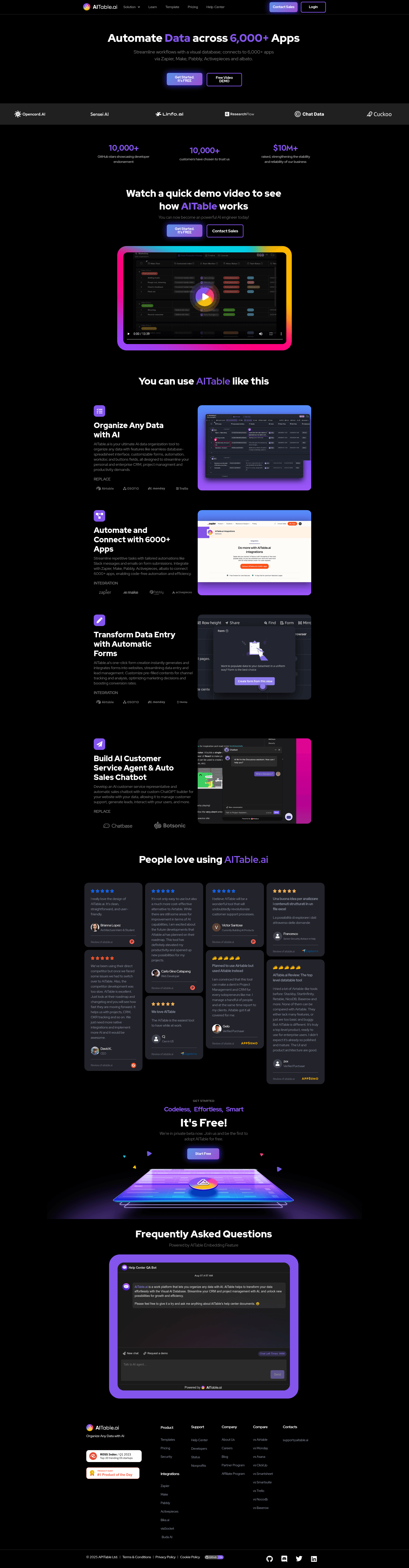
APITable is an open-source, API-oriented low-code platform that combines a real-time collaborative database-spreadsheet interface with REST API access, forms, dashboards, and embeddable widgets, designed as an Airtable alternative. It is developed by APITable Ltd and released under the AGPL-3.0 license, with source code available on GitHub.
What is APITable?
APITable is a visual database and low-code platform that lets users create, read, update, and delete tables, columns, and rows through a spreadsheet-like UI while exposing an automatic REST API. It runs as a self-hostable web application using Docker, with a tech stack of TypeScript (Next.js and NestJS) on the front end and Java (Spring Boot) on the backend. The hosted commercial version is offered at AITable.ai, and the open-source repository on GitHub has over 15,000 stars.
Key Features
- Realtime collaboration: Multiple users can edit the same datasheet simultaneously using the Operational Transformation (OT) algorithm, supporting over 100,000 data rows.
- Seven view types: Grid (datasheet), Gallery, Mindmap, Kanban, Gantt, Calendar, and more, letting teams visualize the same data in different formats without duplicating records.
- One-click API Panel: Clicking the API button in the top-right corner generates a REST API panel for the current table, with a SQL-like Datasheet Query Language (DQL) for querying.
- Automatic forms: Generate shareable forms from any datasheet in one click, with responses written straight back into the table.
- Enterprise-grade permissions: Mirror views to enforce row-level permissions, activate column permissions, use folder-based hierarchies, and integrate SAML, single sign-on, audit logs, and database backup (in enterprise versions).
- Extensible widget system: Over 20 official open-source widgets are included, plus custom widgets, formulas, data column types, and automation robot actions.
- Integrations: Built-in connectors for n8n.io, Zapier, Appsmith, and a shareable/embeddable HTML embed for any table or folder.
- Tech stack and deployment: Built with Next.js, NestJS, and Spring Boot; deployable via Docker Compose or a Docker all-in-one image, requiring at least 4 CPUs and 8GB RAM.
Who is it for?
- Project managers and operations teams: Use APITable for flexible project management, task/issue tracking, and building custom internal tools without writing code.
- Developers and technical founders: Embed APITable into existing software UIs, generate REST APIs from data models, and use it as a visual database layer or admin dashboard.
- Sales and marketing teams: Manage leads, build CRM pipelines, and create marketing campaign trackers using the Kanban and Calendar views.
- Data and BI analysts: Create business intelligence dashboards, team surveys, and report forms directly from datasheets.
Use cases
- Project management: Build task trackers with automatic forms, shared grid views, and real-time updates for distributed teams.
- CRM and lead management: Structure a flexible customer database with row/column permissions so sales reps only see their own pipelines.
- Embedded internal tools: Embed live tables and dashboards into company intranets or web apps using the shareable HTML script.
- Data collection and surveys: Auto-generate forms from a datasheet to gather responses, then analyze them directly in grid or Gantt views.
How does it work?
Install the self-hosted edition by running the provided install script with Docker and Docker Compose, then visit localhost:80. The cloud-hosted version at AITable.ai works instantly without setup. Once running, users create tables, link them with one-direction or bidirectional cross-table links, and use the API panel to access data programmatically.
Pricing
The open-source edition is free under AGPL-3.0, allowing self-hosting and modification. AITable.ai provides a cloud-hosted SaaS version, and enterprise self-hosted licenses add advanced features such as SAML, SSO, audit logs, database backup, watermarking, and integrations with ChatGPT, Zapier, Slack, and Google Workspace.
Alternatives
- Airtable: the commercial SaaS that APITable is designed to be an open-source alternative to.
- NocoDB: another open-source Airtable alternative that also turns spreadsheets into smart databases.
FAQ
Is APITable free?
Yes, the open-source edition is free under the AGPL-3.0 license. You can self-host it on your own infrastructure without licensing fees. AITable.ai offers a hosted cloud version and paid enterprise tiers with additional security and management features.
What are the system requirements for APITable?
A host with Docker and Docker Compose v2 installed, at least 4 CPUs and 8GB RAM, and a bash shell with curl are recommended. Native arm64 container images are not yet ready, so Apple Silicon users may experience poor performance.
What tech stack does APITable use?
The project is built with TypeScript using Next.js for the frontend and NestJS for the backend, plus Java with Spring Boot. The database layer is database-native, using changesets, operations, actions, and snapshots.
Can I embed APITable in my own apps?
Yes, APITable supports sharing datasheets and folders and embedding them by copying and pasting HTML scripts. The enterprise version offers additional embedding features for production environments.
How do I install APITable?
Run 'curl https://apitable.github.io/install.sh | bash' in a terminal with Docker installed, then open http://localhost:80. Alternatively, use the Docker all-in-one image with 'docker run -d -v ${PWD}/.data:/apitable -p 80:80 --name apitable apitable/all-in-one:latest' for demo purposes.