Template details
Renderjson
Render JSON into collapsible, themeable HTML.
About this template
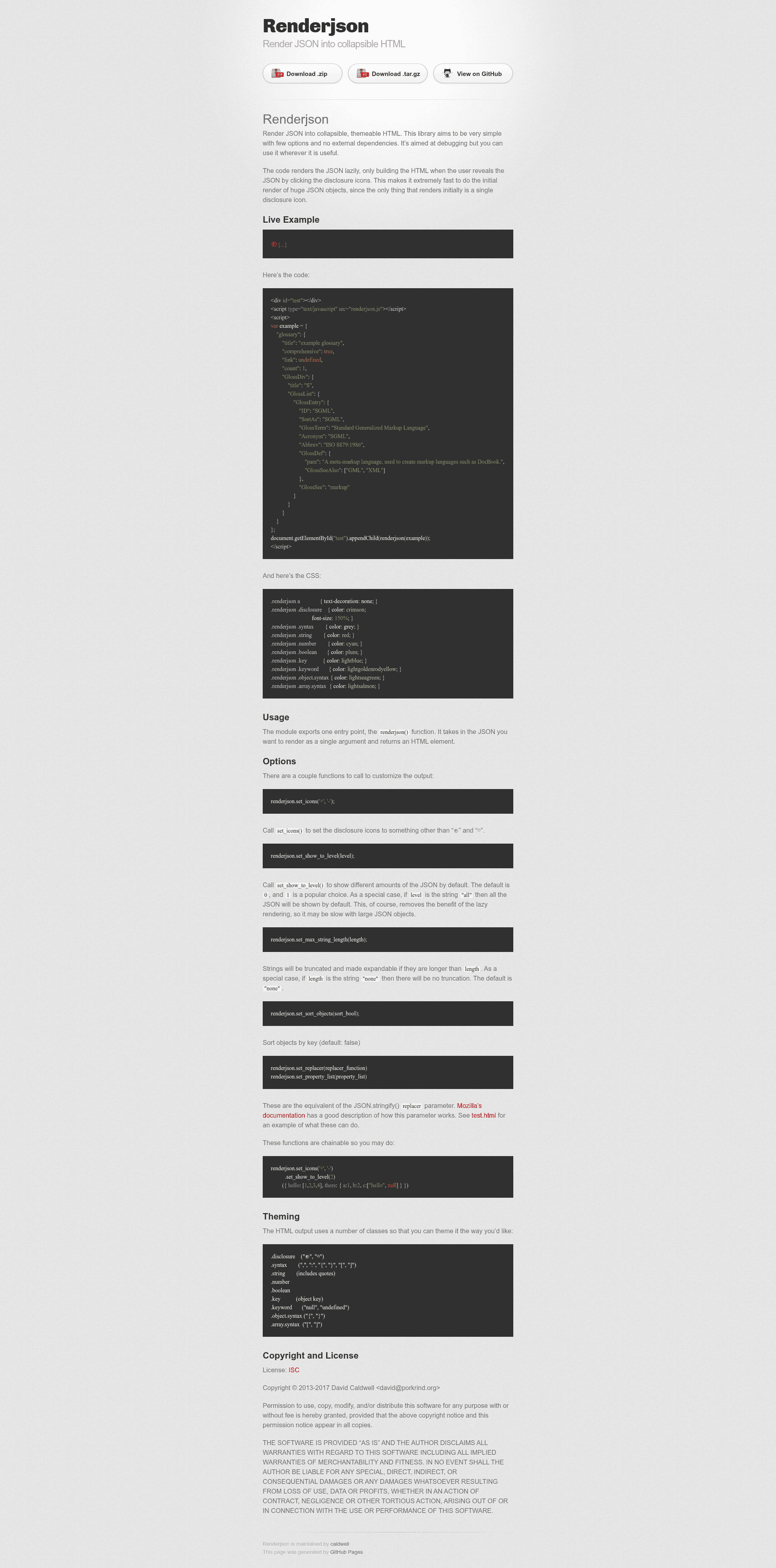
Renderjson is a dependency-free JavaScript library that converts any JSON value into a collapsible, themeable HTML element for interactive inspection.
What is Renderjson?
Renderjson is a small JavaScript library written by David Caldwell that exposes a single renderjson() function. You pass it a JSON value as its sole argument and it returns an HTML element that can be appended to any container on a web page. The library renders the JSON lazily, meaning that initially only a disclosure icon is rendered, and the full nested structure is built only when the user clicks to expand it. This makes the initial render of very large JSON objects extremely fast because the browser does not need to build the entire DOM upfront. The library has no external dependencies and is distributed as a single renderjson.js file.
Key Features
- Lazy rendering — Only the disclosure icon is rendered initially; the full JSON structure is built on demand when the user expands nodes, which keeps initial rendering fast even for huge objects.
- Zero dependencies — The library works entirely on its own; you only need to include
renderjson.jsand no other scripts or styles. - Themeable output — The generated HTML uses a set of CSS classes such as
.disclosure,.syntax,.string,.number,.boolean,.key,.keyword,.object.syntax, and.array.syntaxso you can style it with your own CSS. - Customizable disclosure icons —
set_icons('+', '-')lets you change the default "⊕" and "⊖" icons to any characters you prefer. - Configurable default expansion —
set_show_to_level(level)controls how many levels of nested JSON are shown by default; pass the string "all" to expand everything upfront. - Long string handling —
set_max_string_length(length)truncates strings longer than the given length and makes them expandable; pass "none" to disable truncation. - Object key sorting —
set_sort_objects(true)sorts object keys alphabetically in the rendered output. - Chainable API — All setter functions are chainable, so you can configure the renderer in a single expression.
Who is it for?
Renderjson is for front-end developers who need to inspect or display JSON data in the browser. API debuggers can use it to build a quick, interactive view of API responses during development. Documentation site maintainers can embed expandable JSON examples in their pages without pulling in a heavy JSON viewer library. Library authors who need a minimal, dependency-free way to present structured data can integrate Renderjson as a lightweight alternative to building a custom tree view.
What can you do with Renderjson?
- API developers: paste or fetch a JSON response and render it into a collapsible tree to spot mismatched types or missing fields at a glance.
- Technical writers: embed live JSON examples in documentation with a script tag and a few lines of JavaScript.
- Tool builders: bundle Renderjson into your own debugging panel, since it returns a plain HTML element you can place anywhere in the DOM.
- Fiddler-style testers: use the chainable API to sort keys or truncate long strings to make large payloads easier to read.
How does Renderjson work?
To use Renderjson, you include renderjson.js in your page, create a container element, and call renderjson(yourJson) with optional chained configuration, then append the returned element to the container. The library returns an HTML element that you can place anywhere; the lazy rendering engine builds the subtree for each node only when the user clicks its disclosure icon.
FAQ
Does Renderjson require jQuery or any other library?
No. Renderjson has no external dependencies. You only need to include the single renderjson.js file, and the library will produce an HTML element that you can append to your page.
Can I change the disclosure icons?
Yes. Call renderjson.set_icons('+', '-') to replace the default "⊕" and "⊖" disclosure icons with any two strings you want.
How do I show all nested JSON by default?
Call renderjson.set_show_to_level('all'). This expands the entire JSON tree on initial render, but it removes the benefit of lazy rendering, so it may be slow with very large JSON objects.
Does Renderjson sort object keys?
Yes. Use renderjson.set_sort_objects(true) to sort object keys alphabetically in the rendered output.
What is the license?
Renderjson is released under the ISC license, and the source code is copyright © 2013-2017 by David Caldwell.