Template details
Apple-Style Portfolio Template
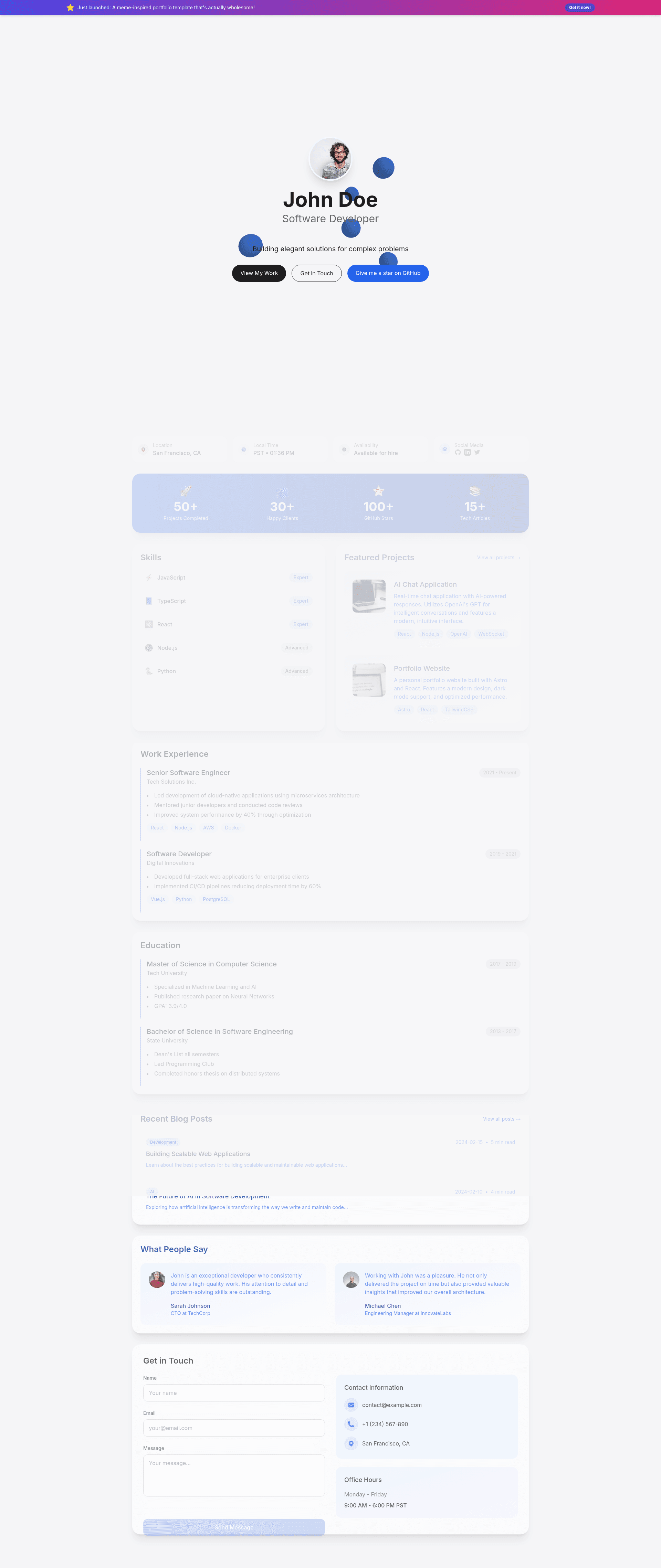
This is a template with a highly minimalist style, greatly inspired by Apple's design concept. It is built with Astro, TailwindCSS, GSAP, and Three.js.
About this template
Apple-Style Portfolio Template is a minimalist portfolio template built with Astro that recreates Apple's design language through Tailwind CSS, GSAP animations, and Three.js 3D elements. This open-source project is maintained by larry-xue and released under the MIT License, with a live demo hosted at apple-style-portfolio.larryxue.dev. Whether you are a developer looking to showcase projects or a designer wanting a clean presentation, this template provides a ready-to-deploy starting point with a modern, responsive layout.
What is Apple-Style Portfolio Template?
Apple-Style Portfolio Template is a web template for creating a personal portfolio website. It uses Astro as the static site generator, which means it outputs fast, optimized HTML with zero JavaScript by default. The visual style is directly inspired by Apple's product pages: generous white space, large typography, and subtle motion. The template accepts content you add to the Astro project — such as your name, projects, and experience — and renders it into a polished portfolio site. It includes React components for interactive sections and leverages Tailwind CSS for utility-based styling.
Key Features
- Apple-style aesthetic — The interface follows Apple's minimalist design principles, using clean lines, muted colors, and precise spacing.
- Astro framework — Built on Astro, which ships zero-JS by default for fast page loads; the project requires Node.js version 20 or higher.
- Tailwind CSS styling — All styling is written with Tailwind CSS utility classes, making it easy to customize colors, spacing, and typography.
- GSAP animations — Scroll-triggered and hover animations are powered by GSAP (GreenSock Animation Platform) for smooth, high-performance motion.
- Three.js integration — Includes Three.js for adding 3D graphics and scenes, letting you create an immersive portfolio experience.
- React components — The template integrates React for building interactive UI components within the Astro pages.
- Fully responsive design — Layouts adapt to mobile, tablet, and desktop screens so the portfolio looks correct on any device.
- Font pairings — Uses Inter and Source Sans Pro typography by default to match the clean, modern Apple look.
Who is it for?
- Front-end developers — Quickly scaffold a portfolio without building a site from scratch; customization happens through Astro components and Tailwind classes.
- UI/UX designers — Use the Apple-inspired layout as a base to present their design work in a visual style that mirrors high-end product sites.
- Creative professionals — Photographers, illustrators, and other creatives who want a minimal, elegant online presence with room for animations and 3D elements.
What can you do with Apple-Style Portfolio Template?
- Developers: Showcase coding projects with a clean, Apple-like presentation that emphasizes typography and whitespace, and add interactive demos through React components.
- Designers: Display case studies and visual work in a responsive layout, using GSAP animations to draw attention to specific pieces.
- 3D artists: Integrate Three.js scenes directly into sections of the page to present 3D models or WebGL experiments as part of the portfolio.
How does the template work?
The template is installed by cloning the GitHub repository (larry-xue/apple-style-portfolio) or running npm create astro@latest -- --template larry-xue/apple-style-portfolio. After cloning, run npm install to install dependencies, then npm run dev to start a local development server at http://localhost:4321. For production, run npm run build and then npm run preview to test the built site.
Deployment
Deployment is supported through two platforms with documented steps. For Vercel, fork the repository, connect the repo to Vercel, and the platform automatically detects Astro and configures the build. For Cloudflare Pages, set the build command to npm run build, the output directory to dist, and Node.js version to 20.x. Both flows are explained in the README, and Vercel offers a one-click deploy button that clones the repository into your account.
FAQ
Is Apple-Style Portfolio Template free?
Yes. The template is open source and released under the MIT License, so you can use it freely for personal or commercial projects. No payment or attribution is required, though the author asks for a star on GitHub if you find it helpful.
What Node.js version is required?
Node.js version 20 or higher is required. This is stated in the prerequisites section of the README, and it also matches the Node.js version recommended for deploying to Cloudflare Pages.
Can I deploy with Cloudflare Pages?
Yes. The README includes step-by-step instructions for deploying to Cloudflare Pages. Configure the build command as npm run build, the output directory as dist, and set Node.js version to 20.x.
Can I use React components in this Astro template?
Yes. The template includes React integration, so you can add React components alongside Astro components. This is useful for building interactive parts of the portfolio, while static content remains fast to load.
How do I customize the template content?
You edit the Astro components and Tailwind classes in the project. Since the site is built from the source code, changes to text, layout, and styling are made directly in the files, and the static site is regenerated with npm run build.