Template details
portfolio-jirihofman
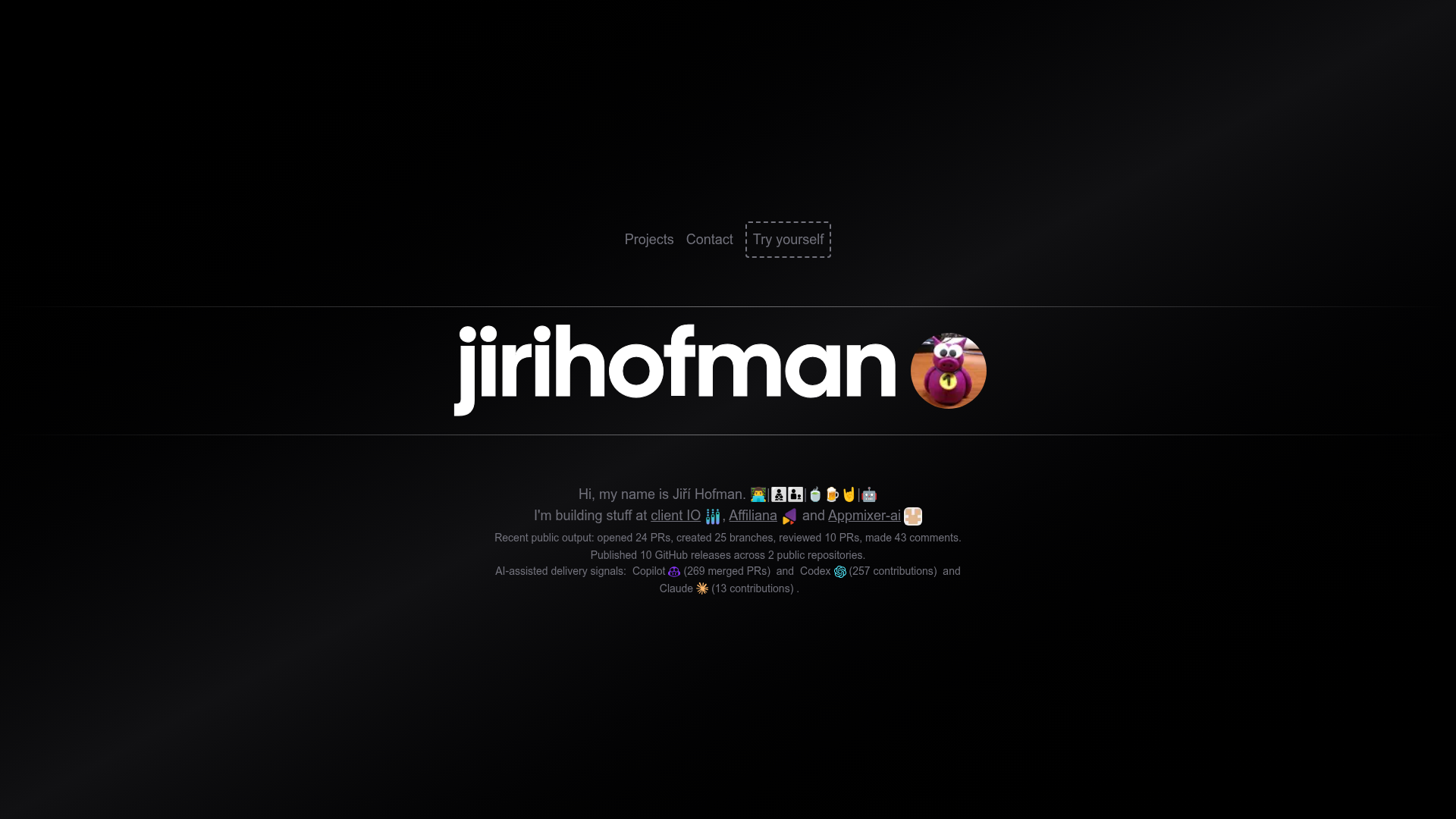
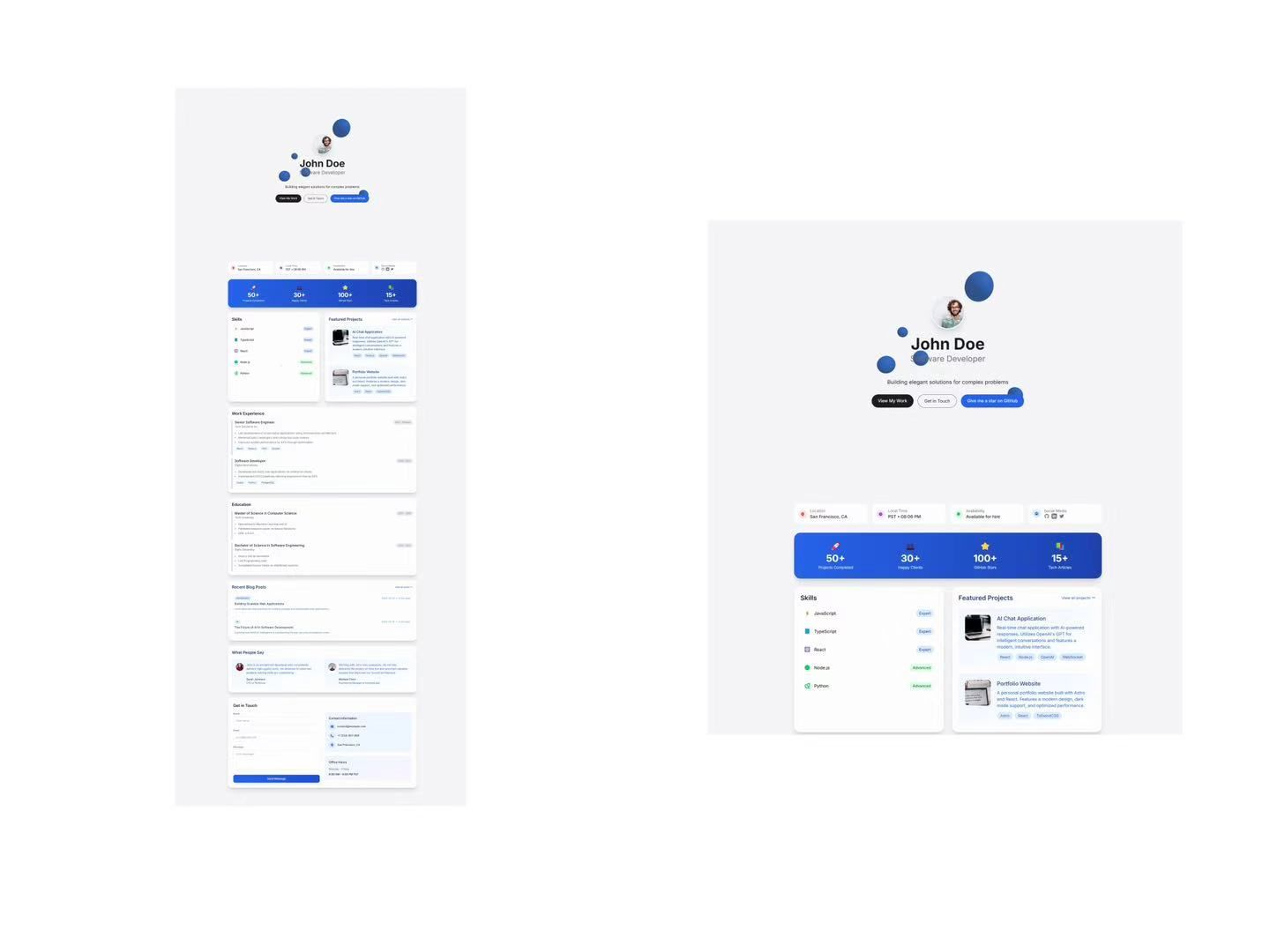
Portfolio page with Jiří Hofman's hobby projects. Can be used as a template for other GitHub users. Using Next.js 16 with App router and Tailwind CSS.
About this template
portfolio-jirihofman is a Next.js portfolio template that builds a personal developer portfolio from GitHub and Vercel API data, deployable to Vercel with one click. It is based on Jiří Hofman's personal site and is designed to be reused by other GitHub users as a ready-made portfolio template.
What is this portfolio template?
This template is a full-featured portfolio site built with Next.js 16.2.12, React 19.2.6, Tailwind CSS 4.3.1, and React Icons 5.7.0, running on Node.js 24.x. It takes a GitHub username from the data.json configuration file and produces a live portfolio page with projects, analytics, deployment status, and technical details pulled from the GitHub API and the Vercel API. The project is authored by Jiří Hofman and is inspired by chronark.com, with ideas borrowed from leerob.io.
Key Features
- Automated project showcase — The /projects page lists every GitHub repository with its name, description, creation date, star count, and a link to the source code.
- Owner-only visitor statistics — For the portfolio owner, the template displays unique repository visitors over the last 14 days and today using GitHub traffic data.
- Security alerts dashboard — Dependabot alerts are shown per repository, categorized by critical, high, medium, and low severity.
- AI contribution tracking — Merged GitHub Copilot pull requests and Codex contributions (labeled PRs and co-authored commits) are counted and displayed.
- Vercel deployment integration — Deployment status, Node.js version, and framework information are fetched from the Vercel API.
- Framework and UI detection — The template detects Next.js Pages Router, App Router, or hybrid usage, flags Turbopack, and identifies UI libraries like Tailwind CSS, React Bootstrap, and Primer from package.json.
- One-click Vercel deployment — A Vercel deploy button lets you import the repository and set GH_TOKEN and VC_TOKEN environment variables during setup.
- Automated setup script — Running npm run setup replaces default personal information in data.json and updates metadata like title, description, and favicon.
Who is this template for?
- GitHub users who want a portfolio that updates itself — After editing data.json with your GitHub username, project cards, traffic stats, and security alerts are fetched automatically on every build.
- Developers who prefer a modern React stack — The template is built on Next.js 16 with the App Router and Tailwind CSS 4, so it suits developers already comfortable with those tools.
- Hobbyist developers showcasing multiple projects — Each repository entry shows star counts, creation dates, and a direct GitHub link, making it easy to present a body of work.
- AI-curious developers — If you use GitHub Copilot or Codex, the template surfaces how much of your code is AI-contributed, which can be displayed on your portfolio.
What can you do with this template?
- Personal portfolio owner: Replace the default data with your GitHub username, set IS_TEMPLATE=false, and deploy to Vercel to obtain a portfolio that stays in sync with your repositories.
- Template customizer: Run the provided AI removal prompt (cat .github/prompts/remove-template.prompt.md) to strip all template-specific logic and author references, turning the repo into your own project.
- Open-source developer: Use the GitHub GraphQL queries included in the template to understand how the API integrations work and adapt them for other tools.
- Performance-minded developer: Because all API data is cached and refreshed automatically, the site avoids slow external calls on every page load.
How does this template work?
Start by cloning the repository and running npm install. Then run npm run setup to populate data.json with template placeholder data, edit data.json with your own details, and optionally add GH_TOKEN and VC_TOKEN to your .env.local file. Finally, run npm run dev for local development or deploy to Vercel. The template reads your GitHub username and fetches repository metadata, traffic, security alerts, and pull request data via the GitHub API and GraphQL, while the Vercel API provides deployment information. When IS_TEMPLATE is set to true, the setup script will revert personal data on subsequent builds; set it to false once you have configured your own information.
Pros and cons
Pros
- No manual project list maintenance — everything comes from GitHub API.
- Rich owner-only analytics: visitor counts and Dependabot alerts are visible on the site.
- Clean, minimalist design using Tailwind CSS with gradient-styled project names.
Cons
- Without a GH_TOKEN, only public GitHub data is available and rate limits are lower; owner-only metrics like traffic and security alerts are hidden.
- The template must be manually cleaned to remove references to the original author if you want a purely personal site, though an AI-assisted prompt is provided.
- Requires Vercel for full deployment-status features; a Vercel token is optional but needed to display deployment info.
Alternatives
- chronark.com — The minimalist portfolio that this template is based on.
- leerob.io — A popular developer portfolio from which this template borrows ideas, known for its blog and clean layout.
FAQ
Is a GitHub token required to use this template?
No. The application can build and run unauthenticated by using the username in data.json and making unauthenticated GitHub API requests. Adding a GH_TOKEN raises rate limits and enables owner-only data such as traffic and Dependabot metrics.
How do I make this my own portfolio?
Clone the repository, run npm run setup to replace personal information, edit data.json with your GitHub username and details, set IS_TEMPLATE=false in .env.local, then deploy to Vercel. You can also use the provided prompt to have an AI agent remove template-specific code.
What data does the template fetch from GitHub?
It retrieves repository information (name, description, creation date, stars), traffic data (unique visitors in the last 14 days and today), Dependabot security alerts by severity, and pull request information including Copilot and Codex contributions via GraphQL queries.
Why does my portfolio revert to default data?
If IS_TEMPLATE is set to true, the setup.mjs script will reapply the default data on each build. Set IS_TEMPLATE=false in your .env.local file once you have put your own information into data.json.
Can I use this template without Vercel?
The portfolio is built with Next.js and can be deployed to any platform that supports Next.js, but the Vercel deployment-status feature specifically requires a Vercel token and deployment onto Vercel.