Template details
First Portfolio
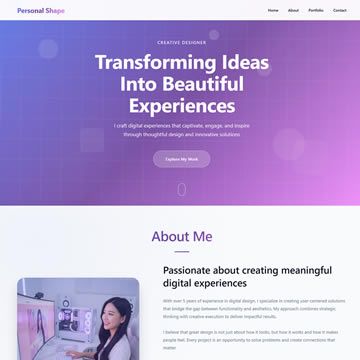
One-page Bootstrap 5 portfolio template featuring green, purple, white, and lightgray colors with hover effects for services and projects.
About this template
First Portfolio is a free one-page HTML/CSS template from TemplateMo for building a personal portfolio website, built on Bootstrap 5 and styled with green, purple, white, and lightgray colors.
What is First Portfolio?
First Portfolio, cataloged as TemplateMo 578, is a one-page layout CSS template for a personal portfolio page. It was added to the TemplateMo library on 18 July 2022 and has been viewed over 359,000 times and downloaded more than 57,000 times. The template is static HTML/CSS/JS, so it runs in any browser or static host without a build step or backend. TemplateMo, the publisher, makes the template available for free download, editing, and use in both commercial and non-commercial projects.
Key Features
- One-page layout — All sections—hero, services, projects, and contact—are arranged on a single scrolling page, which keeps navigation simple for visitors.
- Bootstrap 5 framework — The template is built on the Bootstrap 5 CSS and JavaScript framework, giving you a responsive grid, components, and utilities out of the box.
- Hover effects — Service and project sections include CSS hover animations that add interactivity without requiring extra JavaScript libraries.
- Defined color palette — The default design uses green, purple, white, and lightgray, giving the portfolio a distinctive look that you can restyle through CSS.
- Fully customizable — The HTML and CSS are open for editing, so you can replace placeholder content, swap images, change fonts, and adjust colors to fit your personal brand.
- Free for all uses — There is no license fee; you can download, edit, and deploy the template for personal or commercial websites.
- No server dependencies — Because it is plain HTML/CSS/JS, you can host it on any static file server, GitHub Pages, or shared hosting without special configuration.
Who is it for?
- Freelancers and independent professionals — Set up a polished online portfolio in under an hour by replacing the placeholder text and images with your own work samples.
- Creative job seekers — Build a simple, one-page resume site to send to employers or recruiters, highlighting your key projects and services.
- Students learning web development — Study a real-world Bootstrap 5 template to understand how a responsive one-page layout is structured and customize it as a practice project.
What can you do with First Portfolio?
- Showcase completed projects — Edit the project section to display your work with images, titles, and descriptions; visitors see hover effects when they interact with each item.
- List the services you offer — Update the service section to describe your expertise, whether that's web design, illustration, consulting, or another skill.
- Promote your contact channels — Use the one-page structure to keep contact information or a contact form area visible as visitors scroll; the page links to a separate PHP contact form script you can integrate if you need server-side processing.
- Rebrand the color scheme — Change the green and purple palette to your own brand colors by modifying the CSS, which is straightforward for anyone with basic CSS knowledge.
Pricing
First Portfolio is 100% free. There are no paid tiers, premium features, or hidden fees; you are allowed to download, edit, and use the template for commercial or non-commercial sites.
Alternatives
- Tooplate — Another free HTML template provider linked from the same site, offering a similar catalog of Bootstrap-based layouts.
FAQ
Is First Portfolio free?
Yes, First Portfolio is 100% free to download and use. TemplateMo explicitly allows you to download, edit, and use this HTML/CSS layout for both commercial and non-commercial sites, with no license fee.
Can I use First Portfolio for my commercial website?
Yes, the template can be used for commercial purposes. The source page states that you are allowed to use the template for commercial or non-commercial sites without charge.
What framework does First Portfolio use?
First Portfolio is based on the Bootstrap 5 CSS and JavaScript framework. This means it inherits Bootstrap's responsive grid, utility classes, and optional JavaScript components, and it's the version of Bootstrap available at the time of the template's release in July 2022.
How many pages does the template have?
The template uses a one-page layout, meaning all content sections are combined into a single HTML page. This is distinct from multi-page templates like the Woox Travel or Cyborg Gaming templates also shown on TemplateMo.
Can I customize the colors and content?
Yes. The template is fully customizable — you can change the colors, text, images, and layout by editing the HTML and CSS files. The default palette is green, purple, white, and lightgray, but these are set through CSS and can be modified.