Template details
Jekyll Theme Potato Hacker
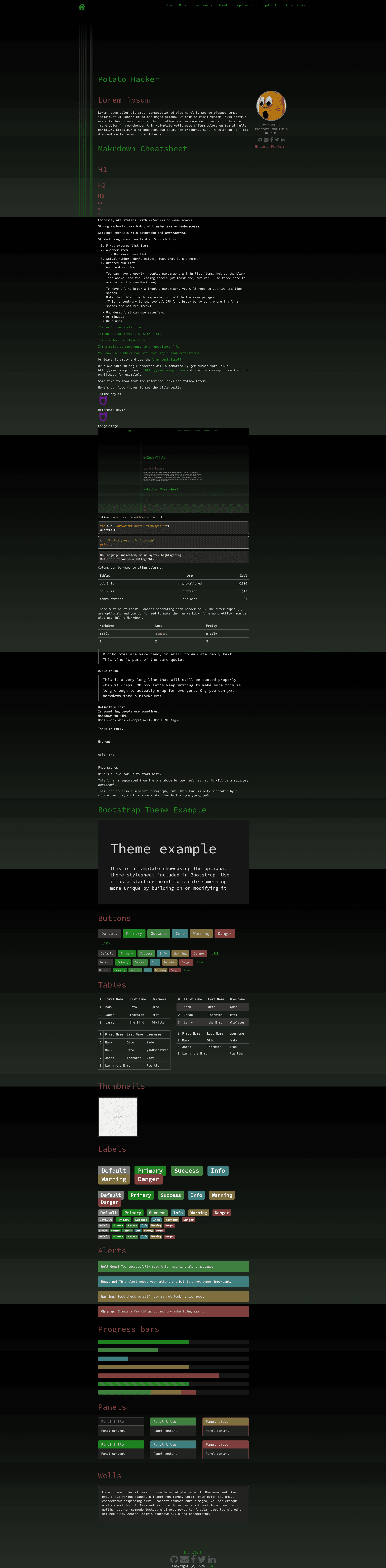
A Jekyll theme for portfolios and blogs with dropdown navigation, dark/light modes, and syntax highlighting.
About this template
Jekyll Theme Potato Hacker is a free, open-source Jekyll theme that builds portfolio and blog sites with dropdown navigation, dark/light palettes, and configurable syntax highlighting.
What is Jekyll Theme Potato Hacker?
Jekyll Theme Potato Hacker is a Jekyll theme distributed as a Ruby gem and installable on GitHub Pages via the remote_theme tag. It takes content organized in markdown files -- index.md, _items, _posts, and _dropdown -- and generates a static site with portfolio pages, a blog index, and front-matter-driven dropdown menus. The theme comes from the GitHub user luxedo and is licensed under GPL-3.0.
Key Features
- Gem and remote theme installation - Add the gem to your Gemfile and set the theme in _config.yml, or use remote_theme: luxedo/jekyll-theme-potato-hacker for GitHub Pages.
- Four content types - The main page (index.md), portfolio items (_items), blog posts (_posts), and dropdown pages (_dropdown).
- Dropdown navigation from front matter - Each page can declare a dropdown name and priority; higher priority items appear first.
- Light and dark themes - Set theme_base to light or dark, and optionally enable the theme_switch toggle.
- Syntax highlighting themes - Choose from monokai, github, gruvbox, molokai, tulip, and others via highlighter_theme.
- Social and avatar options - Configure GitHub, Facebook, Twitter, and LinkedIn usernames; optionally display an avatar with description.
- Collections support - Pre-configured collections for dropdown and items with output enabled.
Who is it for?
- Jekyll developers who want a ready-made theme instead of hand-coding layouts.
- Portfolio owners who need to showcase projects using the _items collection.
- Bloggers who want a blog section by enabling blog: on and adding a blog.md index.
- GitHub Pages users who want a zero-build setup with remote_theme.
Use cases
- Personal portfolio: Create item pages in _items to display projects.
- Blog with posts: Publish in _posts and set blog: on to generate an index via blog.md.
- Organized navigation: Use dropdown front matter to group pages under menus.
- Customization: Adjust _config.yml for social links, avatar, colors, and highlighting.
How does it work?
- Add the gem to your Gemfile or set the remote_theme in _config.yml.
- Customize settings for social links, avatar, blog, and syntax highlighting.
- Create content files: index.md, _items, _posts, and _dropdown pages.
- Run bundle exec jekyll serve to preview locally.
FAQ
How do I install Jekyll Theme Potato Hacker?
Add the gem to your Gemfile and set theme in _config.yml, then run bundle. For GitHub Pages, use remote_theme: luxedo/jekyll-theme-potato-hacker.
Can I use this theme on GitHub Pages?
Yes. Add remote_theme: luxedo/jekyll-theme-potato-hacker to your _config.yml and push to GitHub; Pages builds the site automatically.
How do I enable the blog?
Set blog: on in _config.yml and create a blog.md in the root with the blog-index layout.
What syntax highlighting themes are available?
The highlighter_theme option accepts base16, colorful, github, gruvbox, molokai, monokai, pastie, thankful_eyes, and tulip.
Is Jekyll Theme Potato Hacker free?
Yes, the theme is open source under the GPL-3.0 License and the gem is available at no cost.