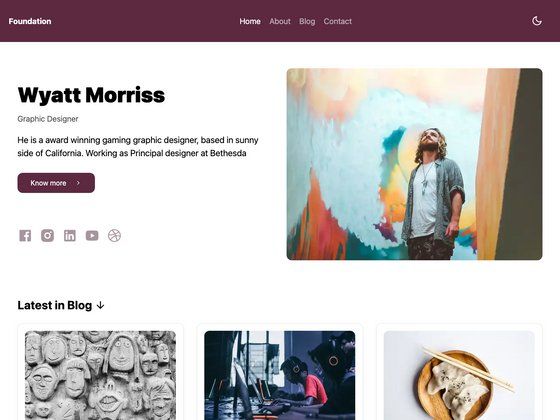
Template details
Aria
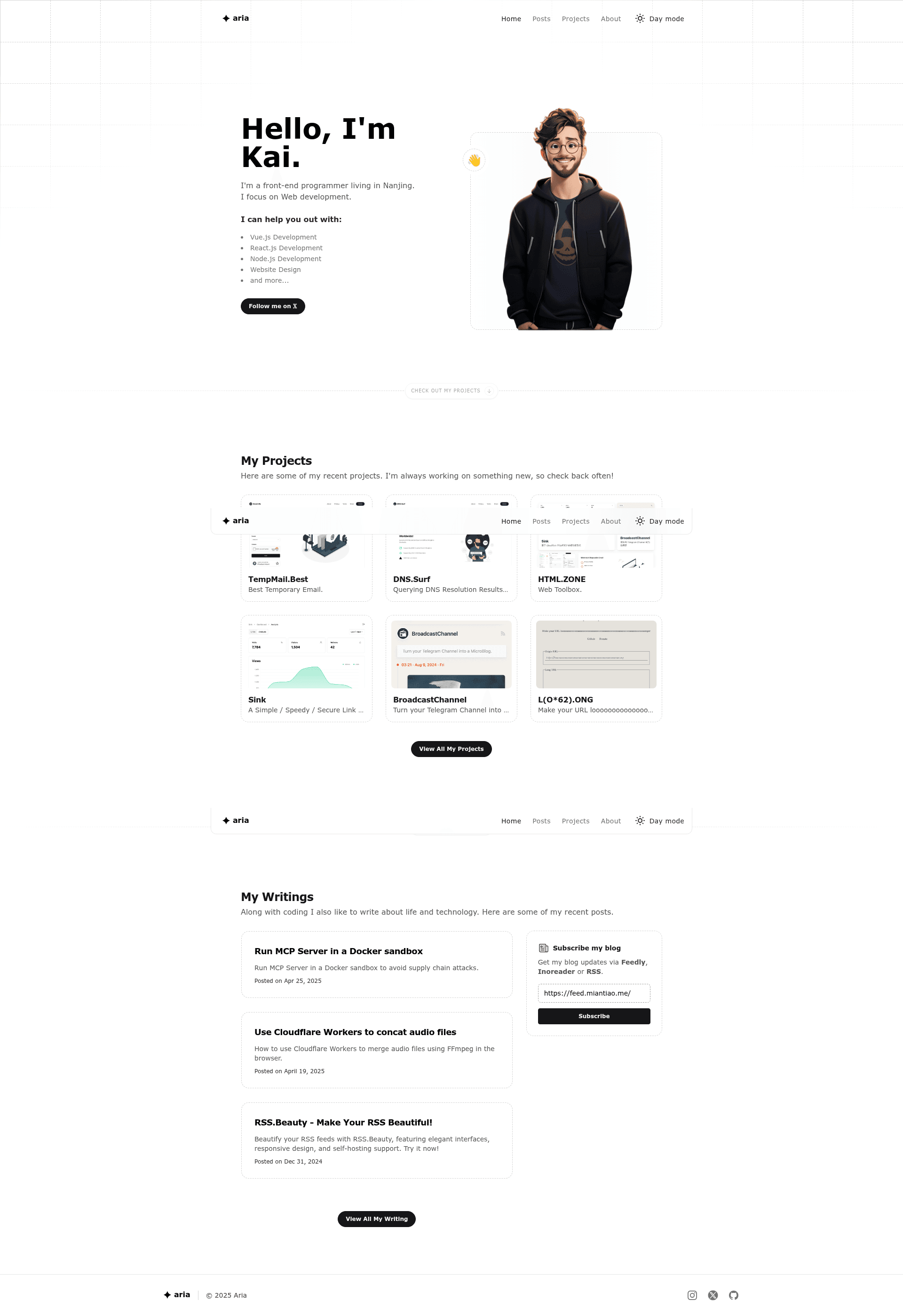
A personal blog, portfolio, or blog template
About this template
Aria is a free Astro template for building a personal blog, portfolio, or blog, ported from the static "aria" theme and installable via the create-astro CLI.
What is Aria Template?
Aria Template is an Astro starter project that gives you a pre-built structure for a personal blog, portfolio, or blog. It takes your content and Astro components as input and produces a static website as output. The template was created by ccbikai as an Astro port of the "aria" theme from the static-templates repository, and it's distributed through GitHub. The repository description explicitly says it is "A personal blog, portfolio, or blog template."
Key Features
- Astro framework — Built on Astro, a modern static site generator that outputs fast HTML and supports component-based development.
- One-command install — Install via the create-astro CLI with
npm create astro@latest -- --template ccbikai/astro-aria. - Ported from static-templates/aria — This is an Astro adaptation of the "aria" theme originally published in the static-templates organization.
- Multi-purpose design — The official description lists personal blog, portfolio, and blog as the intended use cases.
- GitHub repository — Source code lives at github.com/ccbikai/astro-aria, currently with 379 stars.
- Public assets structure — Includes a
public/assets/imagesdirectory, where you can place cover images and other static files (the template ships with a cover.png sample).
Who should use Aria Template?
- Freelance designers and developers — quickly set up a portfolio site to present projects and attract clients.
- Writers and content creators — launch a personal blog with a clean, code-light setup and focus on writing content.
- Astro beginners — examine a working Astro project with a simple structure to learn routing, assets, and deployment.
- Any individual needing a one-page style personal site — use the template as the foundation for a combined blog and portfolio.
What can you do with Aria Template?
- Blog: write and publish posts using Astro's Markdown support, generating static pages that are fast to load.
- Portfolio: showcase your work with project pages and link to them from a central index, using the template's layout.
- Hybrid site: combine both formats in a single Astro project, using the same template for all pages.
How does Aria Template work?
Run the install command npm create astro@latest -- --template ccbikai/astro-aria to scaffold a new project from this template. After installation, edit the Astro source files and content, then use the standard Astro dev server to preview and build the static site.
FAQ
Is Aria Template free?
Yes, the template is open-source and hosted on GitHub. There is no pricing listed, and you can download and use it freely for personal or commercial projects.
What do I need to run Aria Template?
You need Node.js and npm (or another package manager) installed. The npm create astro command scaffolds the project, and then you can run Astro's local development server to view it.
Does Aria Template support both blogs and portfolios?
Yes, the official repository description says it is "a personal blog, portfolio, or blog template." It is designed to accommodate any of those purposes.
How do I customize the design?
Aria Template is an Astro project, so you customize it by editing Astro components, global styles, and the content files inside the generated directory. Static assets like images go in the public folder.