Template details
Astra
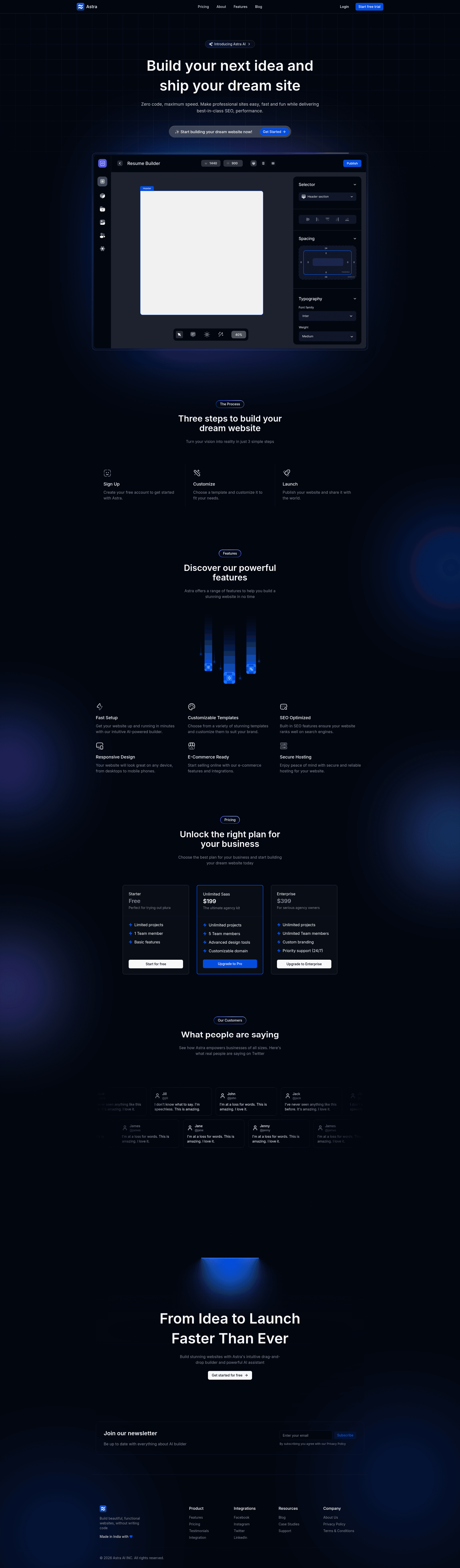
A fully responsive Next.js landing page template for an AI website builder, built with Tailwind CSS, shadcn UI, Magic UI, and Clerk.
About this template
Astra is an open-source Next.js landing page template for an AI-powered website builder SaaS, combining Tailwind CSS, shadcn UI, Magic UI, and Clerk authentication into a modern marketing site.
What is Astra?
Astra is a fully responsive landing page template designed to promote a smart AI-powered website builder. It runs on Next.js for server-side rendering and React, uses TailwindCSS for utility-first styling, and pulls UI components from both shadcn UI and Magic UI. Clerk handles user authentication with ready-to-configure sign-in and sign-up routes. The template was built by Shreyas-29 and is publicly available on GitHub along with a YouTube tutorial that walks through the build process.
Key Features
- Next.js framework — Server-side rendering with React; the project runs with
npm run devand is structured for production deployment. - TailwindCSS styling — Utility-first CSS classes for fast, consistent layout and theme customization.
- shadcn UI components — Accessible, modern React components built on Radix UI, customizable via Tailwind.
- Magic UI components — An additional component set that adds polish and interactive elements to the landing page.
- Clerk authentication — Secure sign-in/sign-up flows; requires a Clerk secret key and publishable key set in environment variables.
- Framer Motion animations — Smooth, dynamic animations throughout the page, as listed in the repository topics.
- Responsive design — The site adapts to screen sizes from mobile to desktop.
Who is it for?
- SaaS founders — A ready-made landing page to present an AI product to early users and investors without starting from zero.
- Next.js developers — A reference implementation that combines SSR, Tailwind, shadcn UI, Magic UI, and Clerk in a single codebase.
- UI/UX designers — A visual and technical reference for modern landing page structure, animation, and authentication patterns.
What can you do with Astra?
- Launch a marketing site — Showcase an AI-powered website builder with a polished, animated landing page out of the box.
- Integrate Clerk login — Wire up real authentication by filling in the Clerk environment variables and using the provided sign-in and sign-up pages.
- Learn a modern stack — Study how Next.js server components, TailwindCSS, component libraries, and animations work together.
How does Astra work?
Clone the repository, install dependencies with npm, yarn, pnpm, or bun, then set environment variables for the app URL and Clerk keys. Run npm run dev to start the development server at http://localhost:3000. The repository also provides a Google Drive link for downloading the project assets.
FAQ
Is Astra free to use?
Astra is open-source and hosted on GitHub, so you can clone it and adapt it for your own project. A "Buy Me a Coffee" link accepts optional support for the developer.
What tech stack does Astra use?
Astra uses Next.js, TailwindCSS, shadcn UI, Magic UI, and Clerk. Framer Motion is used for animations, and the project is configured for modern React development.
How do I configure Clerk authentication?
Create a Clerk application, then add the Clerk secret key and publishable key to your environment variables. The template already defines the sign-in and sign-up URLs.
What package managers are supported?
The quick start instructions support npm, yarn, pnpm, and bun. Choose whichever you prefer for installing dependencies and running the dev server.
Where can I find the project assets?
The repository provides a Google Drive download link for all required assets, such as images and icons.