Template details
Astro Baseline
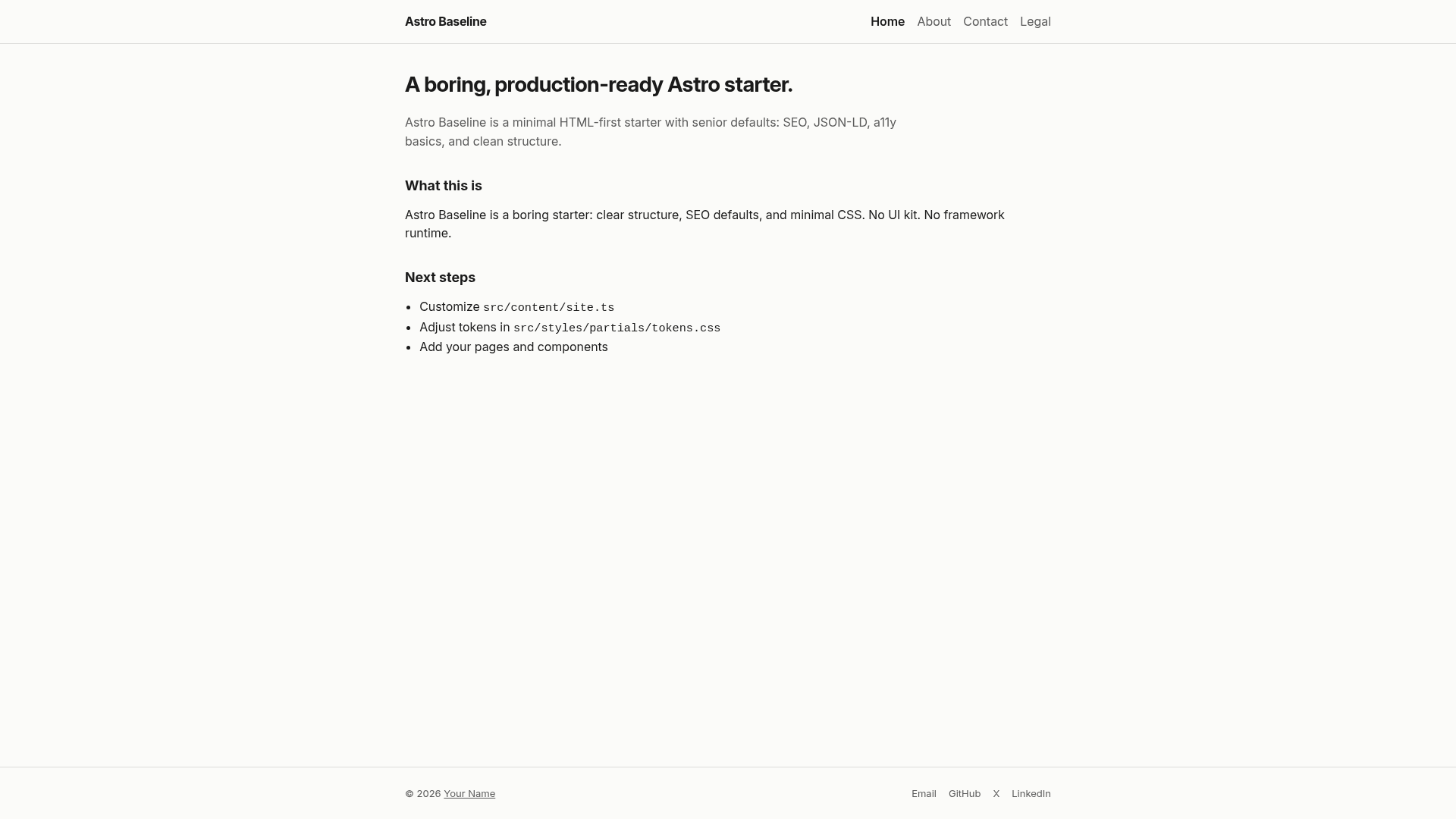
A boring, production-ready Astro starter with senior defaults: SEO, JSON-LD, a11y basics, clean structure.
About this template
Astro Baseline is an HTML-first Astro starter boilerplate that gives developers a production-ready foundation with built-in SEO, accessibility basics, and a layered CSS architecture.
What is Astro Baseline?
Astro Baseline is an open-source starter template for the Astro framework that treats HTML as the source of truth. It takes site configuration from a central src/content/site.ts file plus Markdown, YAML, and .astro files, and produces a static site with canonical URLs, Open Graph and Twitter cards, opt-in JSON-LD, robots meta, and a skip link. The template runs on Astro's build process with no runtime JavaScript by default. No author is credited on the page; the project is released under the MIT license.
Key Features
- HTML-first structure — Layouts, components, and pages are built with
.astrofiles; content lives in Markdown/YAML andsite.ts. - Opt-in JSON-LD — Structured data is rendered only when you pass it to the
Baselayout, avoiding JSON-LD pollution by default. - Centralized SEO component — Handles canonical URLs, Open Graph, Twitter cards, robots meta, and theme color in one place.
- Layered CSS without a framework — The
src/stylespartials split design tokens, reset, fonts, behaviors, and structure; it's BEM-friendly and easy to replace. - No runtime JavaScript — The starter ships with zero client-side JS by default; behavior is opt-in for progressive enhancement.
- Configuration as data — All site metadata (name, tagline, description, URL, locale, author, nav, SEO) lives in
src/content/site.tsand is reused across header, footer, SEO, and JSON-LD. - Explicit layout API — The
Baselayout uses flags likemainCenteredto declare page intent instead of guessing. - Accessibility basics — Includes a
SkipLink.astrocomponent, semantic HTML, and focusable main content. - Environment variable documented —
SITE_URLis the only required env var, used for canonicals and JSON-LD.
Who is it for?
This starter is designed for developers who prefer HTML over abstractions and want a clean base without forced opinions.
- SEO-conscious developers — get canonical URLs, Open Graph, and JSON-LD already wired in a centralized component.
- Accessibility-focused developers — skip links, semantic HTML, and focusable main content are included from the start.
- Developers building content sites — the starter pairs naturally with Astro Content Collections and Markdown for blogs or documentation.
- Developers tired of over-engineered starters — the template is intentionally boring and easy to strip down, with no UI kit or runtime JS to fight.
What can you do with Astro Baseline?
- Build a marketing site — set site metadata in
site.ts, create pages in.astro, and get SEO tags generated per page. - Create a blog or documentation site — add Markdown files and use Astro Content Collections to render them through the
Baselayout. - Prototype a new project — copy the starter, run
cp .env.example .env, setSITE_URL, and start without a UI kit forcing opinions.
How does Astro Baseline work?
You start by copying the repo, creating a .env file from .env.example, and setting SITE_URL. Then you edit src/content/site.ts with your site's name, URL, nav, and SEO data, and build pages using the Base layout. The build-time transformation outputs static HTML with all metadata injected.
Pros and cons
- Pros: no runtime JavaScript by default; predictable CSS layers; single configuration file; MIT license.
- Cons: no UI kit or pre-built components; if you want heavy interactivity out of the box, this starter explicitly is not for you.
Pricing
Astro Baseline is free and open source under the MIT license.
FAQ
Is Astro Baseline free?
Yes, it's released under the MIT license, so you can use it commercially and modify it freely.
Does Astro Baseline include a UI kit?
No, the starter intentionally ships without a UI kit or pre-built components. It focuses on structure, SEO, and accessibility, and you're expected to add your own styling.
What CSS framework does Astro Baseline use?
It doesn't use Tailwind or any framework. Instead, it provides a layered CSS structure with tokens, reset, fonts, behaviors, and structure files that you can modify or replace.
How do I configure site metadata?
Edit src/content/site.ts where name, tagline, description, URL, locale, author, nav, and SEO settings are defined. Everything reads from this single file.
Does Astro Baseline include JavaScript?
No runtime JavaScript is included by default. The setup is HTML-first, and behavior is opt-in — you can add Alpine.js, Web Components, or your own scripts as needed.