Template details
Buttery Biscuit
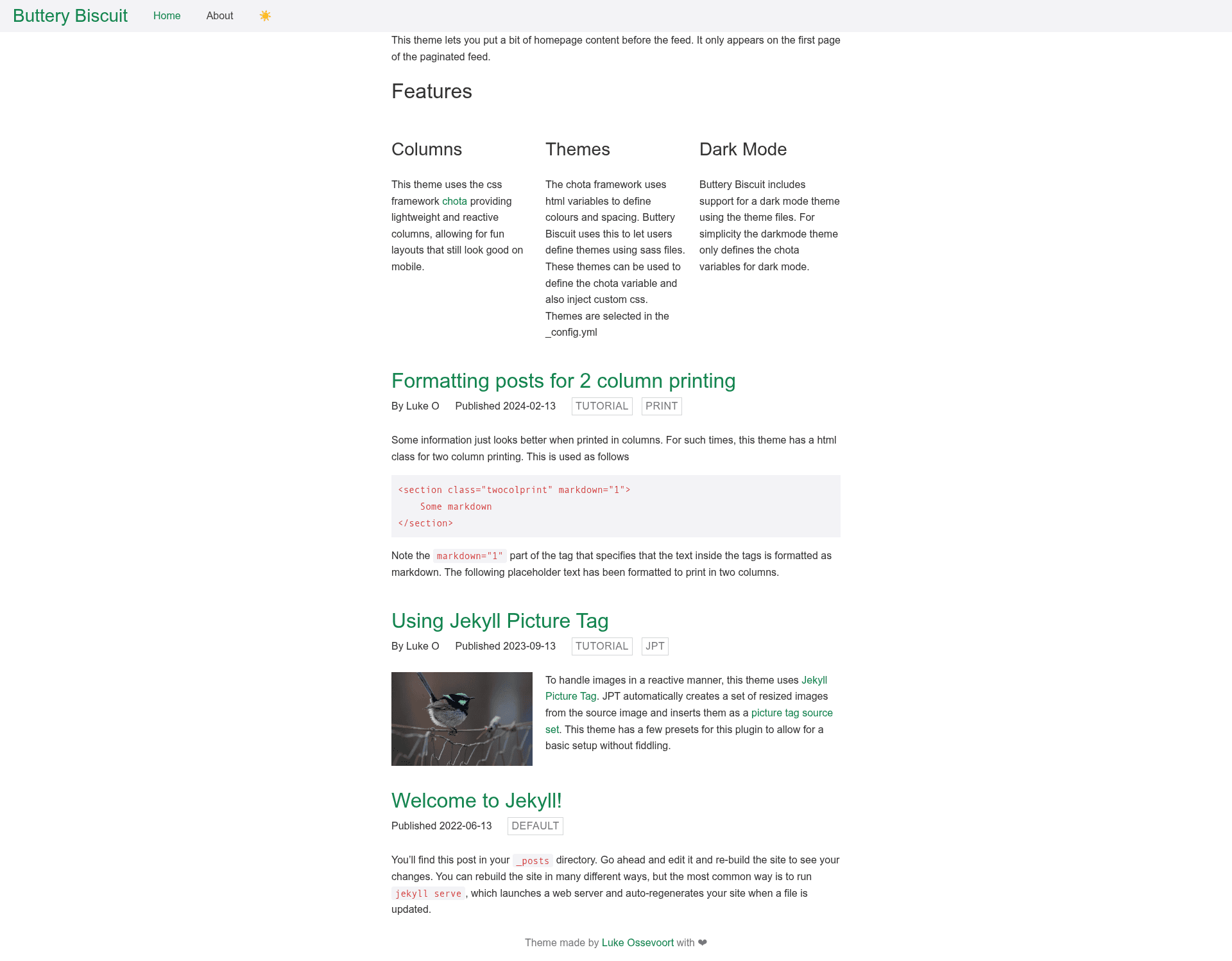
A gem-based Jekyll starter theme built on chota CSS and Gutenberg print styles, easy to customise.
About this template
Buttery Biscuit is a gem-based Jekyll theme that serves as a minimal, customisable base for any Jekyll project, using the chota CSS framework and Gutenberg print styles.
What is Buttery Biscuit?
Buttery Biscuit is an open-source Jekyll theme distributed as a Ruby gem. It provides the core layout and include files needed to run a Jekyll site, but deliberately avoids imposing a design, so developers can customise it via Sass and configuration. The theme is built on chota, a lightweight CSS framework, and Gutenberg, a print-styling stylesheet. It is licensed under the MIT License.
Key Features
- Gem-based distribution — Add
jekyll-theme-buttery-biscuitto your Gemfile, settheme: jekyll-theme-buttery-biscuitin_config.yml, and runbundleto install. - Configurable settings block — A
buttery-biscuitkey in_config.ymlacceptstheme,darkmode, andfixed-navbaroptions, letting you switch theme variants, enable dark mode, or pin the navbar. - Sass theme overrides — The
themeanddarkmodesettings reference Sass files in_sass/themesthat overwrite chota's default HTML variables and add custom CSS. - Chota CSS framework — Provides a responsive, classless base for styling HTML elements without writing extensive custom CSS.
- Gutenberg print styles — Includes print-friendly formatting so pages render cleanly when printed or saved as PDF.
- Custom directory support — When releasing the theme gem, only
_layouts,_includes,_sass, andassetsare bundled; any additional directories require editing the regexp injekyll-theme-buttery-biscuit.gemspec. - MIT License — Free to use, modify, and distribute.
Who is it for?
- Jekyll developers — Those starting a new Jekyll site who want a lightweight foundation and prefer to style it themselves rather than overwrite a pre-built theme.
- Theme maintainers — Developers building their own gem-based Jekyll theme can use Buttery Biscuit as a scaffold, then extend it with custom layouts, includes, and CSS.
- Static site owners with design control — Users comfortable editing Sass and
_config.ymlcan quickly switch between theme variants, toggle dark mode, or fix the navigation bar without touching layout HTML.
What can you do with Buttery Biscuit?
- Start any Jekyll project — Use it as a base framework, then add pages, documents, data, and posts just like a normal Jekyll site, as described in the development guide.
- Enable dark mode — Set
darkmode: truein thebuttery-biscuitconfig block to load a dark Sass theme. - Pin the navigation — Set
fixed-navbar: trueto keep the navbar fixed while scrolling. - Produce print-friendly pages — The Gutenberg integration gives you clean print styling out of the box.
How does Buttery Biscuit work?
Install the gem and declare it as your theme in _config.yml, then bundle to resolve dependencies. In _config.yml, the buttery-biscuit block controls behaviour: theme selects a Sass theme file, darkmode toggles dark styling, and fixed-navbar controls navbar positioning. During development, run bundle exec jekyll serve — this starts a local server at http://localhost:4000 and regenerates your site on changes, exactly like a standard Jekyll site.
FAQ
Is Jekyll Theme Buttery Biscuit free?
Yes. The theme is open source under the MIT License, so you can use, modify, and distribute it freely.
How do I install Buttery Biscuit?
Add gem "jekyll-theme-buttery-biscuit" to your Gemfile and theme: jekyll-theme-buttery-biscuit to _config.yml, then run bundle. You can also install it with gem install jekyll-theme-buttery-biscuit.
How do I change the theme variant or enable dark mode?
Edit the buttery-biscuit block in _config.yml. Set theme to a value like default, change darkmode to true or false, and set fixed-navbar to true to pin the nav. These settings load the corresponding Sass files from _sass/themes.
Does the theme include a pre-designed layout?
No. Buttery Biscuit is intentionally a base framework. It provides the structure and style foundation, but you customise the appearance by editing Sass files and overriding chota variables, rather than replacing a ready-made design.
Which directories are included when releasing the theme?
Only _layouts, _includes, _sass, and assets tracked with Git are bundled. If you add a custom directory and want it included in the theme gem, you must edit the regexp in jekyll-theme-buttery-biscuit.gemspec.