Template details
nextjs-themes
Dark mode and theming for Next.js App Router with React Server Components, no provider wrapper needed.
About this template
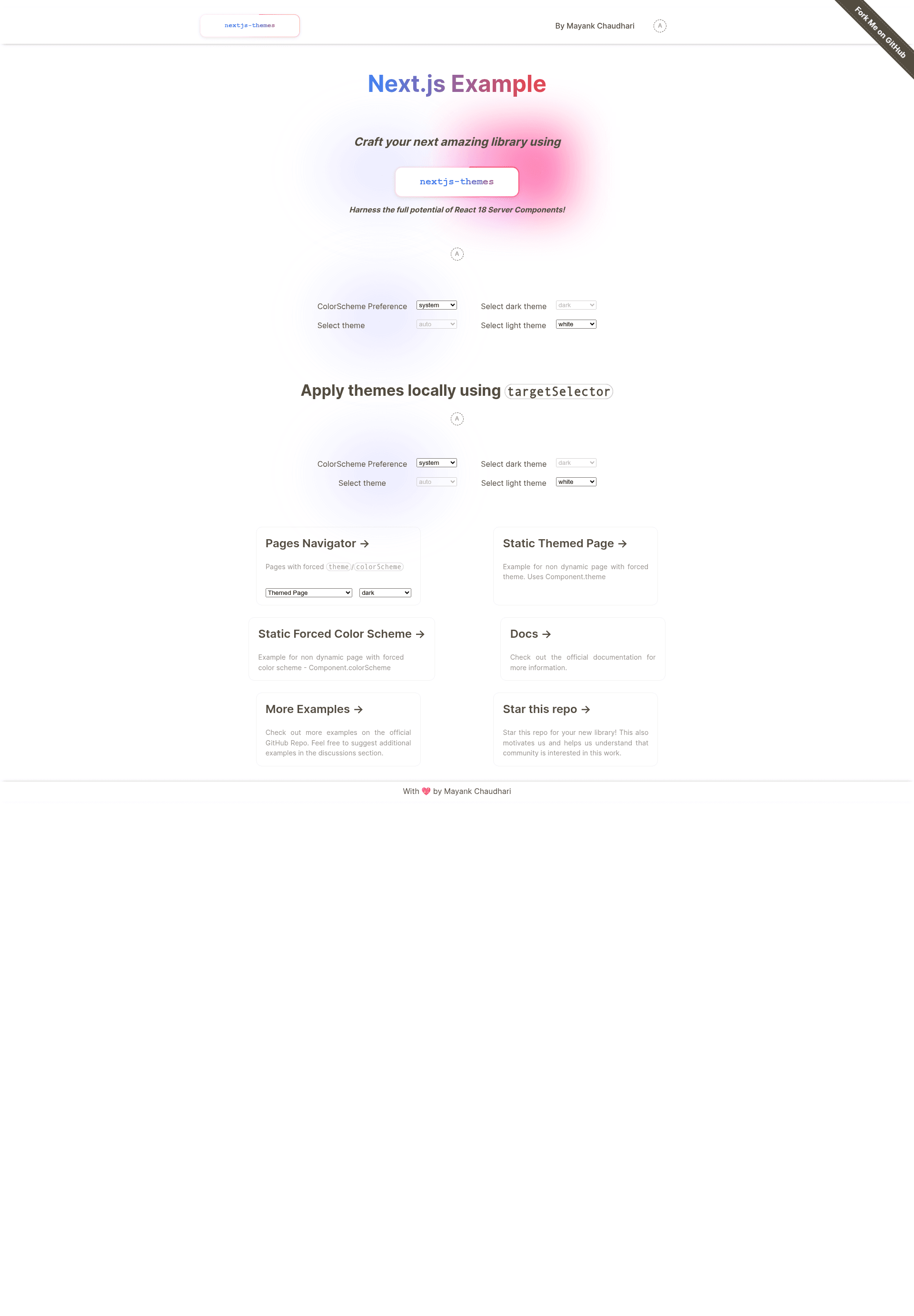
nextjs-themes is an open-source theming library for Next.js 13 and 14 App Router that implements dark mode in two lines of code without wrapping the app in a provider, preserving React Server Component benefits.
What is nextjs-themes?
nextjs-themes is a TypeScript library by Mayank Kumar Chaudhari that manages light/dark/system themes in Next.js projects using the app directory. It takes theme preferences from the user's system and exposes a useTheme hook and CSS data attributes so developers can style components for multiple themes. The library is published on npm as nextjs-themes, with a lite variant nextjs-themes-lite that requires r18gs as a peer dependency. It is documented with Typedoc and licensed under MPL-2.0.
What makes nextjs-themes stand out?
- No provider wrapper — Unlike next-themes, this library does not require wrapping the entire application in a context provider, so Server Components keep their server-rendered benefits.
- Tree-shakable imports — Import from
nextjs-themes/client/componentto include only the code the app actually uses. - Zero flash on load — Works with SSG, SSR, ISG, and Server Components to avoid theme flashing during page load.
- Cross-tab synchronization — Theme changes sync across browser tabs and windows automatically.
- Flexible theme selectors — Supports class selectors and data attributes including
data-th,data-color-scheme, anddata-cspfor styling variants. - System preference support — Uses
prefers-color-schemeand appliescolor-schemeto theme the browser UI itself. - Forced themes per page — Can force specific pages to a particular theme regardless of the user's setting.
- Next.js 13 and 14 appDir support — Built specifically for the App Router, with full TypeScript support.
Who should use nextjs-themes?
- Next.js App Router developers who want dark mode without sacrificing React Server Components or adding a provider layer.
- Library maintainers building themeable UI kits who need a small, tree-shakable theming dependency.
- Teams migrating from next-themes who want a drop-in replacement with extra features like
data-cspand forced page themes.
Use cases
- SaaS applications: Add light/dark/system theme switching to a Next.js dashboard while keeping Server Components streaming.
- Content-heavy blogs: Style markdown content with
data-themeselectors so code blocks and prose adapt to the active theme. - Component library developers: Offer a theming primitive that works across Next.js projects and supports both class and data-attribute selectors.
How does nextjs-themes work?
The library reads the user's system color scheme via prefers-color-scheme, then sets a data-theme attribute on the document element. The useTheme hook returns the current theme, a resolvedTheme that resolves the "system" value to an actual light/dark value, and a resolvedColorScheme for color-scheme preference. Developers call an initialization function (typically in the root layout) and use the hook in client components to toggle themes. For automated testing, the repository includes a test workflow and Codecov coverage.
Alternatives
- next-themes — The library that inspired nextjs-themes; it requires wrapping the app in a provider and does not expose
data-csp.
FAQ
Do I need to use CSS variables with this library?
No. You can hard-code values for every class and use selectors like [data-theme="dark"] .my-class to override styles for dark mode. CSS variables are optional.
Why is resolvedTheme necessary?
Because when a user selects "system", resolvedTheme tells you whether the system preference resolved to light or dark, which you need for runtime styles such as setting the correct background color.
Is nextjs-themes free?
Yes, the library is open source under the MPL-2.0 license.
Does nextjs-themes support Next.js 12 Pages Router?
The content specifies support for Next.js 13 and 14 App Router; no Pages Router support is mentioned.
What is the lite version?
nextjs-themes-lite is a smaller variant for projects that already use r18gs, since it requires r18gs as a peer dependency.