
Template details
Astro Bear Blog
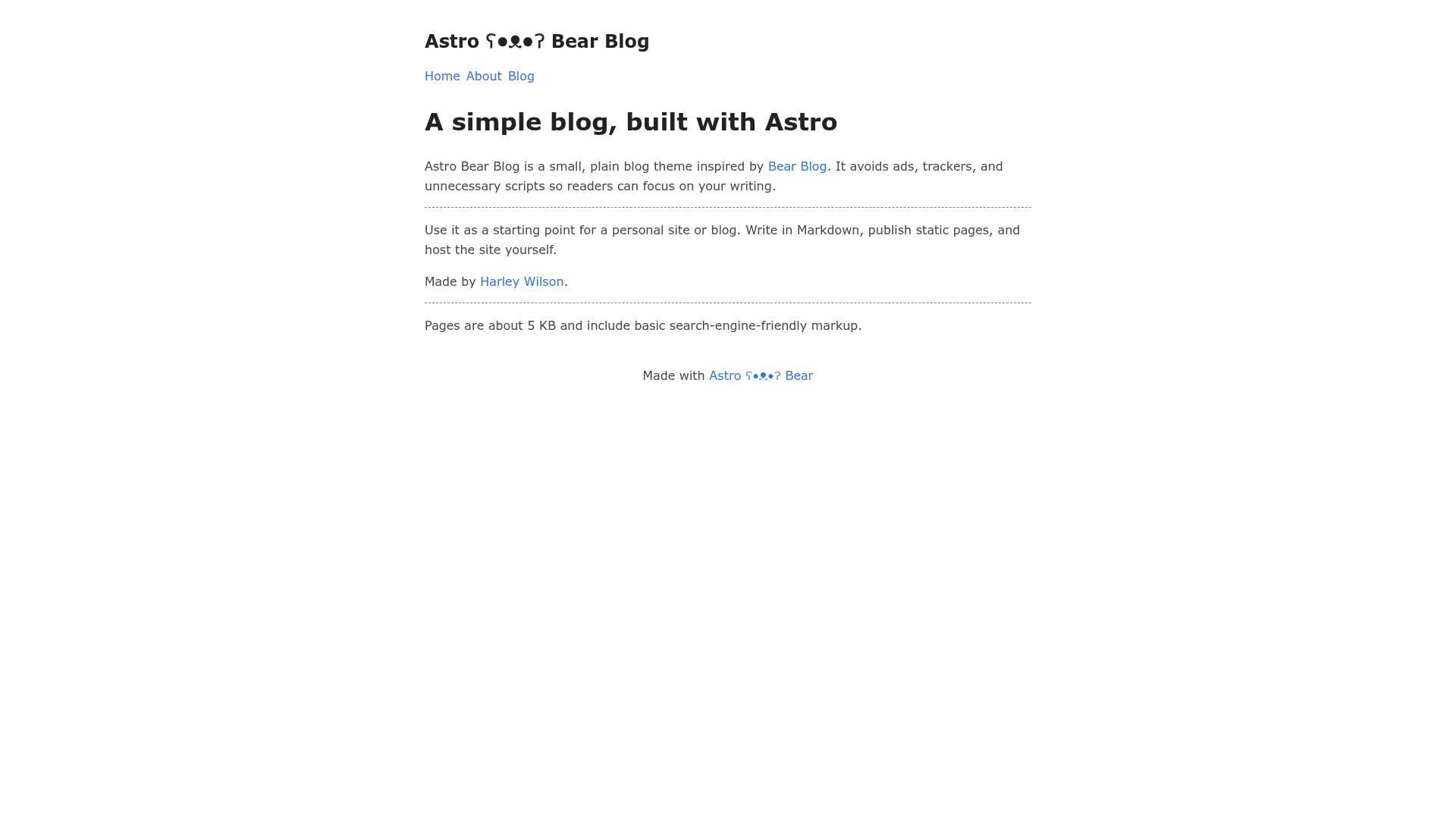
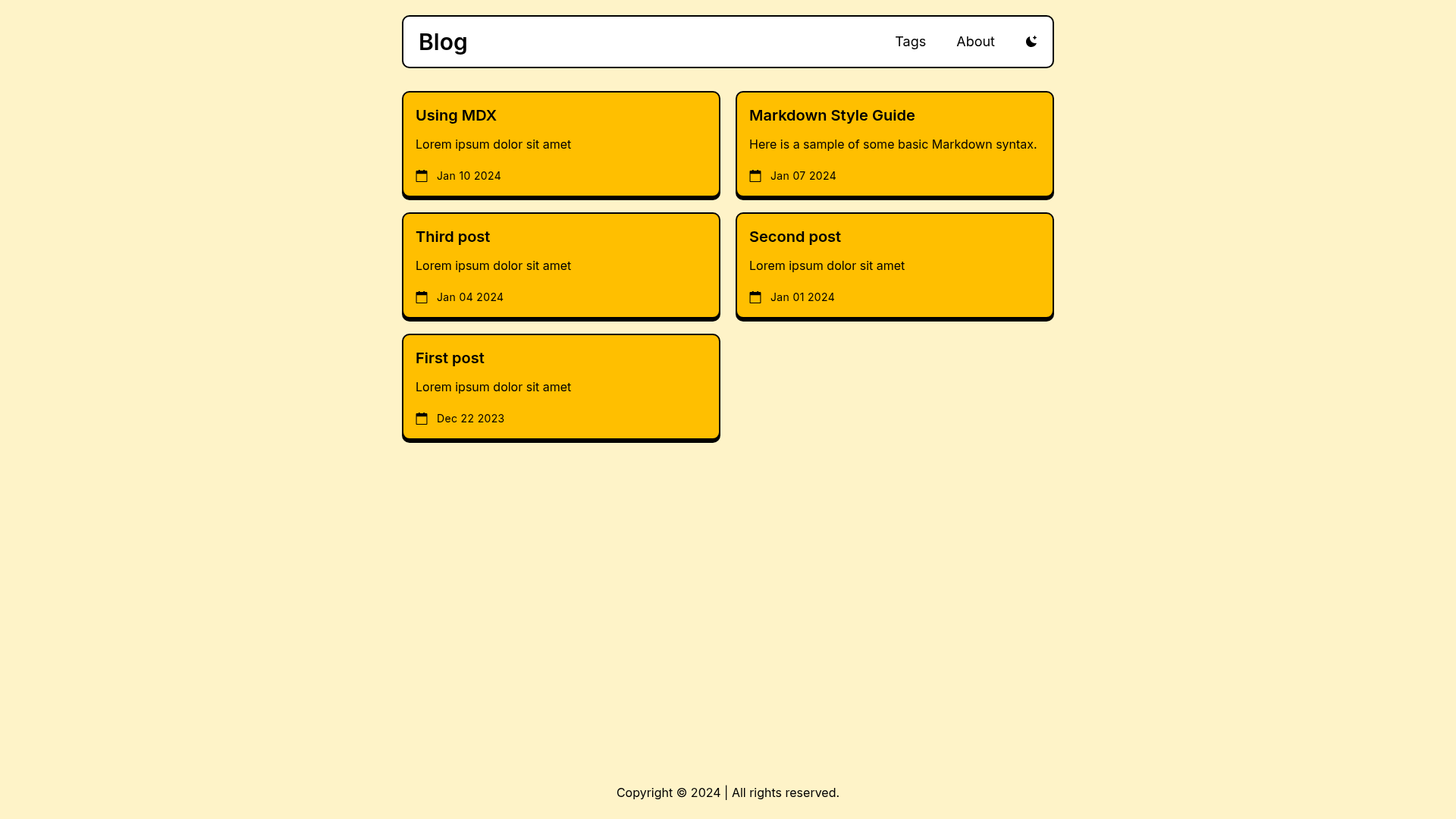
A complete, static Astro blog template with Bear Blog-inspired design, Markdown/MDX content, tags, RSS, and minimal CSS.
About this template
Astro Bear Blog is a static blog template for Astro that recreates the minimalist Bear Blog design, publishing Markdown and MDX posts to a public site with tag archives, RSS, and sitemap generation.
What is Astro Bear Blog?
Astro Bear Blog is a complete, static Astro blog template inspired by the Bear Blog aesthetic and the Hugo Bear Blog theme. It takes Markdown and MDX files as content input and generates a fully static site with a plain, minimal CSS design. The template was created by Harley Wilson and is published under the MIT license. It requires Node.js version 22.12.0 or newer and the pnpm package manager to run.
Key Features
- Markdown and MDX support — Write blog posts in either Markdown or MDX format in
src/content/blog/and pages anywhere undersrc/pages/. - Generated tag archives — Posts tagged in frontmatter automatically produce archive pages at
/tags/<tag>/without manual configuration. - Built-in RSS and sitemap — RSS feed and sitemap.xml are generated from site content, using the
SITE_URLsetting for canonical URLs. - Social metadata and Open Graph — Each post and page gets description and metadata tags, with a shared Open Graph image stored at
src/assets/opengraph.jpg. - Draft and scheduled posts — Set
draft: trueor a futurepubDatein frontmatter to exclude posts from generated pages and feeds. - Centralized site configuration — Edit
src/consts.tsto set site title, description, language, date format, favicon, custom stylesheet, navigation items, and footer items. - Minimal CSS footprint — The design deliberately keeps styles small, reflecting Bear Blog's plain, content-first appearance.
- Development commands —
pnpm devstarts the local server,pnpm buildoutputs the static site todist/,pnpm checkruns Astro and TypeScript checks, andpnpm previewserves the production build locally.
Who is it for?
- Independent bloggers — Publish a clean, fast, ad-free blog with no JavaScript-heavy UI, using only Markdown files to write posts.
- Developers learning Astro — Use the template as a minimal but complete example of Astro content collections, layouts, and generated routes.
- Writers migrating from Bear Blog or Hugo — Recreate the Bear Blog look on Astro, with the option to port existing Hugo content because both use Markdown frontmatter.
What can you do with Astro Bear Blog?
- Create a personal blog — Set up a home page, write posts in Markdown or MDX, and categorize them with tags that link to archive pages.
- Publish a documentation-style site — Use root-level Markdown pages for static content such as an About page, with the same layout and styling.
- Build a content-driven portfolio — Use the tag system to group projects or articles, and rely on the generated RSS feed to distribute updates.
- Use as a starter for Astro experiments — Extend the template with custom components and styles; all site navigation and footer items are configurable in one file.
How does Astro Bear Blog work?
Start by installing dependencies with pnpm install, then run pnpm dev. Edit src/consts.ts to set your site title, URL, and navigation. Add posts as Markdown or MDX files under src/content/blog/ with frontmatter containing title, description, and pubDate. Run pnpm build to generate the static site in dist/, which can be deployed to any static host.
FAQ
What Node.js version does Astro Bear Blog require?
The template requires Node.js version 22.12.0 or newer and the pnpm package manager. You can verify your Node version with node --version before installing dependencies.
Can I use draft posts?
Yes. Set draft: true in a post's frontmatter to keep it out of generated pages and feeds. Future-dated posts with a pubDate in the future are also excluded automatically.
Does the template support tags?
Yes. Add a tags array to a post's frontmatter and the template generates a tag archive page at /tags/<tag>/. Tags are optional, and posts without tags are still published normally.
What content formats are supported?
The template supports both Markdown (.md) and MDX (.mdx) files for blog posts and pages. Posts must be placed in src/content/blog/ with a slug derived from the filename.
Is Astro Bear Blog free to use?
Yes, the template is licensed under the MIT license, so it is free to use, modify, and distribute for personal or commercial projects.