Template details
Astro Blog Starter
A lightweight Astro starter with atomic design structure, SEO optimization, and light/dark theme toggle.
About this template
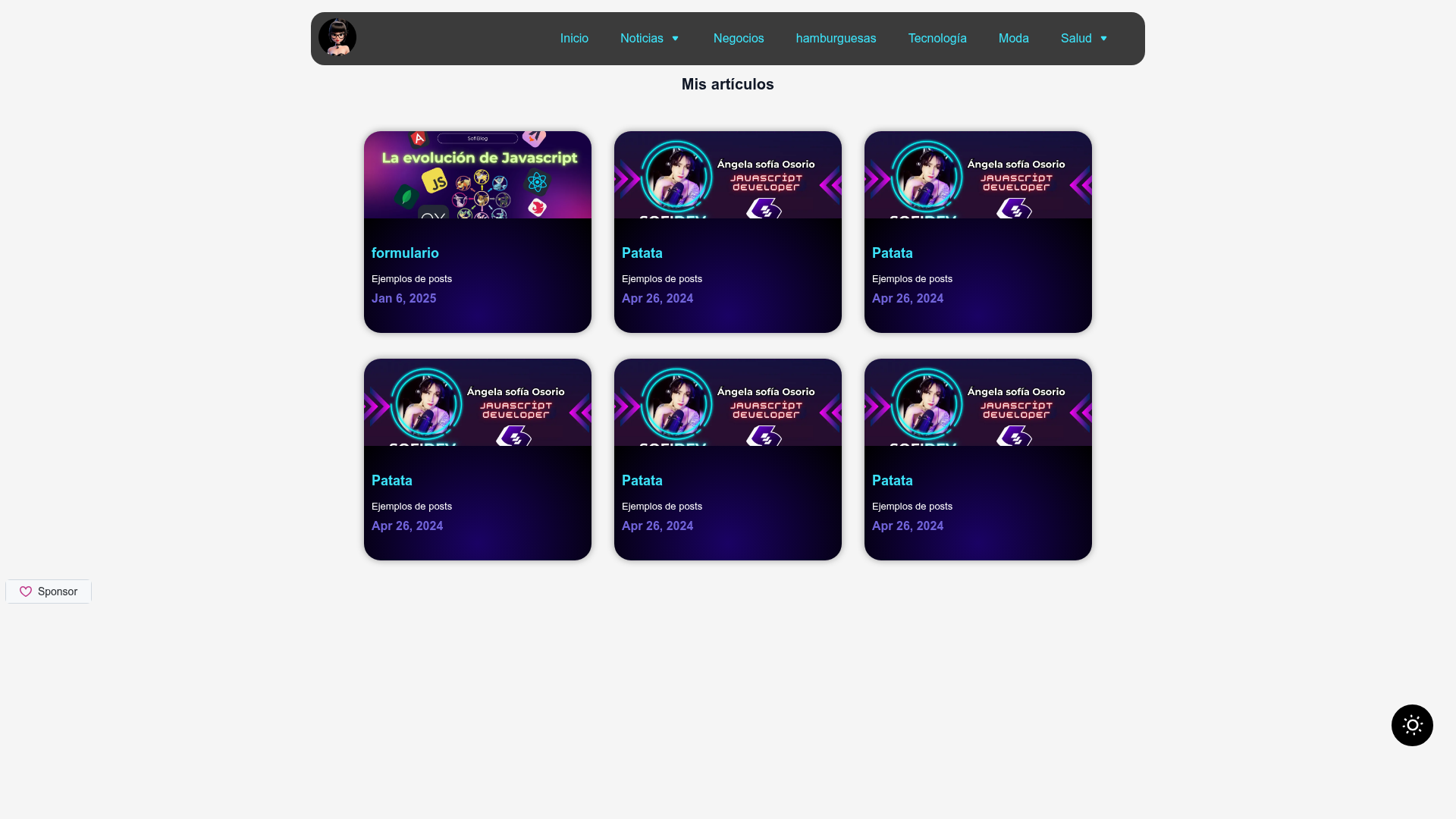
Astro Blog Starter is a boilerplate template for building a Markdown-powered blog on Astro 5, created by SofiDevO, that ships with atomic-design components, SEO OpenGraph tags, and a dark/light theme toggle.
What is Astro Blog Starter?
Astro Blog Starter is a starter template that takes Markdown files as content and produces a static blog website with a homepage, a blog archive page, and dynamic article pages. It runs on the Astro framework and is designed for Astro v5+, with the repository badge referencing Astro 5.5.5. The template is open source under the MIT License and can be installed by running npm create astro@latest -- --template SofiDevO/astro-blog-starter. Its source tree separates components into atoms, molecules, and organisms, and it includes a content collection configuration in src/content/config.ts.
What makes Astro Blog Starter stand out?
- SEO pre-configuration — OpenGraph and standard meta tags are set up in the default layout, so each page gets shareable social metadata without additional components.
- Light/dark theme toggle — A
ToggleThemeatom switches the site between light and dark modes with its own CSS, and the toggle is built into the header. - Atomic design structure — Components are organized into atoms, molecules, and organisms folders, including
ToggleTheme,HamburgerButton,FormattedDate,Blogcards, andHeader. - Vanilla CSS styling — Styling uses plain global CSS in
src/styles/global.css, with no Tailwind, Bootstrap, or other CSS framework included. - Iconify integration — A dedicated
Iconsatom wraps Iconify, letting you load icons from the Iconify library without bundling icon files manually. - Dynamic dropdown menu — The
Headerorganism reads navigation items fromsrc/data/menuElements.jsand renders a responsive menu with dropdown support. - Production-ready configuration — The template ships with npm scripts (dev server on port 4321, build, and preview) and a content collection config for type-safe blog content.
Who should use Astro Blog Starter?
- Frontend developers — who want a minimal Astro blog starting point with a clean component architecture (atoms/molecules/organisms) they can extend with their own components.
- Indie bloggers — who want a fast static site with built-in SEO and dark mode, and who are comfortable writing posts in Markdown inside
src/content/blog. - Developers learning Astro — who want to see how content collections, dynamic routes with
[...slug].astro, and layout components fit together in a small, readable codebase.
What can you do with Astro Blog Starter?
- Publish a Markdown blog — drop
.mdfiles intosrc/content/blogwith frontmatter containing title and date; the dynamic routesrc/pages/blog/[...slug].astrogenerates article pages automatically. - Customize navigation — edit
src/data/menuElements.jsto change the header menu, including dropdown items, without touching the Header component. - Restyle the site — modify the vanilla CSS in
src/styles/global.cssand swap icons via the Iconify wrapper to change the look without adding a UI framework.
How do you set it up?
Scaffold the template with npm create astro@latest -- --template SofiDevO/astro-blog-starter, then run npm install. Use npm run dev to start the local dev server on port 4321, or npm run build to generate a static production build. Blog content is written as Markdown files in src/content/blog with frontmatter fields like title and date.
FAQ
Is Astro Blog Starter free?
Yes, it is open source under the MIT License. You can use it for personal and commercial projects, modify it, and redistribute it with attribution.
What Astro version does it need?
The template is optimized for Astro v5 or newer; the repository badge references Astro 5.5.5. It uses the current content collections API.
Does it include a CSS framework?
No, it uses vanilla CSS in src/styles/global.css, so you can decide whether to add Tailwind CSS or another framework yourself.
How do I add a new blog post?
Create a new Markdown file in src/content/blog with frontmatter containing at least title and date. The [...slug].astro route will automatically produce the article page and include it in the blog archive.