Template details
Astro Sassify Template
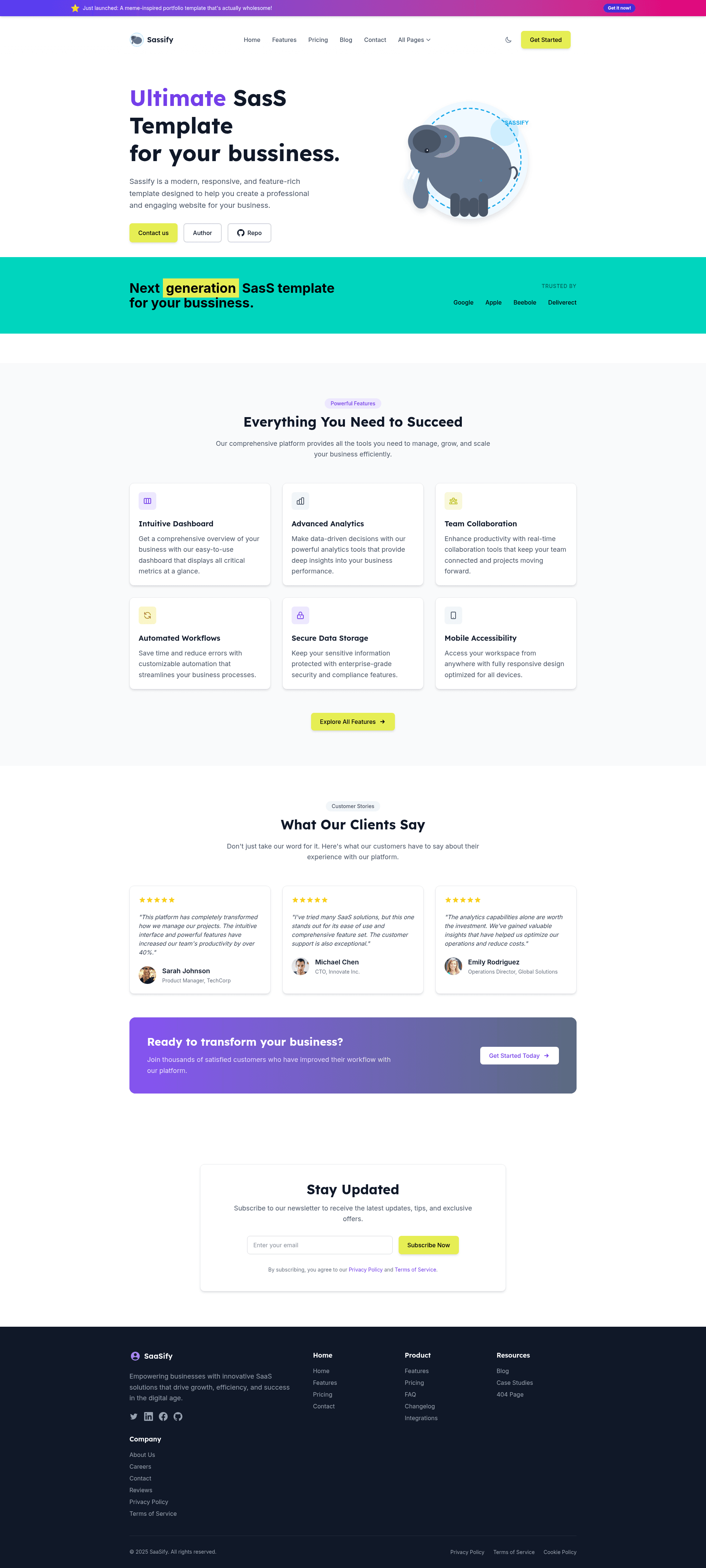
Modern Astro starter template with Tailwind CSS and Alpine.js, featuring responsive design, dark mode, and custom color palettes.
About this template
Astro Sassify Template is a modern, responsive website starter built on Astro, Tailwind CSS, and Alpine.js, designed to give developers a fast, SEO-friendly foundation for content-driven sites.
What is Astro Sassify Template?
Astro Sassify Template is a GitHub-hosted starter project (larry-xue/astro-sassify-template) that combines the Astro static-site framework with Tailwind CSS for utility-first styling and Alpine.js for lightweight interactivity. It outputs a static site to a dist/ directory via npm run build and includes a custom design system with purple, slate, lime, and yellow color tokens. The template is MIT-licensed and requires Node.js version 22.12 or later.
Key Features
Astro Sassify Template stands out through a focused tech stack of Astro, Tailwind CSS, and Alpine.js, with a ready-made design system.
- Astro core — Uses Astro as the web framework for content-driven websites, with a project structure separating assets, components, layouts, pages, scripts, and styles.
- Tailwind CSS styling — Utility-first CSS with a custom color palette (primary purple, secondary slate, accent lime, warning yellow) defined in
src/styles/global.css. - Alpine.js interactivity — Includes Alpine.js for adding lightweight JavaScript behaviors without a heavy frontend framework.
- Dark mode support — The design system includes a dark mode variant out of the box.
- Smooth page transitions — Custom animations for fade-in, slide-up, and slide-down are included via
transitions.css. - SEO-friendly structure — Astro's static output and semantic layout system help with search engine visibility.
- Performance optimized — Ships with minimal JavaScript by default and builds to static files.
- Custom typography — Uses Inter for sans-serif text and Lexend for display headings, both with system fallbacks.
Who is it for?
Astro Sassify Template is aimed at developers, business owners, and designers who need a fast start on an SEO-friendly static website.
- Independent developers — Starting new content-driven websites or blogs without configuring a full stack from scratch.
- Small business owners — Creating a marketing or brochure site with pages already organized through the Astro layout and page structure.
- Frontend designers — Who want a Tailwind-based starting point with a pre-defined color palette and animations to customize for client projects.
What can you do with Astro Sassify Template?
With Astro Sassify Template, you can scaffold a website and immediately customize its design system and content structure.
- Launch a content site quickly — Clone the repo, run
npm install, and start the dev server at localhost:4321 to preview pages. - Customize look and feel — Edit
src/styles/global.cssto change the color palette, typography, and animation behaviors. - Build and deploy a static site — Run
npm run buildto output a production-readydist/folder that can be hosted on any static host.
How does Astro Sassify Template work?
The template provides two setup paths. The recommended route is the Astro CLI: npm create astro@latest -- --template larry-xue/astro-sassify-template. Alternatively, you can clone the repository directly, install dependencies with npm install, run checks with npm run check, build with npm run build, and start the dev server with npm run dev. All commands run from the root project directory.
FAQ
Is Astro Sassify Template free?
Yes, the template is released under the MIT license, meaning you can use, modify, and distribute it freely, including in commercial projects.
What Node.js version do I need?
The template requires Node.js version 22.12 or later. All commands such as npm install, npm run dev, and npm run build are executed from the project root.
Does it support dark mode?
Yes, the design system includes dark mode support, along with custom color palettes for primary, secondary, accent, and warning states.
What frameworks are included?
The template uses Astro as the core framework, Tailwind CSS for utility-first styling, and Alpine.js for lightweight interactivity.