Template details
Astro Firebase Svelte Tailwind Starter
A minimal and accessible template for getting started with Firebase, Tailwind, & Svelte
About this template
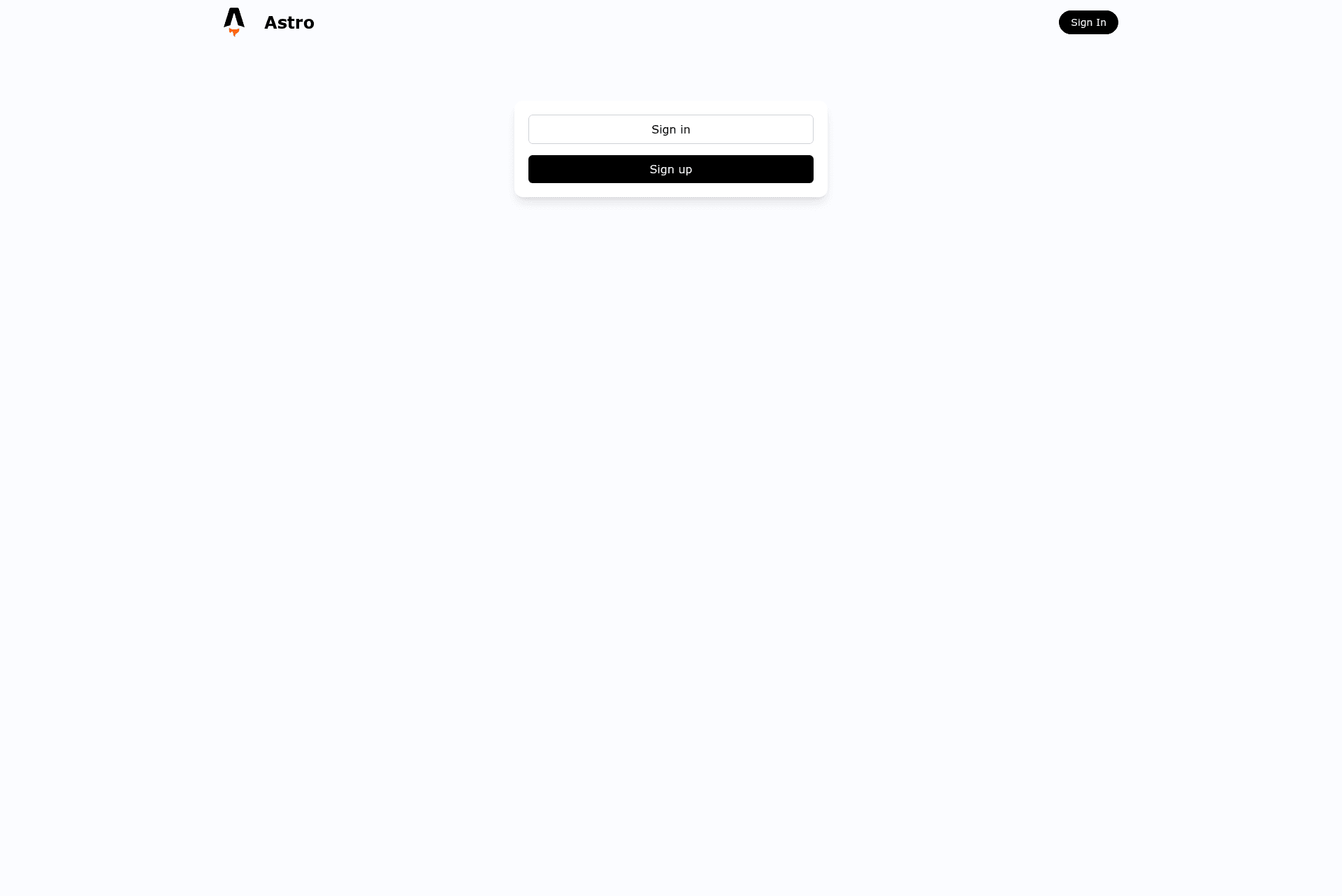
The Astro Firebase Svelte Tailwind Starter is a boilerplate project that combines the Astro static site generator, Firebase backend services, Svelte components, and Tailwind CSS styling into a single starting point for authenticated web apps.
What is the Astro Firebase Svelte Tailwind Starter?
The Astro Firebase Svelte Tailwind Starter is a minimal and accessible template for building web applications with Astro, Firebase, Svelte, and Tailwind CSS. It takes a new clone of the repository, walks you through configuring Firebase credentials, and produces a running app with Firebase Authentication integrated. The template was shared publicly on GitHub by user Porter-smith, and a live demo is hosted on Vercel. The project uses pnpm as its package manager and includes a development server command with pnpm run dev.
Key Features
- Astro + Svelte integration — Use Astro as the static site generator while building UI components with Svelte, all within the same project.
- Tailwind CSS styling — Utility-first CSS is preconfigured so you can style elements with Tailwind classes directly in your Svelte components.
- Firebase Authentication setup — The template includes a Firebase client configuration file and a step-by-step guide for enabling sign-in methods such as Google, email, and others from the Firebase Console.
- Helper script for environment variables — Running
node scripts/createEnvFromServiceAccount.jswith a downloaded service-account.json file automatically generates a.envfile with all the Firebase variables, instead of copying keys manually. - Quick start commands — The README provides copy-paste commands to clone, install with
pnpm install, and launch the dev server withpnpm run dev. - Live demo with high Lighthouse scores — The demo site shows 100% scores in Performance, Accessibility, Best Practices, and SEO, indicating a fast and accessible base.
Who is it for?
- Developers starting an authenticated web app — You get a working Astro + Svelte + Tailwind setup with Firebase Authentication scaffolding, so you can focus on your product logic instead of configuration.
- Svelte developers exploring Astro — If you know Svelte but want Astro's static-site output, this starter shows how the two fit together.
- Builders who want a minimal, accessible UI — The template emphasizes accessibility and a clean design, useful for MVPs and client projects.
- Teams needing Firebase integration guidance — The documentation walks through service account keys, web app config, and enabling sign-in methods, which is helpful for less experienced Firebase users.
What can you do with it?
- Rapid prototyping: Clone the starter, run
pnpm install, and have a local authenticated app running within minutes. - Custom authentication flows: Enable different Firebase sign-in providers in the console and modify the Svelte components to match your login and signup UX.
- Static deployment: Because Astro outputs static files, you can host the built site on Vercel, Netlify, or any static host and still use Firebase's cloud services.
- Learning and teaching: Use the repository as a reference implementation for combining Astro, Svelte, Tailwind, and Firebase in a single project.
How does the starter work?
The setup workflow has two phases. First, clone the repository, run pnpm install, and start the dev server with pnpm run dev. Second, configure Firebase: download a service account key from the Firebase console, copy the web app configuration into src/firebase/client.ts, optionally generate a .env file with the helper script, and enable desired sign-in methods under Authentication. After these steps, the app can call Firebase authentication services in your Svelte components.
FAQ
Does this starter include authentication out of the box?
The starter includes the code and client configuration for Firebase Authentication, but you must enable specific sign-in methods in the Firebase Console and supply your own API keys. Once configured, you can use Firebase's auth APIs.
What package manager should I use?
The project uses pnpm for dependency management. All commands in the README, such as pnpm install and pnpm run dev, assume pnpm is installed on your machine.
How do I set up Firebase without manually copying environment variables?
The repository includes a helper script at node scripts/createEnvFromServiceAccount.js. Save your service account credentials as service-account.json in the project root, run the script, and a .env file with all required Firebase variables is generated automatically. Remember to delete service-account.json afterwards to protect your credentials.
Is there a live demo I can try?
Yes, the project links to a live demo at https://astro-firebase-svelte-starter.vercel.app/. The demo banner reports perfect Lighthouse scores of 100% across performance, accessibility, best practices, and SEO.