Template details
Astro Frieren Blog Kit
Astro blog theme inspired by the anime Frieren, with a live Netlify demo and Obsidian publishing workflow.
About this template
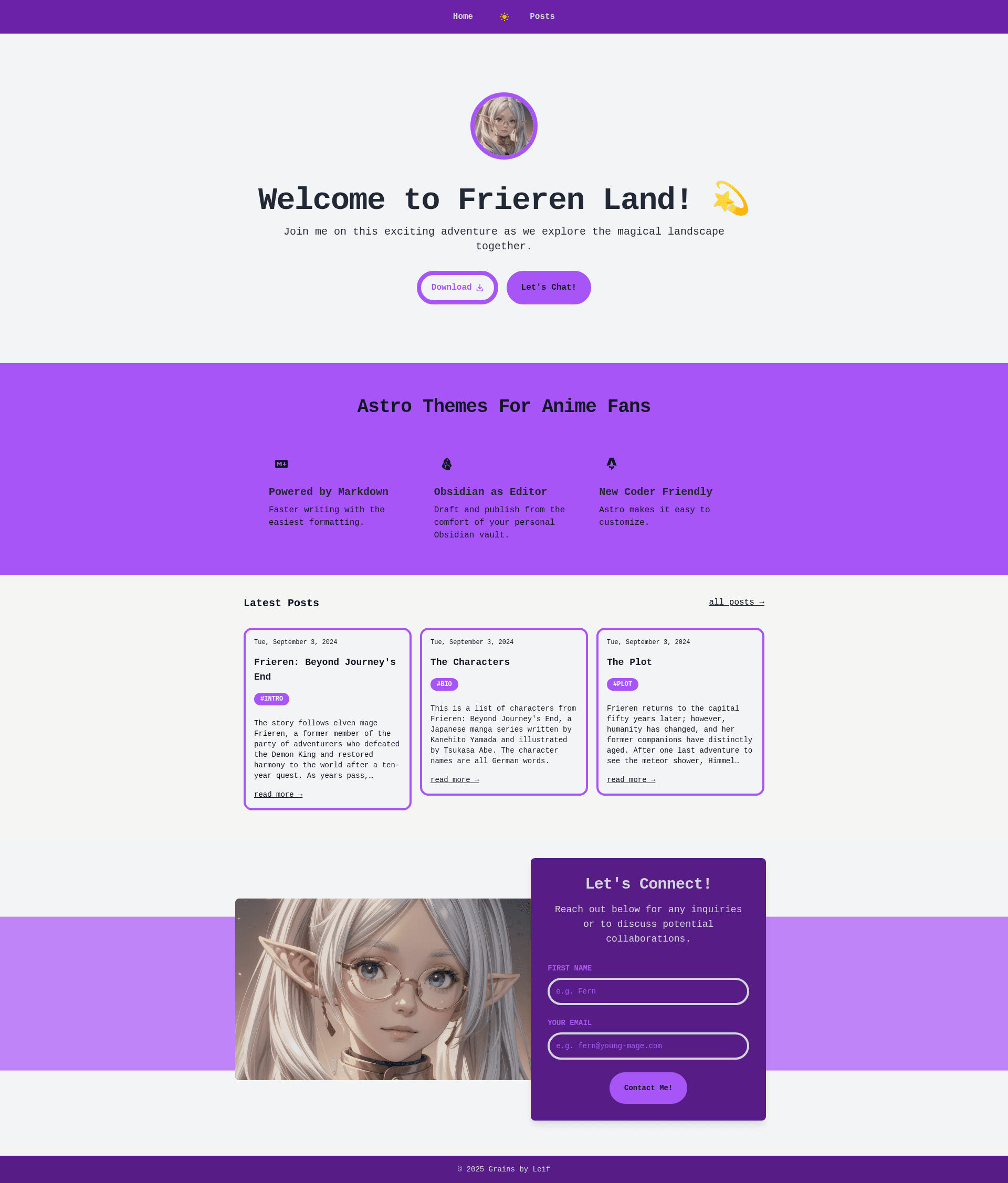
Astro Frieren Blog Kit is a free Astro blog theme themed after the anime Frieren, giving you a ready-to-clone starting point for an anime-styled blog that runs on the Astro framework.
What is Astro Frieren Blog Kit?
Astro Frieren Blog Kit is an Astro-based blog theme created by leifjerami and published as a public GitHub repository. It takes a standard Astro project, adds a Frieren-inspired light design, and produces a blog homepage at src/pages/index.astro that you can run locally and deploy to Netlify. The repository includes a live demo on Netlify and links to the author's biolink kit as a companion project. It follows the conventional Astro folder structure with public/, src/pages/index.astro, and package.json, so it works with Astro's default build tooling. The README also mentions a planned bonus tip for using Obsidian to draft, edit, and publish blog posts, though that guide is not yet written.
Key Features
- Frieren anime design — The blog theme is visually based on the Frieren anime, giving your blog a distinct look for fans of the series.
- Astro framework — Built on the Astro static-site generator; install dependencies with npm install and start the dev server with npm run dev.
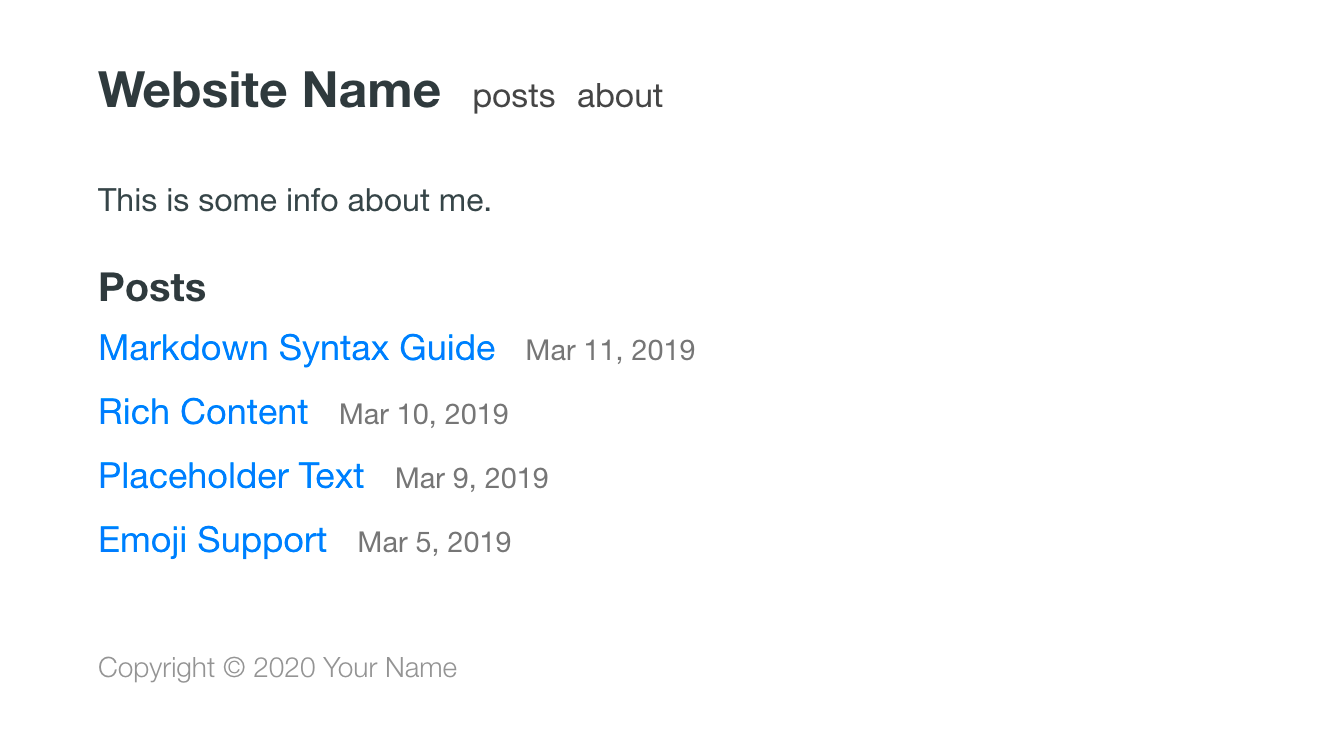
- Live Netlify demo — A demo site is deployed at astro-frieren-blog-kit.netlify.app so you can preview the light theme before installing anything.
- Simple clone-and-run setup — Get started by cloning the repository, running npm install, then npm run dev; no configuration steps are described.
- Standard Astro structure — Uses the conventional layout with public/, src/pages/index.astro, and package.json, which means it drops into Astro's default build pipeline.
- Companion biolink kit — The author's related Astro Biolink Kit is linked from the README, showing a small family of Astro starter templates by the same developer.
- Obsidian publishing tip (in progress) — The README announces a bonus guide for setting up Obsidian to draft, edit, and publish blog posts; the guide itself is a work in progress.
Who is it for?
- Fans of the Frieren anime: They can start a personal blog with a design that references the series without styling it from scratch.
- Astro developers: They can use the template as a minimal starter to understand how an Astro project is laid out and to customize the components.
- Bloggers who want a quick deploy: They can clone, run locally, and push to Netlify to get a live blog, using the demo URL as a reference.
What can you do with it?
- Anime-themed personal blog: Clone the repo, run npm run dev, and edit the placeholder page in src/pages/index.astro to build your own Frieren-styled blog.
- Learn Astro structure: Use the template to see a minimal Astro project in action, since it includes only the essential files and a package.json.
- Preview the theme: Visit the Netlify demo site to check the light design and decide if the look fits your blog before installing.
How does it work?
The README describes a straightforward workflow: clone the GitHub repository, cd into the frieren-blog folder, run npm install to fetch dependencies, and run npm run dev to start the Astro development server. There are no deployment instructions beyond the demo being hosted on Netlify.
Pros and cons
Pros:
- Live demo available, so you can see the design before committing.
- Copy-paste setup commands make local launch quick.
Cons:
- The Obsidian publishing guide is still a work in progress, so that workflow is not documented yet.
FAQ
Is Astro Frieren Blog Kit free?
Yes, the template is available as a public GitHub repository. The README lists no purchase price or license fee, and you can clone it directly with git clone, so it is free to use as a starting point for an Astro blog.
How do I install and run it locally?
Run git clone with the repository URL, cd into the frieren-blog folder, run npm install to install dependencies, and then run npm run dev to start the development server. The README does not mention any additional setup or configuration steps.
Does the template have a demo I can preview?
Yes, the README links to a demo site on Netlify at astro-frieren-blog-kit.netlify.app, so you can see the light theme rendered in a browser before cloning the repository.
Is the Obsidian publishing guide finished?
No. The README lists a bonus tip for setting up Obsidian to draft, edit, and publish blog posts, but it explicitly notes the guide is a work in progress, so those instructions are not written yet.