Template details
Etch
A simple, responsive Hugo theme focused on writing with no external dependencies.
About this template
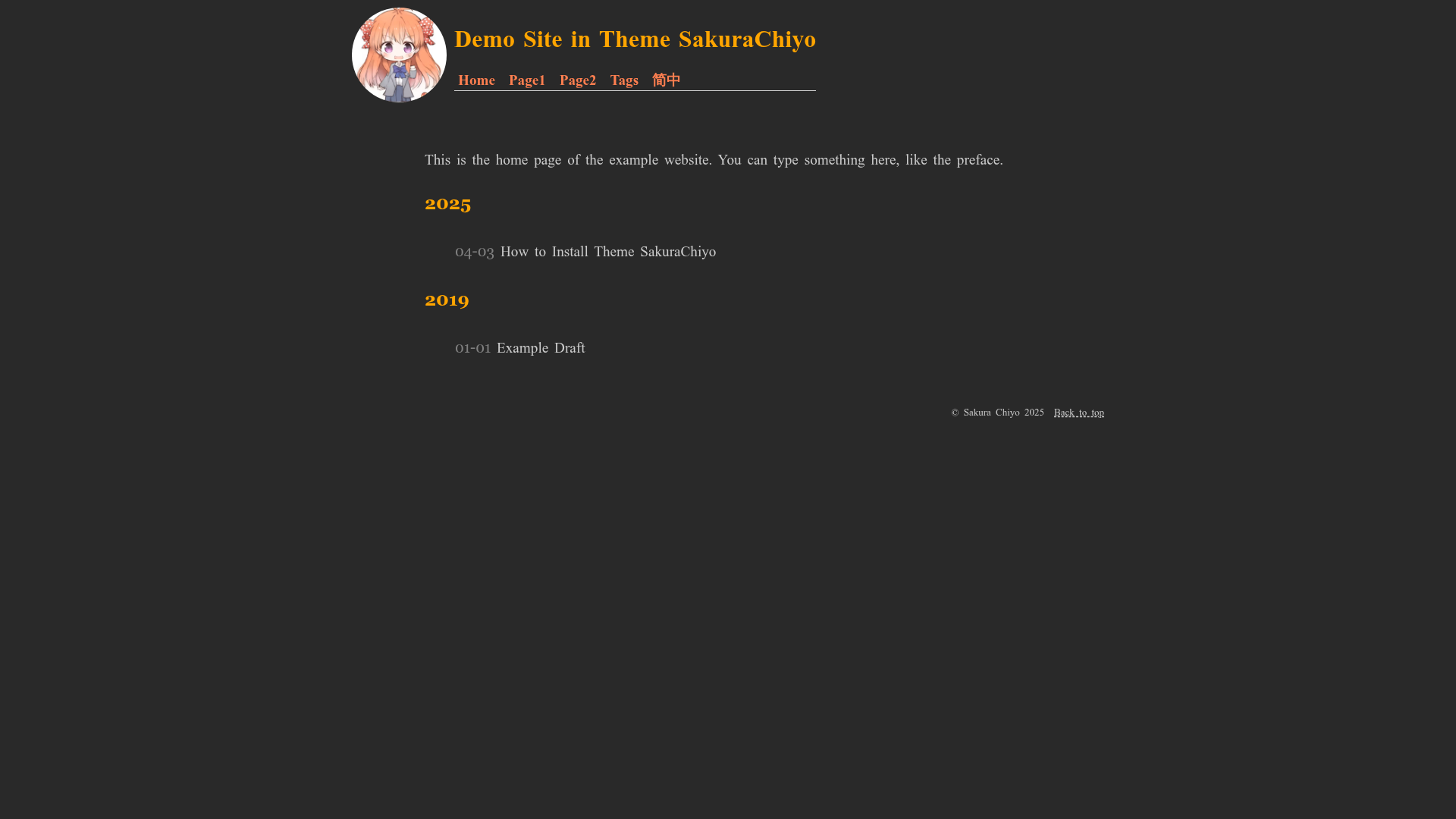
Etch is a Hugo theme for writing-focused sites that produces a simple, responsive homepage listing posts and standalone pages, with no JavaScript, web fonts, or external dependencies.
What is Etch?
Etch is an open-source theme for the Hugo static site generator, created by Lukas Joswiak, that turns markdown content into a clean, readable blog. It takes standard Hugo content files (posts and pages) and outputs a static website with a homepage listing posts, individual content pages, and automatic dark mode support. The theme is distributed as a GitHub repository and is meant to be added as a git submodule into the themes folder of any Hugo site. Because Hugo generates static HTML, an Etch site has no server-side runtime and no database.
Key Features
- Homepage with list of posts — Displays your blog posts in a chronological list on the homepage, like a standard blog index.
- Support for pages — In addition to posts, you can add standalone pages such as About or Contact.
- Responsive design — The layout adapts to mobile screens via CSS, giving an optimized reading experience on phones and tablets.
- Syntax highlighting with customizable theme — Code blocks are highlighted, and you can swap in your own syntax highlighting theme to match your site's look.
- Automatic dark mode — The theme detects the user's system color-scheme setting and switches between light and dark styles, with an example in the project wiki.
- No external dependencies, no JavaScript, no web fonts — The theme is fully self-contained: it loads no scripts, icon fonts, or tracking code by default, which keeps pages fast and private.
- Internationalization friendly — English is the default language for UI strings, but you can add your own translations by creating locale files.
Who is it for?
- Bloggers and writers who want a no-frills, typography-first design that doesn't distract from their content.
- Developers who build with Hugo who want a simple, dependency-free theme they can extend or customize without a build step.
- Privacy-conscious site owners who want a theme with no embedded JavaScript or web fonts, reducing third-party requests and page weight.
What can you do with Etch?
- Start a personal blog quickly: Create a new Hugo site, add Etch as a submodule, and start writing markdown posts — the homepage indexes them automatically.
- Publish a documentation-style site: Use Etch's page support to create standalone reference or guide pages alongside your blog posts.
- Set up a dark-mode-friendly reading experience: Use the automatic system-preference dark mode to serve your content in both light and dark themes without separate URLs.
How does Etch work?
Installation follows Hugo's standard theme workflow: clone or submodule-add the repository into your site's themes folder, then run hugo server -t etch to preview. Use the sample configuration from the wiki as a starting point, and consult the configuration page for additional options. The wiki also documents more advanced usage.
FAQ
How do I install Etch?
Run git submodule add https://github.com/LukasJoswiak/etch.git themes/etch from your Hugo site's root, then start the server with hugo server -t etch. Copy the sample configuration from the project wiki to get started.
Does Etch support dark mode?
Yes. Etch detects the user's system color scheme using the CSS prefers-color-scheme media query and automatically switches between light and dark themes. You can see an example on the project's wiki page.
Does Etch use JavaScript?
No. The theme is built with zero JavaScript by default. It also loads no web fonts and has no external dependencies, so it works with just HTML and CSS. This is a deliberate design decision to keep the site fast.
Can I translate Etch into my language?
Yes. Etch is internationalization friendly: it ships with English translations, and you can create your own translation files to change the UI text. Consult the project wiki for instructions.