Template details
Astro Netlify Starter
A starter project for Astro and Netlify!
About this template
Astro + Netlify Starter is a boilerplate project that packages the Astro static site framework with a pre-configured netlify.toml, giving you a launch-ready base for building and deploying fast websites to Netlify.
What is the Astro + Netlify Starter?
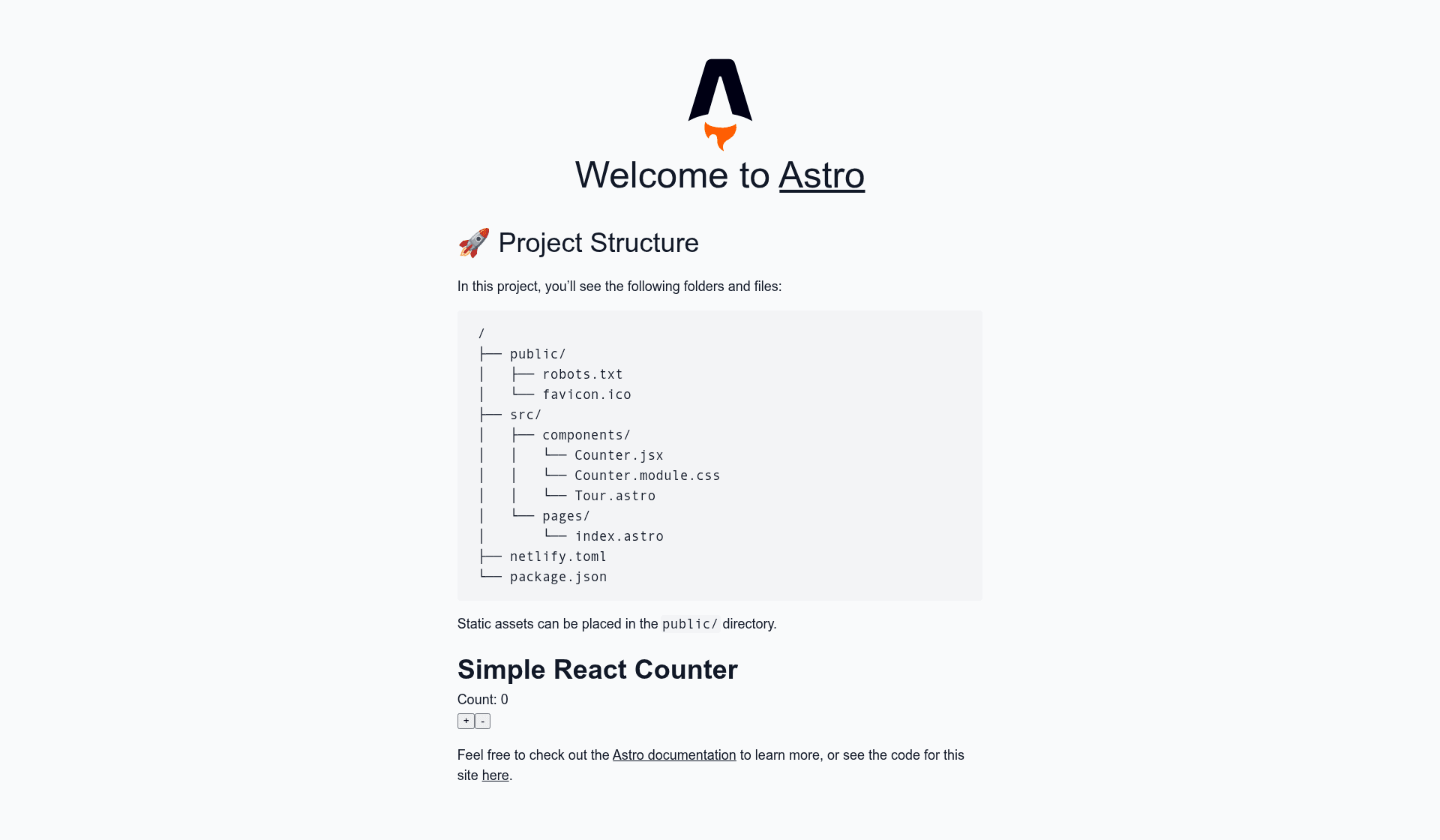
This starter, created by Cassidy Williams (cassidoo), uses Astro v0.21.6 and is derived from the official Astro Starter Kit. It takes a standard Astro project structure as input and produces a production-ready static site in the ./dist/ directory, with Netlify build and deploy settings already defined in netlify.toml. The template also includes an example React component paired with a CSS Module, demonstrating how to mix interactivity into an otherwise static Astro site.
Key Features
- Pre-configured Netlify deployment —
netlify.tomlat the project root defines build and publish settings, so you can connect the repository to Netlify and deploy without touching the Netlify dashboard. - React component example — a sample React component styled with a CSS Module shows how Astro islands work when you need client-side interactivity.
- One-click deploy — the README's Netlify Deploy button clones the repository to GitHub and triggers a Netlify deployment in a single action.
- Scaffold with
create-astro— runnpm init astro my-new-project --template cassidoo/astro-netlify-starterto generate a new project from this template using the official Astro CLI. - Simple npm scripts —
npm installinstalls dependencies,npm run startlaunches a local dev server onlocalhost:3000, andnpm run buildcreates a production build in./dist/. - Built on the Astro Starter Kit — inherits Astro's recommended file structure, so you start with a familiar layout instead of an empty directory.
Who is it for?
- Developers new to Astro — get a minimal, functional Astro project with Netlify deployment already wired up, letting you focus on learning Astro's component model instead of hosting config.
- Static site builders deploying to Netlify — use this as the base for a marketing page, personal portfolio, or blog that renders at build time and serves from Netlify's global CDN.
- Frontend developers exploring islands architecture — the React component demonstrates how to add client-side interactions to specific parts of a static page while keeping the rest of the output fast.
Use cases
- Personal projects: spin up a new Astro site with a single CLI command and push it to Netlify for automatic builds and hosting.
- Prototyping: use the starter to test Astro's behavior with CSS Modules and React before building out a larger application.
- Learning Astro: follow the intro blog post linked in the README to understand how Astro outputs zero JavaScript by default and only hydrates the interactive islands you mark.