Template details
Web3Button
Learn how to use the Web3Button component from the thirdweb React SDK!
About this template
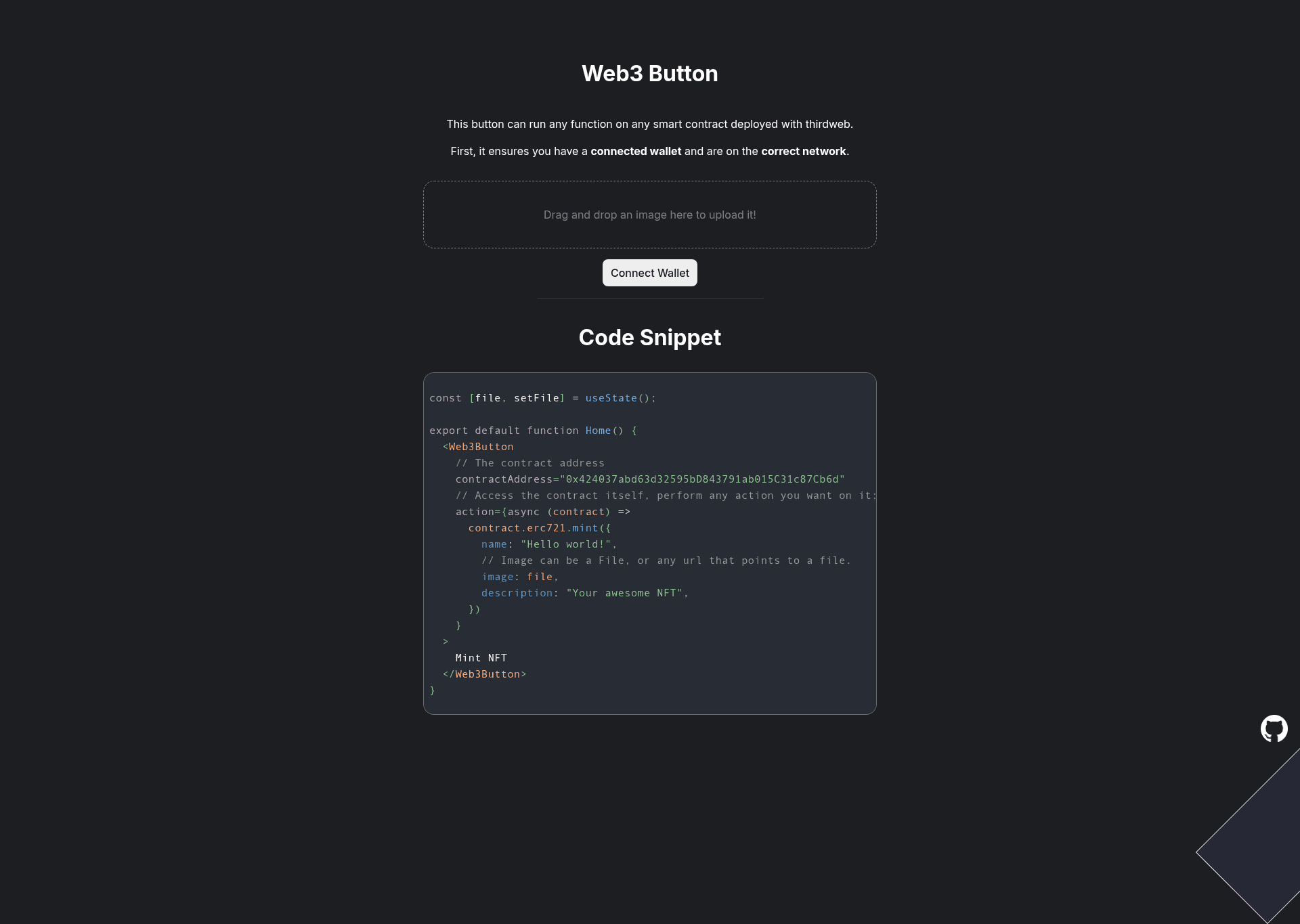
Web3Button is a Next.js boilerplate that demonstrates how to use the thirdweb React SDK's Web3Button component to call any function on any smart contract while automatically handling wallet connection and network switching.
What is Web3Button?
Web3Button is a starter template built on Next.js and the thirdweb React SDK. It takes a smart contract address and an action (or a function name and parameters) as input, and executes the contract call only after verifying that the user's wallet is connected and the active network matches the one configured in _app.js. The template outputs a working React component that renders a customizable button, with callbacks for success and error states.
Key Features
- Wallet connection enforcement — The Web3Button checks that the user has a connected wallet before allowing the contract call to proceed, preventing transaction errors.
- Network switching — The component automatically prompts the user to switch to the correct network, which is defined in the
_app.jsfile of the Next.js project. - Flexible contract invocation — Developers can either provide an
actionfunction that receives the contract instance, or pass afunctionNameandparamsarray to call any contract method directly. - Success and error callbacks — The template includes
onSuccessandonErrorprops so you can handle the transaction result or display errors. - Customizable appearance — The button supports
colorModeandaccentColorprops for light/dark mode and accent color theming. - Minimal setup — The example shows an NFT minting call with metadata (name, image, description) as a concrete use case, but any contract function can be targeted.
Who is it for?
- dApp developers — Build a frontend that interacts with any smart contract without writing wallet connection logic from scratch.
- NFT project creators — Use the included mint example to let users mint NFTs by clicking a button, with metadata passed directly to the contract.
- React/Next.js developers — Learn how to integrate thirdweb's React SDK into a Next.js application using the
_app.jsnetwork configuration pattern.
What can you do with it?
- Mint NFTs: Call an NFT contract's
mintTofunction with an address and metadata (name, image, description) directly from the button action. - Call any contract function: Use
functionNameandparamsto invoke arbitrary methods without writing a custom action. - Handle transaction results: Use the
onSuccesscallback to confirm the transaction hash or trigger a UI update; useonErrorto log issues.
How does it work?
The template relies on the Web3Button component from the thirdweb React SDK. You supply the contractAddress and either an action function (which receives the contract and can call any method) or a functionName plus params list. The component then checks wallet connection and network, executes the call, and triggers the corresponding callback. The network is set globally in _app.js, so every button instance uses the same chain.
FAQ
Does Web3Button work without a wallet?
No, the component is designed to require a connected wallet. It ensures a wallet is connected before executing the contract function, which is standard for on-chain transactions.
Can I customize the button label?
Yes, the label is provided as children of the Web3Button component. In the example, the button displays 'Mint NFT'.
Is this template free to use?
The template itself is an open-source example provided in the repository. The underlying thirdweb SDK has its own pricing model, but this template does not require payment.
What network does the example use?
The network is defined in the _app.js file of the Next.js project. The exact chain is not shown in the snippet, but it is configurable there.