Template details
Astro + Netlify Starter
Astro + Netlify Starter is a boilerplate for launching Astro static sites on Netlify with a preconfigured netlify.toml and an example React component.
About this template
Astro + Netlify Starter is a boilerplate template for launching Astro static sites on Netlify, pairing an example React component with a ready-to-use netlify.toml deployment config. It's hosted on GitHub by the user cassidoo and targets Astro v0.20.5, offering both a one-click deploy route and a CLI scaffolding command.
What is Astro + Netlify Starter?
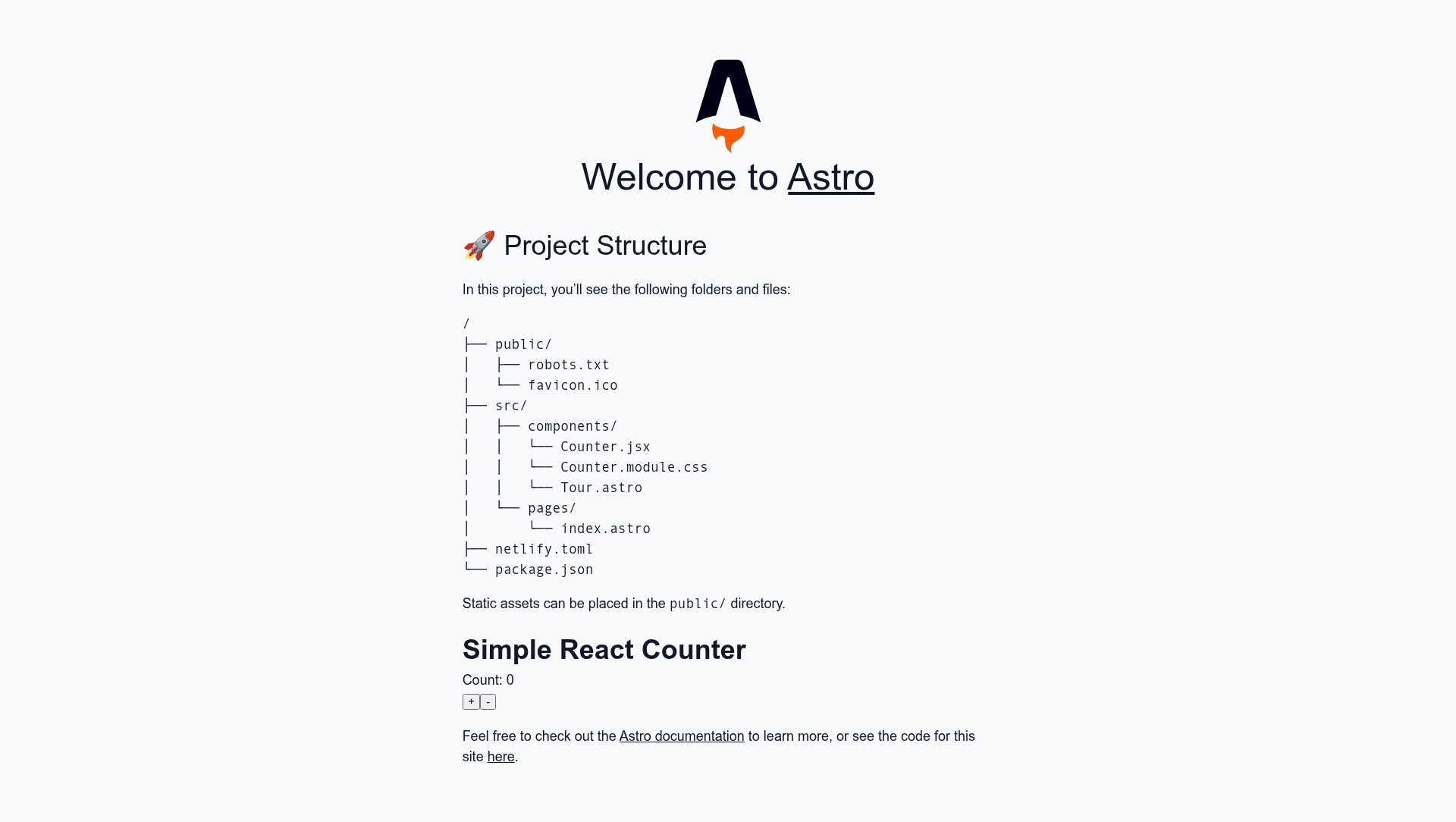
Astro + Netlify Starter is a minimal Astro project that begins as a fork of the official Astro Starter Kit and adds Netlify-specific deployment configuration. It takes a starting set of Astro files and an example React component with a CSS Module and produces a production-ready static site in ./dist/ after running the build command. The template is hosted in the cassidoo/astro-netlify-starter repository on GitHub.
What makes Astro + Netlify Starter stand out?
Netlify-ready config — includes a netlify.toml file so build commands and publish directory are predefined for Netlify deploys.
Example React integration — bundles a sample React component paired with a CSS Module, showing how to mix React islands into Astro pages.
One-click deploy — the README's Netlify Deploy button clones the repository to GitHub and creates a new Netlify site without local setup.
CLI scaffolding — npm init astro my-new-project --template cassidoo/astro-netlify-starter generates a new project from the template.
Familiar script commands — npm install, npm run start (dev server on localhost:3000), and npm run build (output to ./dist/) cover the basic workflow.
Based on the Astro Starter Kit — inherits the standard starter structure and file conventions from the Astro project.
Who should use Astro + Netlify Starter?
JAMstack developers can use it as a baseline for deploying Astro sites to Netlify without writing deployment configuration from scratch. Front-end developers interested in layering React components into Astro can learn from the included example component and CSS Module. Rapid project starters can click the Deploy button or run the CLI command to get a new Astro site live on Netlify in minutes.
What can you do with Astro + Netlify Starter?
Prototype a static site: scaffold a new Astro project and push it to Netlify, then edit the Astro files and React component to build a custom landing page or blog. Learn Astro's island architecture: examine the example React component to see how Astro handles interactive islands alongside static HTML. Set up a continuous deployment workflow: after connecting the GitHub repo to Netlify, each push triggers a new build with the netlify.toml settings.
How does Astro + Netlify Starter work?
To get started, either click the Netlify Deploy button, which forks the repository and links it to a new Netlify project, or run the CLI command npm init astro my-new-project --template cassidoo/astro-netlify-starter. After that, install dependencies with npm install, then use npm run start for local development at localhost:3000 or npm run build to generate the static site in ./dist/.
FAQ
Is Astro + Netlify Starter free to use?
Yes, the template is publicly available in the cassidoo/astro-netlify-starter GitHub repository and can be cloned or used as a template without payment. Netlify itself offers a free tier for deploying sites, though the template does not include any pricing information.
What Astro version does this starter use?
The README specifies Astro v0.20.5 as the foundational version. Since it's a starter kit, you can update the dependency to a more recent Astro release, but the template's configuration was written against that version.
Does the starter include a CSS framework?
No CSS framework like Tailwind or Bootstrap is included. The only styling example is a CSS Module attached to the React component, plus whatever base styles come with the Astro Starter Kit.
Can I deploy this to platforms other than Netlify?
The repository includes a netlify.toml specifically for Netlify. While Astro sites can be deployed elsewhere, the template's deployment configuration is Netlify-oriented and the one-click deploy button targets Netlify only.
Where can I find more Astro documentation?
The README links to the Astro documentation on GitHub for further guidance on building with Astro.