Template details
Design Jekyll Theme
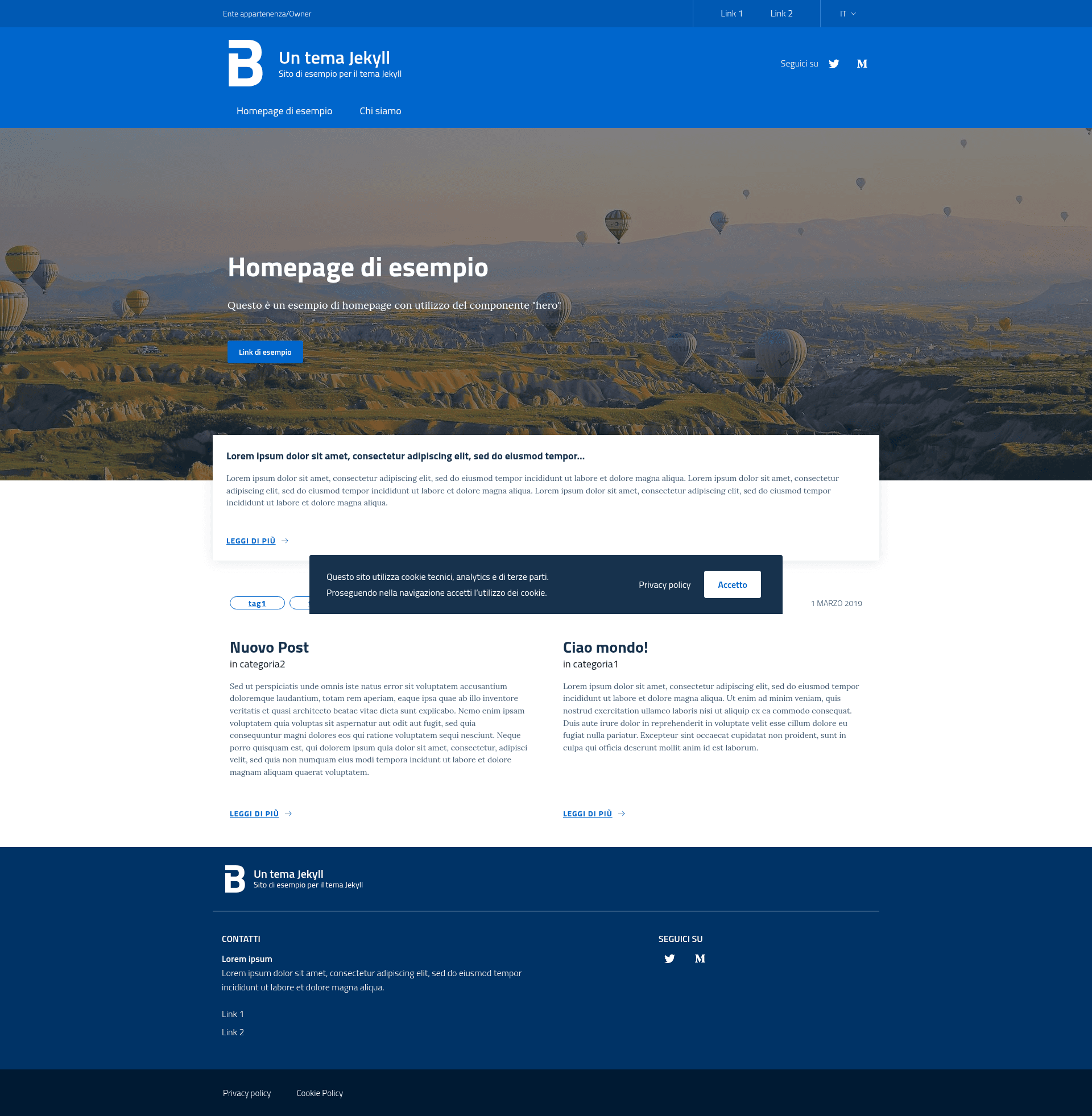
A Jekyll theme implementing the Italia Design System, built with Bootstrap Italia and the UI Kit.
About this template
Design Jekyll Theme is an open-source Jekyll theme that implements the Italia Design System, providing a Jekyll-based starting point for building Italian public-sector websites with Bootstrap Italia components.
What is Design Jekyll Theme?
Design Jekyll Theme is a Jekyll theme for static websites that adopt the Italia Design System. It takes standard Jekyll content (Markdown, HTML, data files) and renders it using the Bootstrap Italia framework, the Bootstrap-based UI library from the Italian government's design system. The theme runs on Jekyll and works with GitHub Pages out of the box, with a default base URL that matches the subpath GitHub Pages assigns to project sites.
Key Features
- Bootstrap Italia styling — The theme is built with Bootstrap Italia, so forms, navigation, buttons, and other components follow the Italia Design System's guidelines and accessibility patterns.
- UI Kit foundation — It is based on the italia/design-ui-kit repository, which supplies the shared visual components and design principles for the design system.
- Production and development configuration — Two Jekyll config files are included:
_config.ymlfor production and_config_dev.ymlfor local development, which serves the site at the root path instead of the subpath. - GitHub Pages compatibility — The default configuration serves the site at the
/design-jeyll-themesubpath, matching GitHub Pages project-site URLs. - Bundler-based setup — Dependencies are installed with
bundle install, either globally or locally withbundle install --path vendor/bundle. - BSD-3-Clause license — The repository is released under a BSD-3-Clause license, allowing reuse and modification with attribution.
Who is it for?
- Frontend developers building Italian public administration websites — Use the theme as a foundation to create sites that meet the Italia Design System without designing components from scratch.
- Designers prototyping government services — The Bootstrap Italia styling lets designers turn static mockups into Jekyll pages that mirror the official UI Kit.
- Digital agencies and civic-tech teams — Agencies on public-sector projects can scaffold institutional sites, portals, or service pages with this theme.
- Jekyll developers seeking a localized design-system theme — Anyone who prefers Jekyll's static-site workflow and needs an implementation of the Italian government's design language.
Use cases
- Institutional websites: Publish department pages, news, and service information styled according to the Italia Design System.
- Service redesign prototypes: Test content and layouts for public-facing services in a Jekyll environment before development.
- Documentation sites: Use the theme as a base for documentation that should align with Italian public-sector visual identity.
How does Design Jekyll Theme work?
After installing the required gems with bundle install, run bundle exec jekyll serve --config _config_dev.yml to preview the site locally at http://localhost:4000. Running bundle exec jekyll serve without the extra config uses the production setting and serves from the /design-jeyll-theme subpath. The theme follows standard Jekyll conventions, so layouts and assets can be overridden in your own site.
FAQ
Is Design Jekyll Theme free?
Yes, the theme is open source under a BSD-3-Clause license, so you can freely use, modify, and redistribute it for personal or commercial projects with attribution.
Does Design Jekyll Theme work with GitHub Pages?
The theme is configured to work with GitHub Pages out of the box. The default Jekyll config serves the site at the /design-jeyll-theme subpath, which matches the URL GitHub Pages assigns to project sites. For root-path deployment, use the included _config_dev.yml during local development.
How do I install Design Jekyll Theme?
With Ruby and Bundler installed, navigate to the project directory and run bundle install. If you want vendored dependencies, run bundle install --path vendor/bundle. Then use bundle exec jekyll serve to start the local server.
What is the difference between the two config files?
_config.yml is the production configuration, which sets the base URL to the subpath needed for GitHub Pages. _config_dev.yml is the development configuration, which removes that subpath so the site runs on http://localhost:4000 directly.