Template details
Digital Garden Jekyll Template
Start your own digital garden using this Jekyll template 🌱
About this template
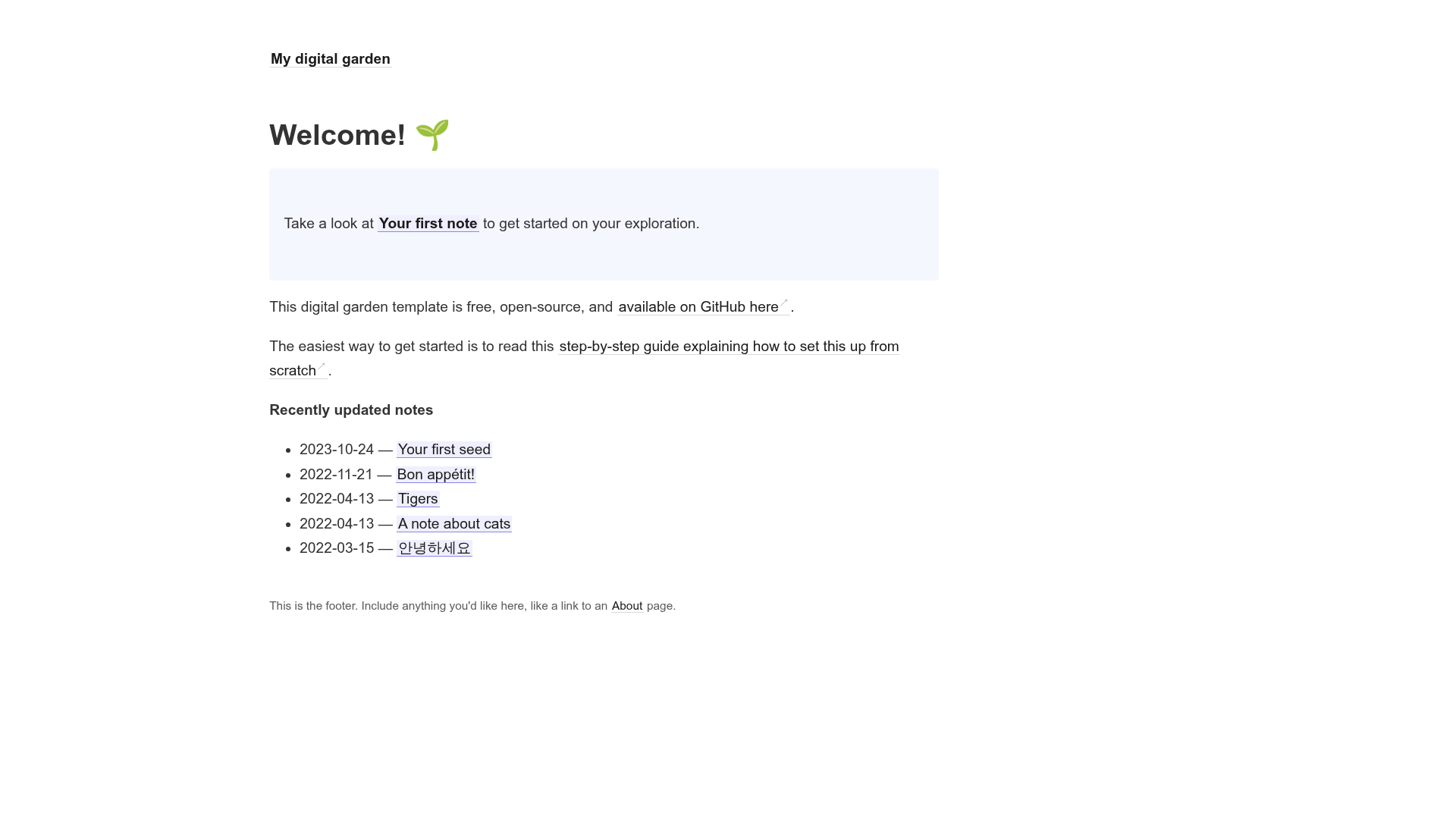
The Digital Garden Jekyll Template is a static-site boilerplate for publishing a personal digital garden, wiki, or second brain with bidirectional links, automatic backlinks, and an interactive graph view.
What is the Digital Garden Jekyll Template?
The Digital Garden Jekyll Template is a starter repository built on Jekyll, a Ruby-based static website generator. It turns a folder of Markdown or HTML notes into a public website where notes are interconnected using Roam Research-style double-bracket wikilinks. The template outputs a fully static site that can be hosted on Netlify or GitHub Pages, and it powers the notes graph by generating a notes_graph.json file through a custom Jekyll plugin.
Key Features
- Roam-style wikilinks — Write
[[note title]]in any note to create a link to another note; Jekyll resolves these into real hyperlinks at build time. - Automatic backlinks — Every note page lists the notes that link to it, giving each note a two-way connection graph without manual authoring.
- Link previews on hover — Hovering a wikilink displays a preview of the target note, making browsing smoother.
- Interactive graph visualization — A custom Jekyll plugin generates
notes_graph.jsonfrom all links, and the site renders an interactive graph view of your entire knowledge base. - Markdown or HTML notes — Write notes in either format; both are supported for page content.
- Simple responsive design — The layout adapts to desktop and mobile screens, keeping the focus on content.
Who is it for?
The template is aimed at digital gardeners, Zettelkasten practitioners, and second-brain users who want to publish their interlinked notes online. It is also suitable for Jekyll developers who want a pre-built wiki-style site without writing layout code from scratch. Obsidian and Roam users can reuse their wikilink habit in a public static site, and anyone building a personal knowledge base can benefit from the automatic backlinks and graph.
What can you do with it?
- Publish a personal wiki — Turn a collection of notes into a browsable website with automatic cross-references.
- Share research notes — Create an interconnected web of sources and ideas where related topics surface through backlinks.
- Build a public second brain — Expose a curated subset of your knowledge in a clean, linkable format.
- Experiment with simple static sites — Use the template as a starting point for a minimal Jekyll site with a graph feature.
How does it work?
To start, click the "Use this template" button on GitHub to create a new repository. Add your notes as Markdown or HTML files, then build the site locally with Jekyll and push the result to GitHub Pages, or deploy directly to Netlify, which supports the custom plugin needed for the graph. The included tutorial by Maxime Vaillancourt walks through the setup step by step.
Pros and cons
- Pros: Free under the MIT license, supports wikilinks and backlinks out of the box, easy to host on Netlify, and works with plain Markdown or HTML files.
- Cons: GitHub Pages does not support the custom Jekyll plugin required for the graph, so you must build locally or use Netlify to get the full experience.
FAQ
Does this template work with GitHub Pages?
Partially. The core notes and links work, but GitHub Pages blocks custom Jekyll plugins, so the interactive graph is not available on GitHub Pages out of the box. You can build the site locally and upload the generated static files, or deploy to Netlify.
What note formats are supported?
Both Markdown and HTML are supported for writing notes. You can mix formats within the same site, and the template will process each file accordingly.
Is the template free to use?
Yes. The source code is released under the MIT license, so you can use, modify, and redistribute it freely for personal or commercial projects.
How do I see the backlinks for a note?
Backlinks are generated automatically. When you view a note, the page lists other notes that link to it, and the graph view maps the entire link structure.