Template details
astro-portfolio-theme
Portfolio template built with Astro; edit JSON files and deploy a static site with contact form, GitHub auto-fetch, and printable resume.
About this template
astro-portfolio-theme is a portfolio website template built with Astro that generates a complete static site from JSON data files — no CMS, no database, and no server-side code.
What is astro-portfolio-theme?
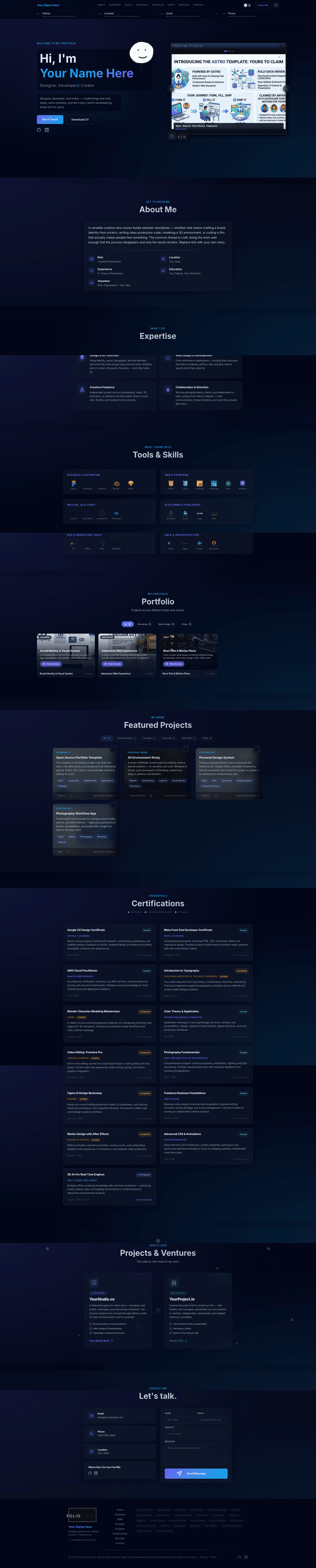
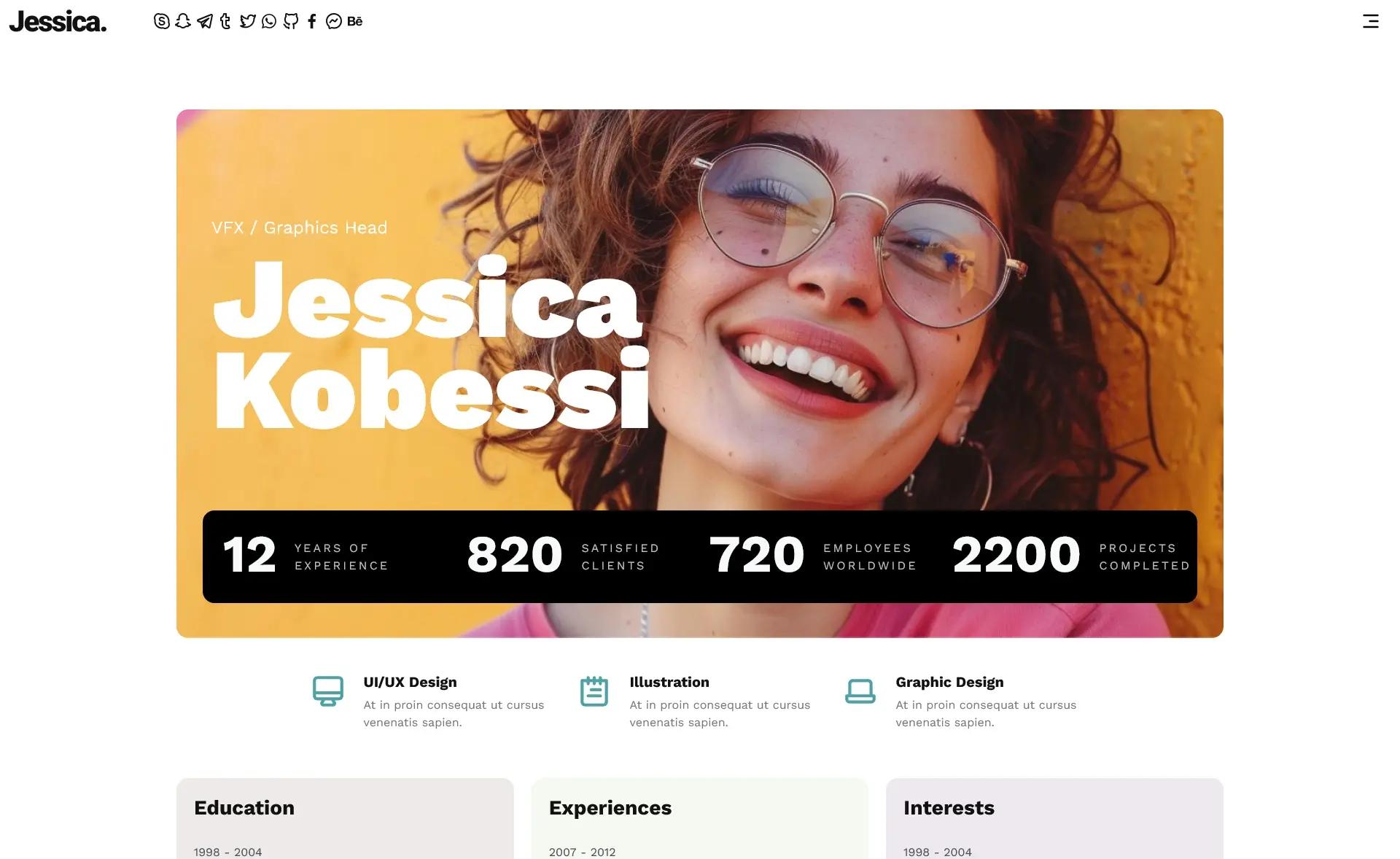
astro-portfolio-theme is a static site builder for personal portfolios. You supply content in JSON files under src/data/ and the theme compiles it into a single-page site with Hero, About, Expertise, Portfolio, Projects, Certifications, Services, and Contact sections. It runs on Astro 6 with Tailwind CSS 4 and TypeScript, and produces pure static HTML/CSS/JS in ./dist/ (via pnpm) or ./output/ (via Docker Compose). The build pipeline enforces linting and type-checking before generating the site.
Key Features
- JSON-driven content — All site content lives in nine data files under
src/data/; editpersonal.json,projects.json,skills.json,certifications.json, and the rest, then rebuild. - Auto-fetched GitHub images — When a project sets
githubRepo, the build reads that repository's README and extracts the first non-badge image to use as the hero slider cover, with a localsliderImageas fallback. - Web3Forms contact form — A backend-free contact form uses only a free API key from web3forms.com placed in
site.json; submissions arrive in your inbox with no server. - Printable resume — The same content renders as a clean, print-ready resume when visitors press Ctrl+P.
- SEO and PWA — Built-in Open Graph tags, a web manifest, all favicon sizes, and offline support make the site search-engine friendly and installable.
- Accessibility — Keyboard navigation, ARIA labels, a skip link, and reduced-motion support are included by default.
- Two project layouts — Switch between
showcasefor five or fewer projects (full-width feature cards with thumbnail galleries) andgridfor six or more (a filterable three-column card grid with Featured and category buttons). - Quality gates — Docker builds run ESLint, Astro Check type-checking, and a formatting check as separate stages, with a frozen-lockfile install to prevent dependency drift.
Who is it for?
- Freelance designers and developers — Build a professional portfolio with client work, personal projects, and service offerings in an afternoon.
- Developers who prefer Git over CMSs — Manage your portfolio as version-controlled JSON files and deploy with your existing workflow.
- Job seekers with a lot of credentials — Use the certifications timeline and printable resume to present training and experience cleanly.
- Budget-conscious site owners — The static output deploys free to GitHub Pages, GitLab Pages, Cloudflare Pages, Netlify, or any CDN/VPS.
What can you do with it?
- Independent developers: fill in
src/data/personal.jsonandprojects.json, runpnpm run build, and publish the resulting static files to any host. - Design studios: use the
serviceSitesarray insite.jsonto display two distinct service cards, one for client work and one for a side project. - Open-source maintainers: set
githubRepoon each project so the theme pulls cover art from GitHub READMEs automatically at build time, saving manual image curation. - Multi-platform deployers: rely on the included CI/CD workflows for GitHub Pages, GitLab Pages, and Gitea/Forgejo/Codeberg, or use the Docker build for self-hosting.
Where can the site be deployed?
The built site is fully static, so it runs anywhere: GitHub Pages, GitLab Pages, Codeberg Pages, Cloudflare Pages, Netlify, Vercel, or your own server via the included Docker image. The GitHub Actions and GitLab CI files auto-detect SITE_URL and BASE_PATH from the platform's environment variables, and a Docker Compose file lets you produce a lean nginx Alpine image (~25 MB) that serves the site on port 80.
How does it work?
- Edit the JSON files in
src/data/to set your personal information, skills, projects, portfolio items, certifications, and services. - Set environment variables:
SITE_URL,BASE_PATH,GITHUB_USER, and optionallyGITHUB_TOKEN(the token is used for fetching GitHub README images). - Build with
pnpm run buildordocker compose build && docker compose up. The finished site lands in./dist/or./output/. - Deploy the output, or push to Git and let the preconfigured CI workflow build and publish it. For GitHub Pages, name your repository
your-username.github.ioto get a clean root URL.
FAQ
Does this portfolio theme require a CMS?
No. All content is managed through static JSON files under src/data/. You edit the JSON, rebuild, and deploy — there is no database or admin panel to maintain.
What are the system requirements?
You need Docker + Docker Compose, or Node.js 24 or later with pnpm 11. The build automatically runs ESLint and Astro Check as quality gates, so lint and type errors stop the build.
How does the contact form work?
The contact form uses Web3Forms. You get a free API key from web3forms.com and put it in site.json. When someone submits the form, Web3Forms emails you the message — no backend or server code is needed.
Can I deploy to GitHub Pages for free?
Yes. The repo includes a GitHub Actions workflow that builds the site and publishes it to Pages. Set GITHUB_USER as a repository variable; SITE_URL and BASE_PATH are auto-detected from your repository name, and can be overridden for custom domains.
Can I remove sections I don't need?
Yes. Sections such as Portfolio, Certifications, and Services can be removed by deleting their component from src/pages/index.astro and the corresponding menu entry in src/data/menu.json. No JSON cleanup is required.