Template details
Astro Shadcn UI Template
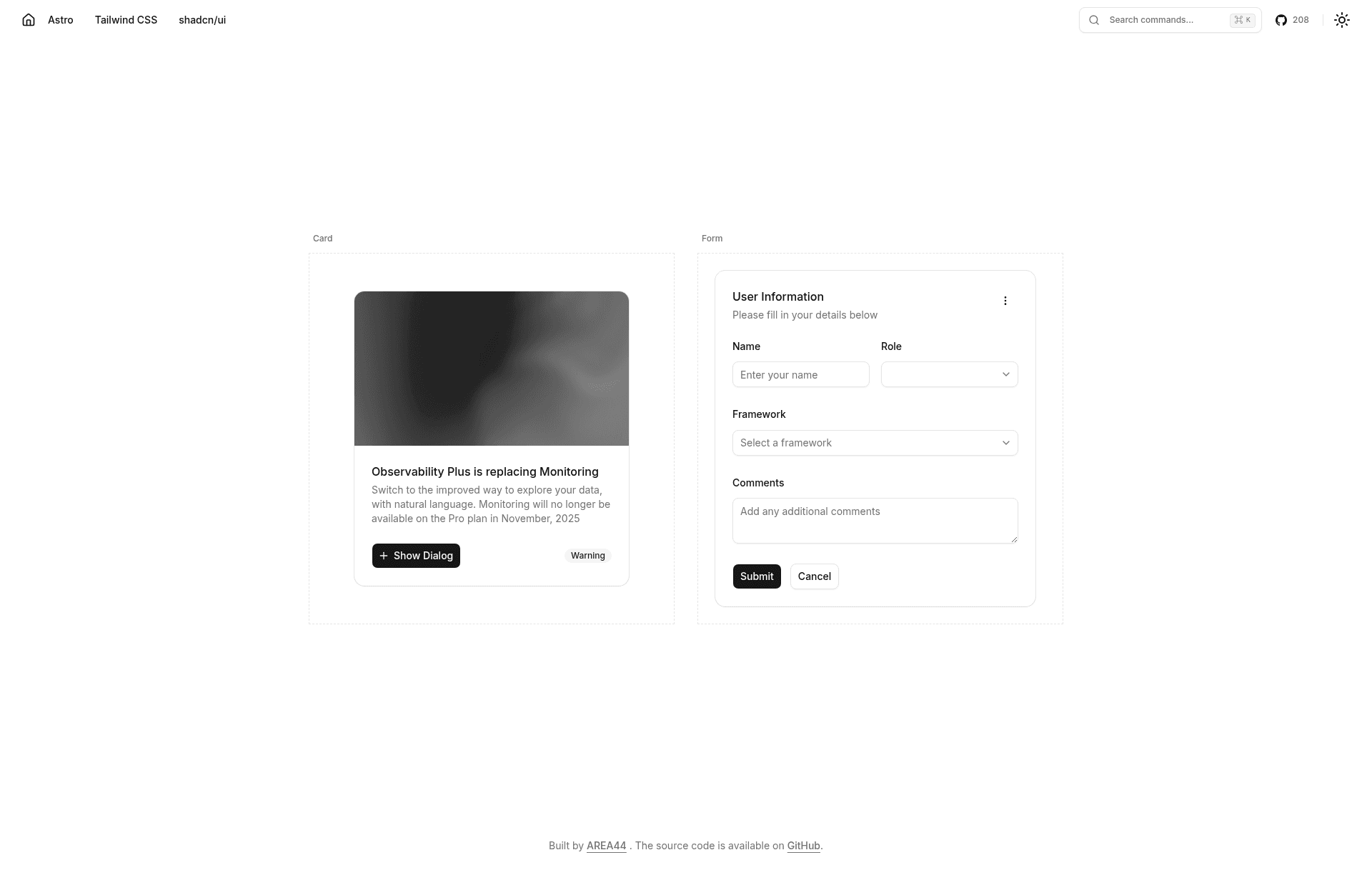
This template helps you build apps with Astro, Tailwind CSS, and shadcn/ui.
About this template
Astro shadcn/ui template
The Astro shadcn/ui template is a boilerplate starter that combines the Astro static site generator with Tailwind CSS and shadcn/ui components to build fast, accessible, themeable web applications.
What is the Astro shadcn/ui template?
The Astro shadcn/ui template is a starter repository that pre-configures Astro with Tailwind CSS and shadcn/ui. It takes a fresh Astro project, wires up Tailwind for utility-first styling, and sets up shadcn/ui so you can add accessible, pre-built components on demand. The template is hosted at github.com/area44/astro-shadcn-ui-template and is licensed under the MIT License.
Key Features
- Astro framework — Built on Astro, a static site generator that ships zero JavaScript by default and supports adding interactive React components as needed.
- Tailwind CSS — Styling is configured with Tailwind CSS, giving you utility classes for theming and responsive design out of the box.
- shadcn/ui components — Pre-built, accessible UI components that are added via the official Astro installation guide; the README mentions Accordion and Dialog as examples.
- pnpm package management — Setup instructions use pnpm for installing dependencies and running the dev server; Node.js and pnpm are required.
- Local development server — Running
pnpm devstarts the app at http://localhost:4321, Astro's default port. - Framework components guide — Links to Astro documentation for using React or other frameworks inside your project.
Who is it for?
- Front-end developers who want a pre-configured Astro setup with Tailwind and shadcn/ui to skip initial configuration.
- Developers building accessible web apps who need shadcn/ui's pre-built, accessible components like Accordion and Dialog.
- Static site creators who prefer Astro's zero JavaScript-by-default output but still want to use React components when interactivity is needed.
- Developers learning Astro who can use the template as a working example of how Astro integrates with Tailwind and shadcn/ui.
What can you do with the template?
- Start a themed web app: Use the Tailwind CSS setup and shadcn/ui components to quickly scaffold a UI with consistent theming.
- Add new components on demand: Follow the linked shadcn Astro installation guide to install components such as Accordion and Dialog into your project.
- Mix frameworks: Use Astro's Framework Components guide to incorporate React or other frameworks into specific parts of your site.
How does the template work?
The README provides straightforward setup: clone the repository, run pnpm install, then pnpm dev to start the development server at http://localhost:4321. To add components, you follow shadcn/ui's official Astro installation guide, choose a component from the catalog, and copy it into your project using the CLI or manual instructions.
FAQ
Is the Astro shadcn/ui template free to use?
Yes, the template is open source under the MIT License, meaning you can freely use, modify, and distribute it, including in commercial projects.
What do I need to install before using the template?
You need Node.js and the pnpm package manager installed on your machine. The setup commands assume you have both available.
How do I add a new shadcn/ui component?
Follow the official shadcn/ui Astro installation guide linked in the README, choose a component such as Accordion or Dialog, and follow its usage instructions. The template is already configured to work with shadcn/ui.
What is the default development port?
The development server runs on port 4321, which is Astro's default. You can access it at http://localhost:4321 after running pnpm dev.
Can I use React inside this Astro template?
Yes, the README points to Astro's Framework Components guide, which explains how to use React (or other frameworks) inside Astro components.