Template details
Astro Starter Kit: Blog
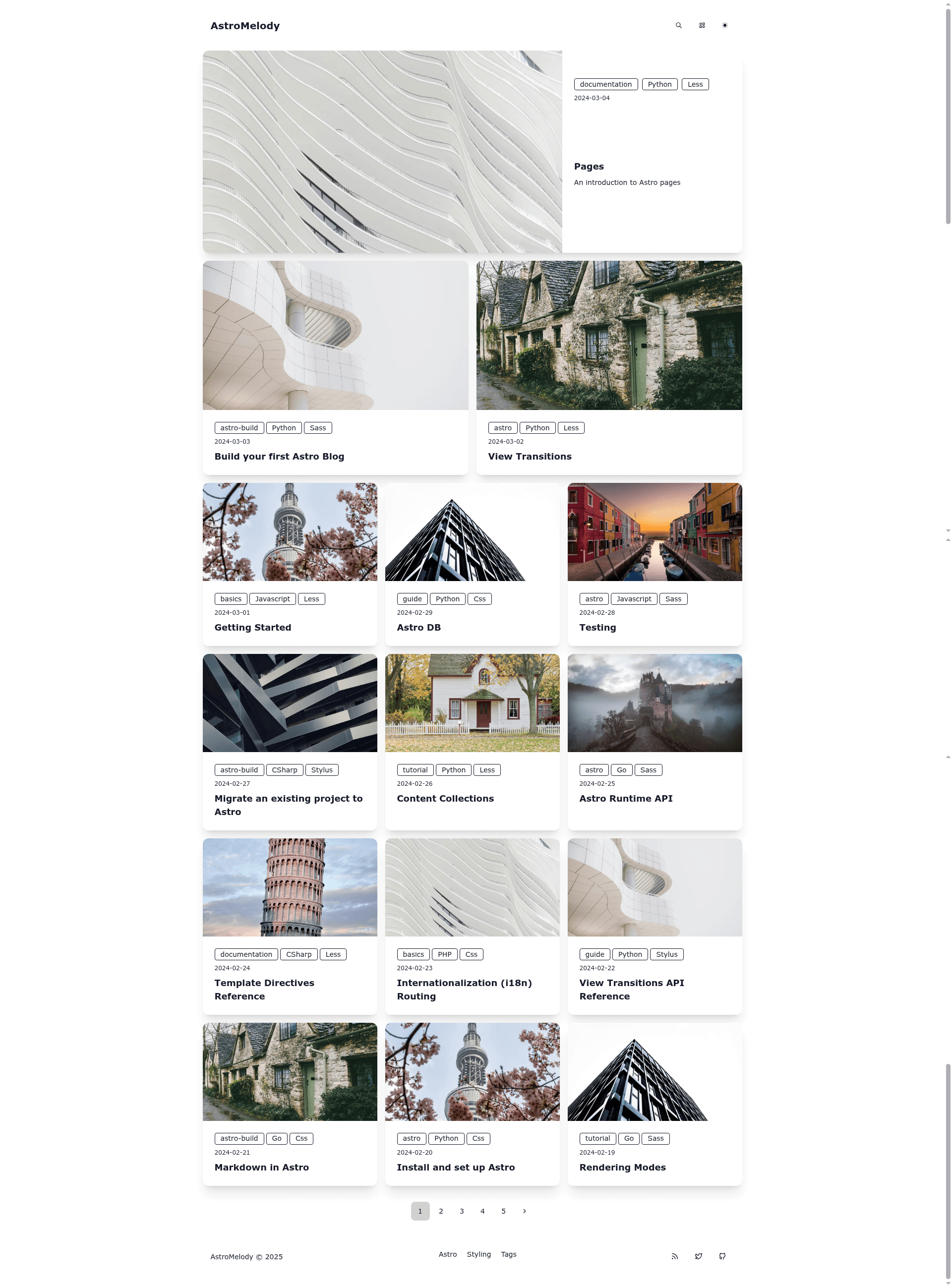
A minimal Astro blog template with DaisyUI and Tailwind CSS, featuring RSS, sitemap, SEO, and Markdown/MDX support.
About this template
Astro Starter Kit: Blog is a minimal open-source blog template built on the Astro framework with DaisyUI and Tailwind CSS, designed to launch a personal blog with built-in SEO, RSS, and sitemap support.
What is Astro Starter Kit: Blog?
Astro Starter Kit: Blog is a starter project for creating static blog websites using Astro, the content-focused web framework. It takes Markdown and MDX files placed in the src/content/blog/ directory as input and produces a fully static website with generated routes, RSS feeds, and sitemap output. The template is distributed as a GitHub repository and its README references Astro's official documentation and Discord server for learning and support.
Key Features
- DaisyUI + Tailwind CSS + Astro — The core stack uses Astro for static generation, Tailwind CSS for utility styling, and DaisyUI for accessible UI components.
- Minimal styling — The theme ships with minimal CSS so you can make it your own by overriding the default look.
- 100/100 Lighthouse performance — The starter reports perfect Lighthouse scores across performance, accessibility, best practices, and SEO.
- SEO-friendly — Canonical URLs and OpenGraph data are generated for each page, improving search indexing and social sharing.
- Sitemap support — Automatically generates a
sitemap.xmlfile for all published posts. - RSS Feed support — Provides an RSS feed so readers can subscribe to new content as it is published.
- Markdown & MDX support — Content collections in
src/content/let you write posts in Markdown or MDX and type-check frontmatter with an optional schema.
Who is it for?
- Personal bloggers — get a lightweight blog online by cloning the repo, adding posts, and deploying the static build.
- Developers — extend the template with Astro/React/Vue/Svelte/Preact components in
src/components/and customize the configuration insrc/consts.ts. - Technical writers — publish documentation-style articles that benefit from canonical URLs, sitemap, and RSS subscription.
What can you do with it?
- Publish long-form content: Write in Markdown or MDX with frontmatter and have each file become a routed post automatically.
- Share posts on social media: OpenGraph tags and canonical URLs are generated, so links display rich previews.
- Build a content archive: Use the RSS feed and sitemap to keep search engines and feed readers updated with new posts.
How does it work?
To get started, clone the repository and run pnpm install to install dependencies. Use pnpm run dev to start a local dev server at localhost:4321, write blog posts as .md or .mdx files in src/content/blog/, then run pnpm run build to output your production site to ./dist/. The project structure includes src/components/, src/content/, src/layouts/, and src/pages/ folders, and configuration lives in astro.config.mjs and src/consts.ts.
FAQ
What commands are available in this starter?
All commands run from the project root: pnpm install installs dependencies, pnpm run dev starts the dev server at localhost:4321, pnpm run build builds to ./dist/, and pnpm run preview previews the build locally. Additional Astro CLI commands are available via pnpm run astro.
How do I add a new blog post?
Create a new Markdown or MDX file inside src/content/blog/. Astro automatically exposes it as a route based on the file name, and you can use the optional content-collection schema to type-check your frontmatter.
Does the template support RSS and sitemap?
Yes, RSS Feed support and Sitemap support are both listed as features, and the README confirms they are part of the starter.
What styling framework is used?
The template combines Astro with Tailwind CSS and DaisyUI. DaisyUI provides component classes and Tailwind handles utility styling, with minimal base CSS to allow easy customization.