Template details
jekyll-ttskch-theme
A simple and customizable Jekyll blog theme with Markdown support, emoji, search, archives, tags, and OGP/sharing.
About this template
jekyll-ttskch-theme is a simple and customizable blogging theme for Jekyll that turns Markdown posts into a static, responsive website with built-in search, tags, monthly archives, and emoji support.
What is jekyll-ttskch-theme?
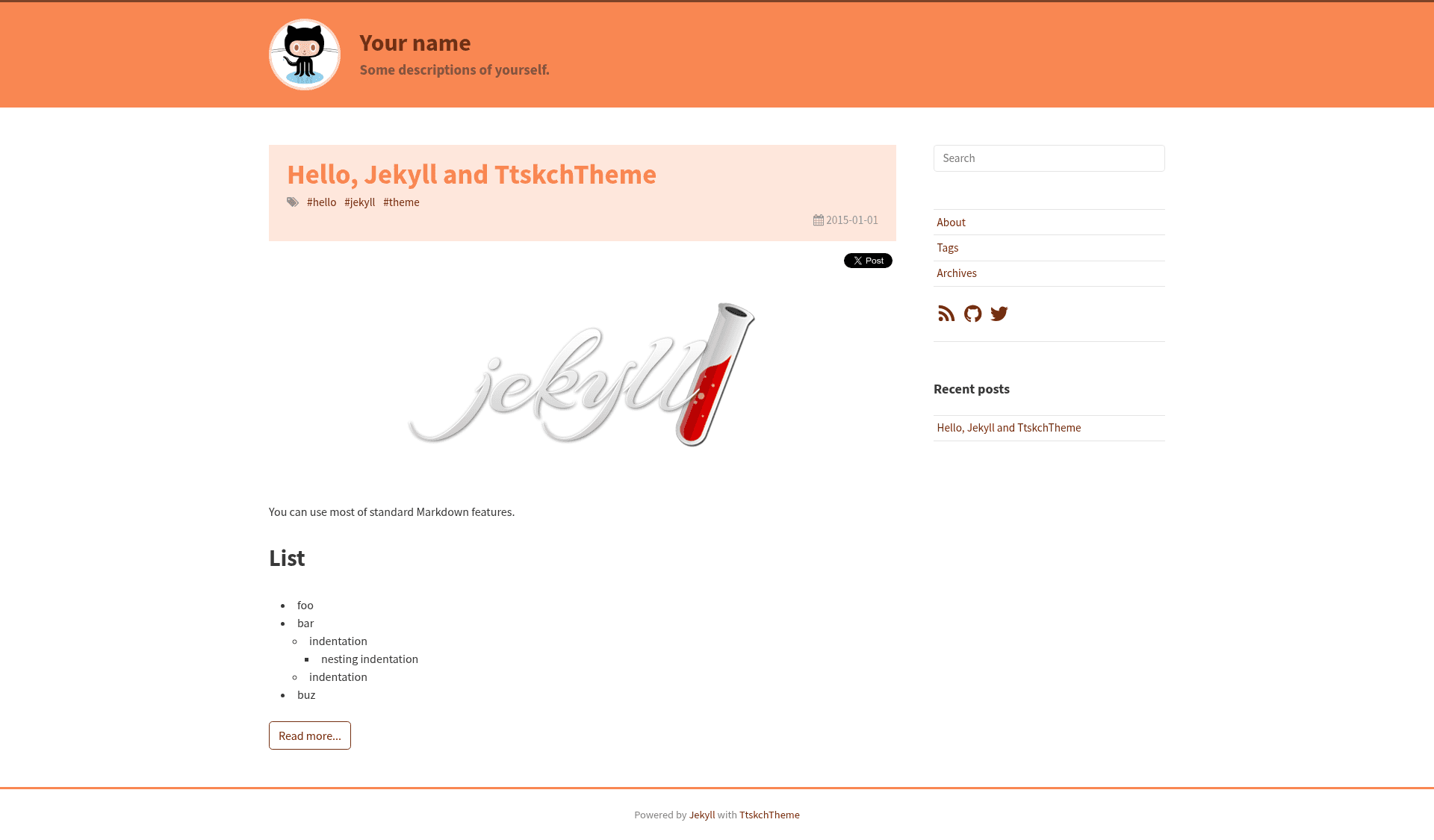
jekyll-ttskch-theme is a Jekyll theme designed for personal blogs and documentation sites. It takes Markdown files (posts and pages) as input and generates a static HTML site with features like tag list pages, monthly archives, client-side search, and Open Graph meta tags. The theme is created by the GitHub user ttskch and was originally named jekyll-qck-theme, then jekyll-tch-theme, before being renamed to its current name on 2016.09.23. A live demo is available at https://ttskch.github.io/jekyll-ttskch-theme/.
Key Features
- Markdown and GFM support — Renders standard Markdown plus GitHub Flavored Markdown elements such as tables, task lists, and strikethrough.
- Emoji shortcodes — Use emoji syntax like
:smile:directly in posts; the theme converts them to emoji images. - Color-scheme customization — Edit
_sass/base/_variables.scssto change colors, font sizes, and other design variables without touching HTML. - Tags list page — Automatically generates a page listing all tags used across posts.
- Monthly Archives page — Groups posts by month, making old content easy to browse.
- Plugin-free search — Includes a search feature that works with any Jekyll setup because it requires no Jekyll plugins.
- Anchor links on headings — Every heading receives a clickable anchor permalink automatically.
- OGP and share buttons — Includes Open Graph tags for social sharing and ready-to-use share buttons.
Who should use jekyll-ttskch-theme?
This theme fits bloggers, technical writers, and developers who want a lightweight, self-hosted blog on Jekyll.
- Individual bloggers can publish Markdown posts and get a clean, responsive site with archives and search.
- GitHub Pages users can fork the repository, rename it to username.github.io, and deploy for free on GitHub Pages.
- Developers who like to customize can adjust the entire look by editing Sass variables in
_sass/base/_variables.scss.
What can you do with jekyll-ttskch-theme?
- Publish multi-tag content — Write posts in Markdown, add tags, and the tags list page organizes them automatically.
- Archive old posts — Use the monthly archive page to let readers find posts from a specific month.
- Search your site — The built-in search lets visitors find content without any backend or plugin setup.
- Share on social media — OGP tags control how post links appear when shared on Twitter or Facebook.
How does jekyll-ttskch-theme work?
Getting started takes five steps: fork the repository, rename it to username.github.io, edit _config.yml with your site settings, optionally modify the Sass variables for colors and fonts, then add posts to the _posts/ folder. The theme then builds these into the final Jekyll site.