Template details
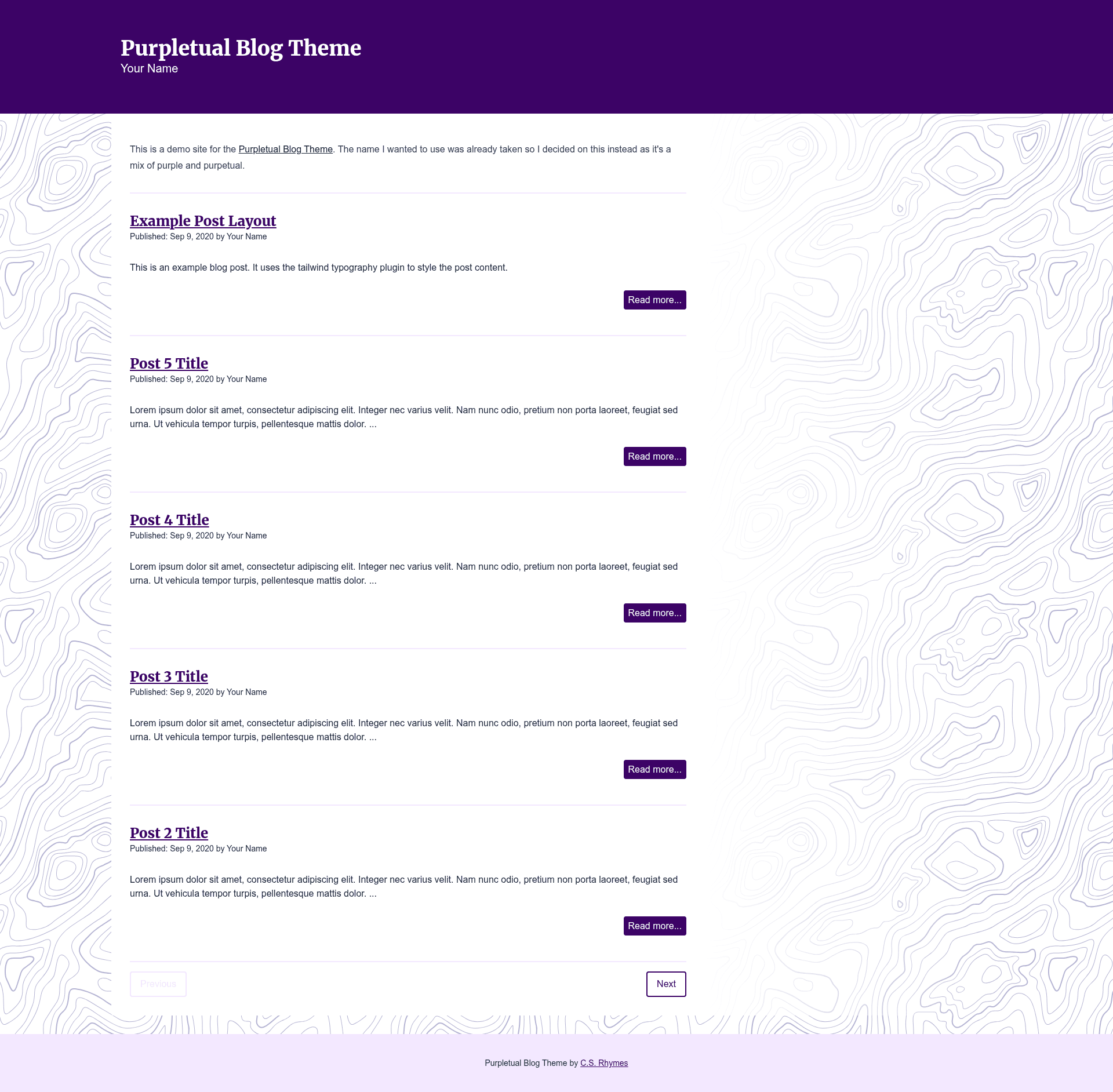
Purpletual Blog Theme
A purple-themed Jekyll blog theme built with Tailwind CSS v4.
About this template
Purpletual Blog Theme is a starter blog theme built on the Jekyll static site generator and styled with Tailwind CSS v4, delivering a purple-tinted blog appearance. The repository provides the files and configuration needed to launch a blog where posts are written as Markdown and compiled into static HTML by Jekyll.
What is Purpletual Blog Theme?
Purpletual Blog Theme is a Jekyll-based blog theme that uses Tailwind CSS v4 for styling and is named for its heavy use of purple colors. It takes blog posts as Markdown files placed in the _posts directory and produces a fully static website through Jekyll's build process. The theme is distributed as a GitHub repository and, at the time of writing, has 3 stars. It requires Ruby, Bundler, Jekyll, Node.js, and npm to run.
Key Features
- Tailwind CSS v4 — The theme is built with Tailwind CSS v4, the latest major version of the utility-first CSS framework, enabling styling through utility classes.
- Jekyll integration — Uses Jekyll, a Ruby-based static site generator, to convert Markdown posts in
_postsinto static HTML pages. - Purple design palette — The theme's signature is its purple color scheme, giving blogs a distinct visual identity without extra theming.
- Local development server — Running
bundle exec jekyll servecompiles the site and serves it locally for preview. - Production build command — Running
bundle exec jekyll buildgenerates the static site output for deployment. - Dependency management via Bundler and npm — Ruby gems are installed with
bundle install, and Node modules withnpm cifrompackage-lock.json. - Simple post workflow — To add content, create post files in the
_postsdirectory and setindex.html's layout to "home".
Who is it for?
- Jekyll developers — Developers who already use Jekyll and want a Tailwind-styled theme without hand-coding the design system.
- Static site beginners — People learning static site generators can follow the README's steps—
bundle install,npm ci, thenjekyll serve—to get a blog running quickly. - Purple-enthusiast bloggers — Anyone who wants a blog with a ready-made purple aesthetic and doesn't want to spend time tweaking colors.
What can you do with it?
- Launch a personal blog — Write posts in Markdown, set the home layout, and build a purple-themed blog with Jekyll and Tailwind.
- Learn Tailwind v4 + Jekyll — Use the theme as a working example to see how Tailwind CSS v4 is integrated with Jekyll's build pipeline.
- Customize the purple theme — Modify the Tailwind configuration and styles to adjust colors and layout, then rebuild with
jekyll build.
How does it work?
- Install Ruby gems with
bundle installand Node packages withnpm ci. - Set the
index.htmllayout to "home". - Create Markdown posts in the
_postsdirectory. - Run
bundle exec jekyll serveto compile and preview the site, orbundle exec jekyll buildto output the static files.