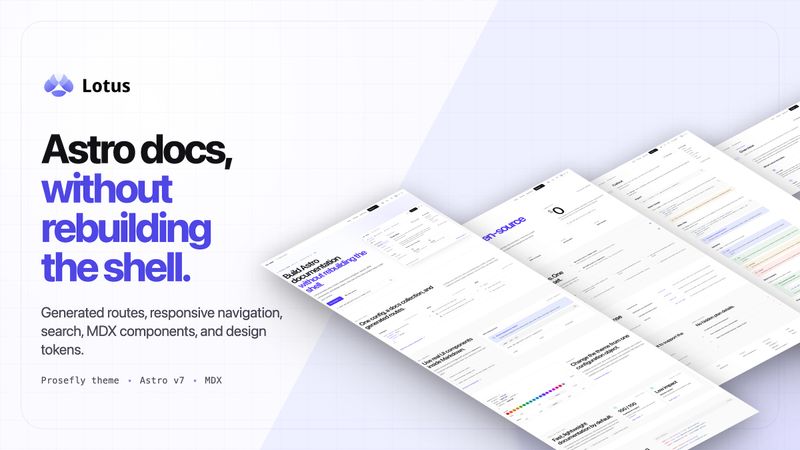
Astro Theme Lotus is an installable documentation theme for Astro v7 that adds generated docs routes, responsive navigation, a table of contents, search, dark mode, and i18n to an Astro project without forking a whole site theme. It is published by Prosefly as the npm package @prosefly/astro-theme-lotus and released under the BSD-3-Clause license.
What is Astro Theme Lotus?
Astro Theme Lotus is an Astro v7 integration that turns MDX files in a content collection into a full documentation site. Developers install the package, register a docs collection using the provided docsLoader and docsSchema, and Lotus renders those files as pages: src/content/docs/index.mdx renders at the site root and src/content/docs/installation.mdx renders at /installation/. The theme supplies the docs shell itself, including header, subnav, sidebar, main content area, table of contents, and footer, plus a search provider, theme controls, and docs components.
What makes Astro Theme Lotus stand out?
- Astro v7 integration with MDX content collections — docs live in
src/content/docs/and are wired up throughdocsLoader()anddocsSchema()insrc/content.config.ts, with configurable route mapping. - Tailwind CSS v4 styling with theme tokens — accent color, gray palette, and corner radius are configurable, alongside light, dark, and system theme modes.
- Three search providers — local search, Pagefind, and DocSearch can be selected for the docs site.
- i18n-aware routes — routes, navigation labels, and sidebar ownership are locale-aware rather than hardcoded to one language.
- Component overrides — shell pieces such as search, navigation, footer links, page metadata, and the theme switch control can be replaced individually.
- Docs authoring components — cards, steps, tabs, and callouts ship in
@prosefly/astro-components; Expressive Code handles code blocks and Iconify powers icons such aslucide:rocket. - Performance profile — static output with minimal client JavaScript and a current PageSpeed Insights mobile report scoring 100 across all categories.
Who should use Astro Theme Lotus?
- Astro developers launching product docs: they scaffold the starter template and get content collections, theme config, and example docs pre-wired instead of designing a docs shell.
- Teams adding docs to an existing Astro site: they install
@prosefly/astro-theme-lotusinto a current project and add the shell one piece at a time. - Maintainers of multilingual documentation: they rely on i18n-aware routes, labels, and sidebar ownership to serve more than one locale.
- Open-source projects that need searchable docs: they pick a search provider and publish statically without running a search backend.
What can you do with Astro Theme Lotus?
- Start a docs site in minutes: run the starter scaffold command to generate an Astro project with content collections, theme config, and example docs already connected.
- Retrofit docs onto an existing Astro project: add the integration in
astro.config.tsand register the docs collection to get generated routes without restructuring the site. - Self-host search: choose local search or Pagefind for a fully static index, or DocSearch when an Algolia-backed experience is preferred.
- Restyle the shell without forking: change logo, accent color, gray palette, radius, site navigation, and docs sidebar entries in
theme.config.json, with integration options overriding the JSON file.
How does Astro Theme Lotus work?
Lotus works as an Astro integration plus an Astro content collection. You either scaffold the starter template or run npm install @prosefly/astro-theme-lotus, add lotus() to the integrations array in astro.config.ts, and register a docs collection in src/content.config.ts with docsLoader() and docsSchema(). From there, every MDX file placed in src/content/docs/ becomes a documentation page, and a theme.config.json file in the project root sets the site name, description, logo, top navigation, and docs sidebar.
Alternatives
- Astro Starlight — the official Astro documentation theme, built on the same framework.
- VitePress — a Vite and Vue based static site generator aimed at documentation.
- Docusaurus — a React based documentation framework.
FAQ
What is Astro Theme Lotus?
Astro Theme Lotus is an installable documentation theme for Astro v7 published on npm as @prosefly/astro-theme-lotus. It renders MDX files from a docs content collection into a documentation site with navigation, table of contents, search, dark mode, and i18n support already built in.
Does Astro Theme Lotus support search?
Yes. Lotus supports three search options: local search, Pagefind, and DocSearch. You choose the provider for your docs site, so you can keep the index fully static with local search or Pagefind, or use a hosted DocSearch experience.
Do I need to fork the theme to customize it?
No. Lotus is installed as an Astro integration. Configuration lives in theme.config.json and in the lotus() options, and component overrides let you replace shell pieces such as search, navigation, footer links, page metadata, and the theme switch controls.
What license is Astro Theme Lotus released under?
The project states the BSD-3-Clause license, and the package is distributed publicly on npm. The page does not list paid tiers or a hosted plan, so documentation sites built with Lotus are deployed by the developer using their own Astro hosting.